5GHz vs 2.4GHz Routers: Enterprise Comparison
Choosing between 5GHz and 2.4GHz routers? Learn the key differences in speed, range, and interference to make the right choice for your business.

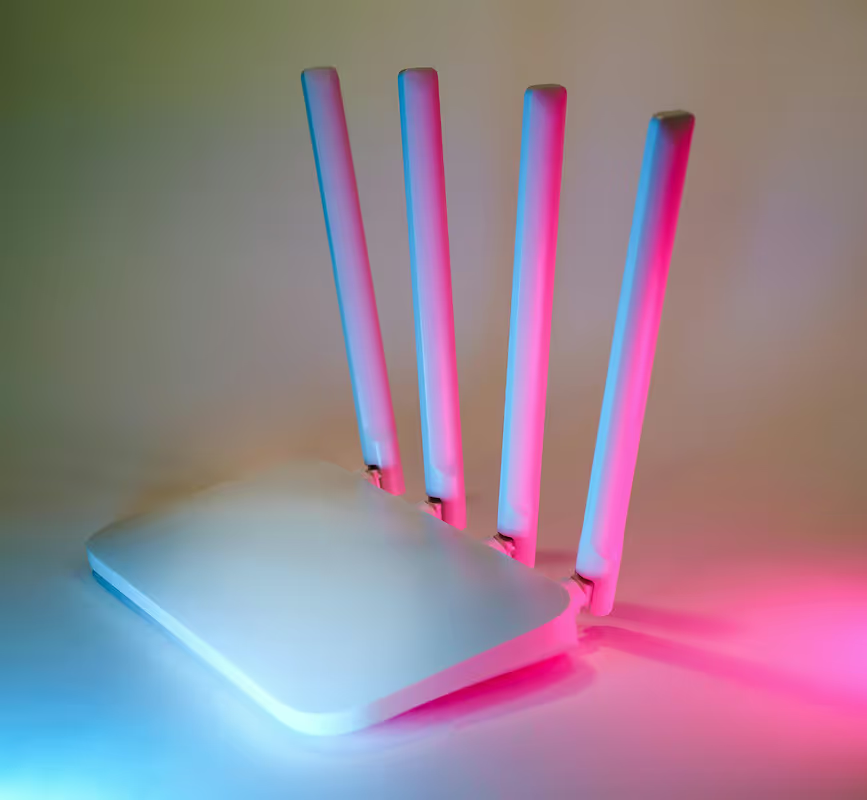
Choosing the right Wi-Fi for your business is crucial for keeping operations running smoothly. When you're looking at routers, you'll often see two main options: 2.4GHz and 5GHz.
While they both connect you to the internet, they operate on different frequency bands and offer distinct advantages in speed, range, and handling interference. This guide will break down the key differences to help you decide which is the better fit for your enterprise network.
What is a 5GHz Router?
A 5GHz router is a wireless device that transmits Wi-Fi signals on the 5 gigahertz radio frequency band. This band is newer and operates on a higher frequency, which gives it distinct characteristics. For an enterprise setting, understanding these properties is key to designing a reliable network.
- Wider Spectrum: It operates in a frequency range from 5.180 GHz to 5.825 GHz. This provides a much wider spectrum for data to travel across.
- More Channels: The 5GHz band offers 23 non-overlapping channels. This greatly reduces potential signal interference from neighboring Wi-Fi networks and other electronic devices, which is especially important in dense office environments.
- Higher Data Rates: The wider bandwidth allows 5GHz connections to support significantly faster data speeds, making it well-suited for bandwidth-intensive tasks like video conferencing and large file transfers.
What is a 2.4GHz Router?
A 2.4GHz router is a wireless device that operates on the more traditional 2.4 gigahertz radio frequency band. This band has been the standard for Wi-Fi for many years and comes with its own set of operational characteristics that are important for network planning.
- Narrower Spectrum: It functions in a frequency range from 2.412 GHz to 2.484 GHz, which is a more crowded space.
- Fewer Channels: The 2.4GHz band has only 11 channels in North America, with just three that do not overlap. This limited number of channels increases the likelihood of interference, especially in areas with many competing networks.
- Greater Range: Its lower-frequency signals are more effective at penetrating solid objects like walls, floors, and furniture, resulting in a longer reach.
Key Differences Between 5GHz and 2.4GHz Routers
The choice between these two bands often comes down to a trade-off between speed, range, and signal stability. Here’s a direct comparison of how they perform in an enterprise setting.
1. Speed and Bandwidth
The 5GHz band offers significantly faster data transmission speeds because it has wider channels. Think of it like a multi-lane highway versus a single-lane road; more data can travel at once, which is ideal for bandwidth-heavy activities like video conferencing, VoIP calls, and large file transfers.
In contrast, the 2.4GHz band provides slower speeds. While not suited for high-demand tasks, it is perfectly capable of handling lighter network traffic such as email, basic web browsing, and connecting IoT devices.
2. Range and Penetration
Signals on the 2.4GHz band have a longer wavelength, which allows them to travel further and more effectively penetrate solid objects like walls, floors, and furniture. This gives a single 2.4GHz access point a larger coverage area.
The 5GHz band uses shorter wavelengths. These signals are more easily obstructed by physical barriers, resulting in a smaller effective range. To cover the same physical space with 5GHz, you may need more access points.
3. Interference and Congestion
The 2.4GHz band is a very crowded space. It’s not just competing with other Wi-Fi networks; it also shares its frequency with many common office devices, including microwaves, cordless phones, and Bluetooth peripherals. This can lead to significant signal interference and an unstable connection.
The 5GHz band is much less congested. With more available channels and fewer non-Wi-Fi devices operating on its frequency, it provides a more stable and reliable connection, which is critical in dense office buildings or co-working spaces.
Advantages of Using a 5GHz Router
For an enterprise, opting for 5GHz Wi-Fi brings several practical benefits that directly impact productivity and network reliability. It is particularly well-suited for modern office environments with high performance demands.
- Higher Throughput for Business Applications: The 5GHz band provides the necessary speed for bandwidth-intensive tasks such as high-definition video conferencing, large data transfers, and cloud-based software. This ensures smooth performance without lag or buffering, which is critical for daily operations.
- Greater Stability in Dense Environments: In crowded office buildings or shared workspaces, the 5GHz band offers a more stable connection. With more non-overlapping channels, it avoids the signal congestion common on the 2.4GHz frequency, leading to fewer dropped connections and slowdowns.
- Support for More Concurrent Devices: It can handle a higher density of connected devices at the same time without performance degradation. This is essential in today's workplaces where each employee often uses multiple Wi-Fi-enabled devices, from laptops and smartphones to tablets.
- Prepares for Future Network Demands: Deploying 5GHz helps prepare your network for the future. Newer Wi-Fi standards like Wi-Fi 6 (802.11ax) are designed to use the 5GHz band to achieve their maximum performance potential.
Benefits of a 2.4GHz Router
While 5GHz often takes the spotlight for speed, the 2.4GHz band offers its own set of practical advantages that make it indispensable for a well-rounded enterprise network. It excels in situations where coverage and compatibility are the primary concerns.
- Cost-Effective for Large Areas: The superior range of 2.4GHz signals means you can cover more ground with fewer access points. This is particularly beneficial for large, open spaces like warehouses, manufacturing floors, or sprawling single-level offices, helping to reduce initial hardware and installation costs.
- Universal Device Compatibility: This band is the go-to for connecting a wide array of devices, especially older hardware or simpler Internet of Things (IoT) equipment. Many printers, scanners, and basic sensors are designed to work only on the 2.4GHz frequency, making it essential for backward compatibility.
- Reliable in Structurally Complex Environments: Because its lower-frequency signals are better at penetrating solid objects, 2.4GHz provides a more dependable connection in areas with many walls, shelves, or other physical obstructions where a 5GHz signal might be weakened or blocked entirely.
Choosing the Right Router for Your Enterprise
The best approach isn't about picking one frequency over the other, but about matching the right technology to your specific business needs. Here’s how to evaluate your requirements.
1. Evaluate Your Physical Environment
Start by mapping your workspace. A large, open-plan office or warehouse might benefit from the long reach of 2.4GHz, while a dense office with many separate rooms will likely need the stability of 5GHz, possibly requiring more access points to achieve coverage. Consider building materials, as concrete and metal can significantly impede 5GHz signals.
2. Audit Your Connected Devices
Take inventory of the devices that will connect to your network. High-performance devices like laptops used for video calls and data-heavy tasks should be on the 5GHz band. Conversely, legacy hardware or simple IoT sensors that only support 2.4GHz will dictate the need for that band.
3. Adopt a Dual-Band Approach
The most effective solution for most enterprises is using dual-band routers. These devices broadcast on both 2.4GHz and 5GHz frequencies simultaneously. This allows you to create a flexible network, steering high-demand devices to the 5GHz band for speed and stability, while reserving the 2.4GHz band for older devices and coverage in hard-to-reach areas.
Making the Best Decision for Your Network Needs
Ultimately, the decision isn't about choosing one band over the other. A modern enterprise network performs best when it uses both frequencies strategically to support different business functions. To make the right choice, focus on how each band serves your operational needs.
- For Performance: Prioritize the 5GHz band for your most critical business activities. Assign primary workstations, conference room equipment, and any devices handling large file transfers or video calls to this band for faster speeds and reduced signal interference.
- For Coverage and Compatibility: Use the 2.4GHz band for its superior range and ability to support older hardware. It is the ideal choice for connecting IoT devices, printers, and covering large, open areas or spaces with many physical obstructions.
- For a Complete Solution: The most effective strategy is to deploy dual-band access points. This creates a flexible network that can steer devices to the optimal frequency, balancing high performance with broad, reliable coverage.
Need Help Managing Your Network? Lightyear Can Help

Once you've determined your hardware needs, the next step is procuring the right network services to support it. Lightyear automates this process, helping you find the best options for your enterprise.
By automating network service procurement, inventory management, and bill consolidation, Lightyear takes the pain out of telecom infrastructure management. The hundreds of enterprises who trust Lightyear achieve 70%+ time savings and 20%+ cost savings on their network services.
Schedule a demo or get started with our questionnaire today.
Frequently Asked Questions about 5GHz Router vs 2.4GHz Router
Is 5GHz more secure than 2.4GHz?
Security isn't tied to the frequency band. It depends on your network's encryption standard, like WPA3. Both 2.4GHz and 5GHz bands are equally secure when configured with up-to-date security protocols and a strong password policy.
Can I force a device to use the 5GHz band?
Yes. Many dual-band routers let you create separate network names (SSIDs) for each band, such as "OfficeNet_5GHz." You can then manually connect high-priority devices to the 5GHz network to ensure they receive the best performance.
Does 5GHz use more data than 2.4GHz?
No, the frequency band does not affect your data consumption. Your data usage is determined by your online activities, like streaming or downloading files, not by which Wi-Fi band you are connected to.
Let us show you the product and discuss specifics on how it might be helpful.
Schedule a Demo





Revolutionize Your Telecom Experience
Learn how you can get one step closer to optimal business efficiency for all your telecom services.
