DSL vs Cable Routers: Enterprise Network Choices
DSL vs. Cable routers for your business? Learn the key differences in speed, reliability, and cost to make the right choice for your enterprise network.

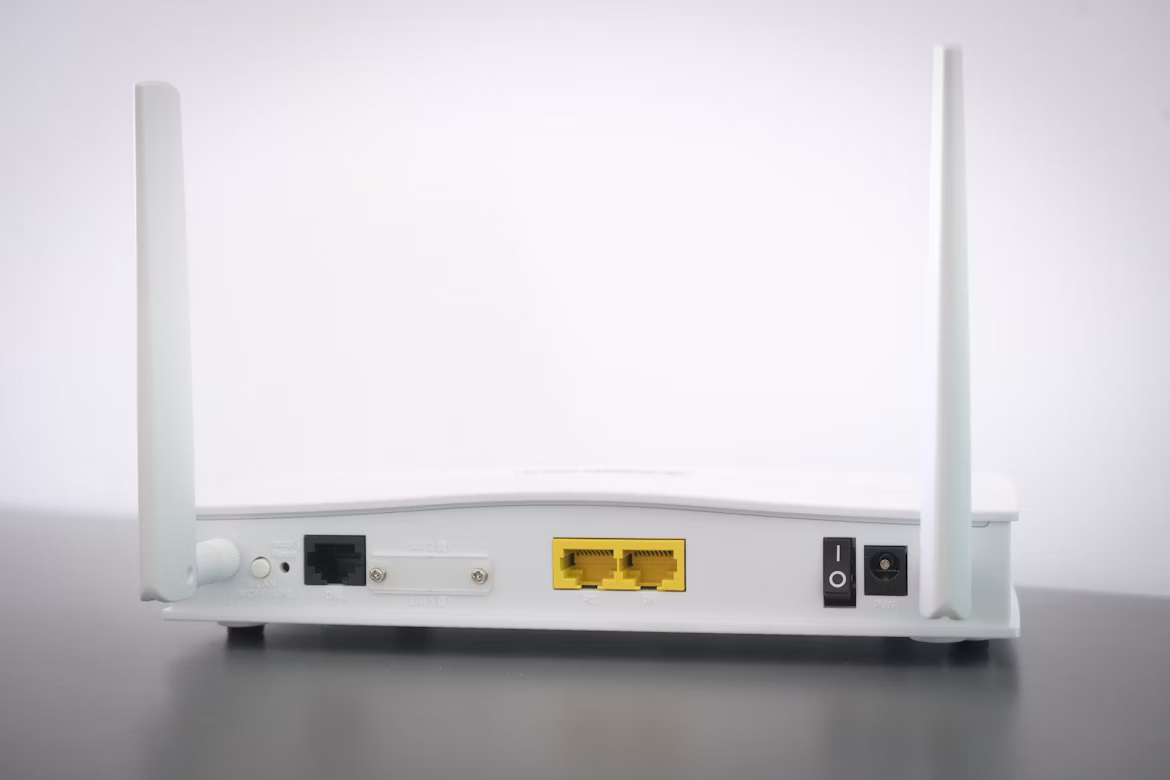
Choosing the right internet connection for your business is a foundational decision. Two of the most common options you'll encounter are Digital Subscriber Line (DSL) and Cable internet.
While both technologies provide internet access, they are built on different infrastructures. This results in important distinctions in performance, availability, and cost that can affect your operations. This guide will break down the differences between DSL and Cable to help you make an informed choice for your enterprise network.
What is a DSL Router?
A DSL router is a device that connects your local network to the internet using a standard copper telephone line. It’s essentially a combination of two devices in one: a DSL modem and a router. The modem part translates digital signals for travel over the phone line, while the router directs traffic between your office devices and the internet.
Because it uses the higher frequencies of a phone line, you can make calls and use the internet at the same time without interference. Here are the key things to know about how it works:
- Infrastructure: It requires an active telephone line and connects using a standard RJ11 phone jack.
- Functionality: It manages your internet connection and distributes it to multiple devices within your office, either through Ethernet cables or Wi-Fi.
- Performance: A critical factor for DSL is the distance from your building to the provider's central office. The shorter the distance, the faster and more reliable your connection will be.
- Provider-Supplied: In most cases, your Internet Service Provider (ISP) will supply the necessary DSL router when you subscribe to their service.
What is a Cable Router?
A cable router connects your local network to the internet using the same coaxial cable infrastructure that delivers cable television. Similar to a DSL router, it integrates a modem and a router into a single device. The modem translates the internet signal from the cable line, and the router manages and distributes the connection to all your office devices via Wi-Fi or Ethernet.
Here’s a breakdown of how a cable router operates:
- Infrastructure: It utilizes a coaxial cable line, connecting through a standard F-type connector, which is the same one used for cable TV.
- Functionality: The device manages your internet connection and creates a local network, providing both wired (Ethernet) and wireless (Wi-Fi) access for your computers and other equipment.
- Shared Bandwidth: Cable internet operates on a shared network, meaning your business shares bandwidth with other subscribers in the area. Performance can sometimes fluctuate depending on neighborhood usage.
- Provider-Supplied: Most cable ISPs provide a compatible router with their business internet plans, though some allow you to use your own approved equipment.
Key Differences Between DSL and Cable Routers
While both routers get you online, the way they do it creates some important distinctions for a business network. The primary differences come down to the underlying infrastructure, how bandwidth is allocated, and where the services are available.
1. Connection Type and Infrastructure
The most basic difference lies in the physical connection each router uses. A DSL router plugs into a standard telephone jack, using the copper wiring of a phone line to establish an internet connection.
A cable router, on the other hand, connects to a coaxial cable outlet—the same type used for cable TV. This distinction in wiring is the first factor that determines which service is an option for your office.
2. Network Architecture
With DSL, your business gets a dedicated line from your premises to the provider's nearest central office or node. This means your connection is private and not directly impacted by the internet usage of neighboring businesses or residences.
Cable internet functions differently, using a shared network model. All subscribers in a specific area share the total available bandwidth. This architecture can sometimes result in variable connectivity, especially during peak hours when many users are online simultaneously.
3. Geographic Availability
Because it relies on the widespread telephone network, DSL service is often more broadly available, particularly in rural and remote regions where cable infrastructure may not exist.
Cable internet's footprint is tied to where providers have physically laid coaxial lines. It is widely accessible in most metropolitan and suburban areas but can be harder to find outside of these zones.
Performance and Speed Considerations
When it comes to raw speed, cable internet generally has the upper hand. Cable connections can deliver significantly higher download speeds, often reaching 1 Gbps or more, which is a major advantage for data-heavy operations.
DSL speeds, in contrast, are highly dependent on your office's distance from the provider's central hub. While reliable, the maximum speeds are typically lower than cable, and performance degrades over longer distances. A critical point for businesses is that DSL is an asymmetrical service, meaning upload speeds are much slower than download speeds. This can create bottlenecks for tasks like transferring large files or running cloud backups.
Cable also tends to be asymmetrical, but its upload speeds are generally faster than what DSL can offer. However, because cable operates on a shared network, your connection speed can fluctuate based on traffic from other users in your area. During peak business hours, you might experience slower performance than the advertised maximums.
Installation and Setup Process
Getting your new internet service up and running involves a few key steps. The process for DSL and cable can differ, mainly depending on your building's existing wiring and whether a technician is needed.
- DSL Installation: Setup is often a simple do-it-yourself task. Providers typically mail a self-install kit containing the router and cables. As long as you have an active telephone line, you just need to plug the router into the phone jack and a power source. If the line isn't active, a technician will need to visit to enable it.
- Cable Installation: This can also be a self-install process if your office is already wired with an active coaxial line. The provider sends the equipment, and you connect the router to the cable outlet. However, if a new line needs to be run or an existing one activated, a professional installation by a technician will be necessary to get you connected.
Cost Implications for Enterprises
When evaluating DSL and cable, the sticker price is just the starting point for any business. The total cost of ownership involves looking at monthly fees, performance value, and contract terms.
DSL plans often come with a lower monthly subscription fee, which can be attractive for businesses with basic internet needs or tight budgets. However, because the speeds are generally lower, the cost-per-megabit can be higher than with cable.
Cable internet may have a higher monthly price tag, but it typically offers significantly faster speeds. This often results in a lower cost-per-megabit, providing better performance value for companies that handle large amounts of data.
For enterprises, it's also crucial to look beyond the base price. Business plans for both DSL and cable often include costs for essential features like static IP addresses, dedicated support, and Service Level Agreements (SLAs) that guarantee uptime. These factors, along with contract length and potential installation fees, will determine the true cost for your organization.
Making the Right Choice for Your Business
Choosing between a DSL and a cable router comes down to your specific business needs, location, and priorities. There isn't a single correct answer, but focusing on a few key factors will guide your decision.
If your operations depend on high-speed downloads for large files or heavy cloud usage, cable's superior bandwidth is likely the better choice. For businesses with more modest internet needs, the consistent, dedicated connection of DSL might be perfectly adequate and more reliable.
Next, evaluate availability. DSL is often accessible in areas where cable isn't, offering a private line that isn't affected by neighborhood traffic. Cable, while faster, operates on a shared network, which can lead to speed fluctuations during peak hours.
Finally, look at the total cost. While DSL plans may appear cheaper, cable often provides better value in terms of cost-per-megabit. Be sure to factor in business-critical add-ons like static IPs and Service Level Agreements (SLAs) to understand the true investment for each option.
Need Help Managing Your Network? Lightyear Can Help

Choosing between DSL and cable is just the first step. Lightyear takes the pain out of telecom infrastructure management by automating network service procurement, inventory, and bill consolidation.
By automating the process, enterprises that trust Lightyear achieve over 70% time savings and 20% cost savings on their network services.
Schedule a demo or get started with our questionnaire today.
Frequently Asked Questions about DSL Router vs Cable Router
Is a DSL or cable connection more secure?
Both are secure with proper configuration. DSL's dedicated line offers inherent privacy, while cable's shared network requires strong encryption. The router's firewall and security settings are more critical than the connection type itself for protecting your business network.
Which connection is better for VoIP and video conferencing?
Cable's higher upload speeds generally provide a smoother experience for real-time applications like VoIP and video calls. While DSL can work, its lower upload bandwidth may lead to choppiness or lag, especially with multiple simultaneous users.
Can I use my own router for business internet?
Often, yes, but it depends on your ISP. Most providers have a list of approved third-party devices. Using your own can offer more advanced features, but you'll be responsible for its setup, security, and maintenance. Always check with your provider first.
Do I need a new router if I switch from DSL to cable?
Yes, you will need a new router. DSL and cable routers are built for entirely different infrastructures—phone lines versus coaxial cables. The modem component in each is not interchangeable, so a switch in service requires a corresponding switch in hardware.
Let us show you the product and discuss specifics on how it might be helpful.
Schedule a Demo





Revolutionize Your Telecom Experience
Learn how you can get one step closer to optimal business efficiency for all your telecom services.
