Ethernet vs Crossover Cable: Differences Explained
Ethernet vs. crossover cable: What's the difference? Understand the unique wiring and use cases to choose the right cable for your network devices.

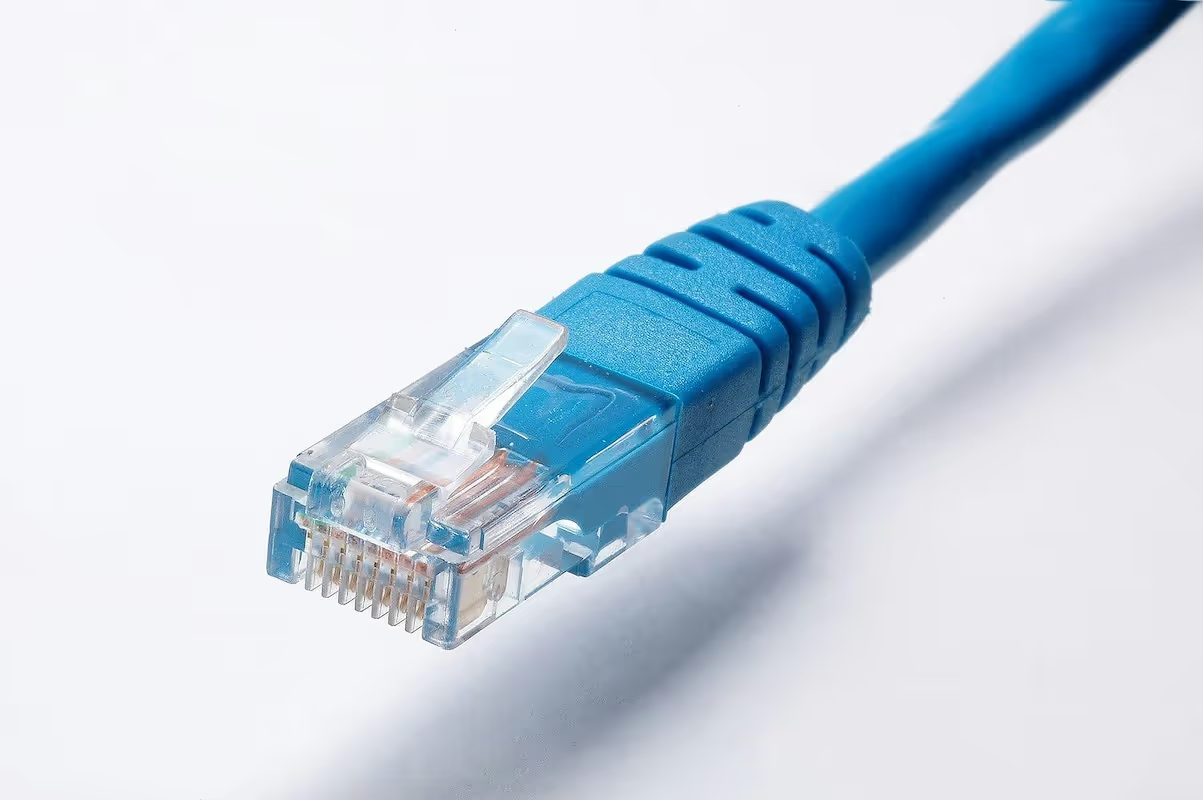
When setting up a network, you'll often encounter two types of cables that look nearly identical: Ethernet and crossover cables. While both are used to connect devices, they are designed for very different jobs.
Knowing which one to use is fundamental for building a reliable network. This guide explains the specific roles of each cable, how to tell them apart, and when to use one over the other.
What is an Ethernet Cable?
An Ethernet cable is the standard for building wired networks, acting as the physical link that connects devices to a local network and the internet. It allows hardware like computers, printers, and servers to communicate with each other through a central networking device, such as a router or switch.
Here’s a closer look at its core functions and characteristics:
- Device Connectivity: Its main purpose is to connect devices within a Local Area Network (LAN). This includes everything from desktop computers to network-attached storage (NAS) systems and VoIP phones.
- Data Transmission: It carries data packets between connected devices, facilitating file sharing, internet access, and other network operations with reliability.
- Physical Makeup: Inside the cable are four pairs of twisted copper wires. This design is critical for reducing signal interference (crosstalk) from other wires and external sources, ensuring a stable connection.
- Standardized Connectors: Ethernet cables use a standard RJ45 connector, which looks like a slightly larger telephone jack. This universal connector ensures compatibility across most networking hardware.
What is a Crossover Cable?
A crossover cable is a specialized type of Ethernet cable designed to connect two similar networking devices directly to each other without a router or switch in between. Think of it as a direct line of communication between two computers or two switches.
While it looks just like a standard Ethernet cable on the outside, its internal wiring is what sets it apart.
- Direct Connection: Its primary function is to create a direct link between two devices of the same type. For example, you would use a crossover cable to connect one computer directly to another for file sharing or to link two network switches to expand your network.
- Internal Wiring: Unlike a standard Ethernet cable (known as a "straight-through" cable), a crossover cable has its internal wiring crossed. Specifically, the transmit wires on one end are connected to the receive wires on the other. This configuration allows two devices to send and receive data simultaneously without a central networking device to manage traffic.
- Declining Use: Modern networking equipment often includes a feature called Auto MDI-X, which automatically detects the type of cable and adjusts its internal connections accordingly. Because of this, crossover cables are less common today but are still important for connecting older hardware that lacks this auto-sensing capability.
Key Differences Between Ethernet and Crossover Cables
While they may look identical, the core differences between these cables come down to their internal wiring, which dictates their specific job on a network.
1. Wiring Configuration
The most significant difference is how the wires are arranged inside the cable. A standard Ethernet cable, also known as a straight-through cable, has an identical wiring sequence on both ends (typically the T568B standard).
A crossover cable, however, is wired with one end as T568A and the other as T568B. This "crosses" the transmit and receive wires, allowing two devices to communicate directly without a central hub to manage the signal flow.
2. Primary Application
Their wiring directly impacts their use. Ethernet cables are designed to connect devices of different types, like a computer to a switch or a router to a modem. The switch or router acts as an intermediary, managing data traffic.
Crossover cables are for connecting two similar devices directly to each other. Common examples include linking one computer to another for file transfers or connecting two network switches to expand a network.
3. Modern Hardware Relevance
In modern networking, the need for crossover cables has greatly diminished due to a feature called Auto MDI-X. Most current network adapters, switches, and routers can automatically detect the type of cable connected and adjust their transmit and receive signals accordingly.
Because of this, a standard Ethernet cable can often perform the job of a crossover cable. Crossover cables are now mainly used for older or specialized equipment that lacks this auto-sensing capability.
When to Use Ethernet Cables
Standard Ethernet cables are the default choice for nearly all modern networking tasks. You should use one whenever you are connecting a device to a different type of device, particularly when a central piece of hardware like a switch or router is involved.
Common use cases include connecting a computer, printer, or VoIP phone to a wall jack that leads to a network switch. They are also used to link servers to switches in a data center or to connect a wireless access point to your core network.
In short, if a device needs to communicate with the broader network through a central hub, a standard Ethernet cable is the correct tool. The central device manages the traffic, and the cable simply provides the physical link.
When to Use Crossover Cables
While modern networks have largely moved on, crossover cables still have their place, particularly when dealing with older equipment or specific direct-connect scenarios.
The most common use is for a direct computer-to-computer connection. If you need to transfer large files between two PCs without a router or switch available, a crossover cable creates a simple, two-device network.
They are also used to link two older network switches together to expand a network. This is necessary when the switches lack Auto MDI-X functionality and you need to connect two standard ports instead of using a dedicated uplink port.
Essentially, if you're connecting two similar devices and at least one of them is older hardware that doesn't automatically adjust for the cable type, a crossover cable is the tool for the job.
Common Misconceptions About Ethernet and Crossover Cables
Despite their simple function, a few myths about these cables persist. Let's clear up some of the most common points of confusion to ensure your network setup is straightforward and effective.
- Performance is identical. A crossover cable offers no speed advantage over a standard Ethernet cable. A cable's performance is determined by its category rating (like Cat5e or Cat6), which dictates its maximum data transfer rate. Both straight-through and crossover cables are built to the same performance standards.
- Color coding is not a reliable guide. While some manufacturers helpfully use a specific color for crossover cables, this is not a universal standard. The only guaranteed way to tell them apart is to examine the wire arrangement in the clear RJ45 connector or look for text like "crossover" printed on the cable jacket itself.
- Using the wrong cable won't cause damage. A common fear is that plugging in the wrong cable will fry your network ports. Fortunately, this is not true. If you use the wrong cable for a device that lacks Auto MDI-X, the connection will simply fail to establish. Your hardware will be safe.
Making the Right Choice for Your Network
For nearly all modern networking needs, a standard Ethernet cable is the correct choice. The prevalence of Auto MDI-X technology in today's routers, switches, and network cards means the hardware can automatically adapt, making specialized cables less necessary.
Crossover cables are now reserved for specific situations, primarily when connecting older devices that lack auto-sensing capabilities. This typically involves linking two legacy switches or creating a direct connection between two older computers for file transfers.
When in doubt, start with a standard Ethernet cable. Since using the wrong type won't cause damage, it's the most practical first step. If a connection isn't established and you're linking two similar devices, a crossover cable is likely the solution you need.
Need Help Managing Your Network? Lightyear Can Help

Choosing the right cable is a key detail, but managing your entire network infrastructure is the bigger challenge. By automating network service procurement, inventory management, and bill consolidation, Lightyear simplifies telecom infrastructure management.
The hundreds of enterprises that trust Lightyear achieve over 70% time savings and 20% cost savings on their network services. Schedule a demo or get started with our questionnaire today.
Frequently Asked Questions about Ethernet vs Crossover Cable
Can I use a crossover cable in place of a standard Ethernet cable?
Yes, if your network devices support Auto MDI-X, a crossover cable will work fine as the hardware automatically adjusts. However, it's best practice to use standard cables for standard connections to keep your network cabling clear and easy to manage.
Do crossover cables support Power over Ethernet (PoE)?
Yes, crossover cables are fully compatible with PoE. Power is delivered on different wire pairs than those used for data transmission. The crossed data wires do not interfere with the standardized power delivery, allowing your devices to receive power as expected.
How can I visually identify a crossover cable?
Look at the sequence of the colored wires inside the clear RJ45 plugs. On a crossover cable, the color order will be different on each end. Specifically, the green and orange pairs of wires will be swapped between the two connectors.
Let us show you the product and discuss specifics on how it might be helpful.
Schedule a Demo





Revolutionize Your Telecom Experience
Learn how you can get one step closer to optimal business efficiency for all your telecom services.
