Ethernet vs Switch: Differences for Enterprise Networks
Confused about Ethernet vs. a switch? We explain how the protocol (Ethernet) and the hardware (switch) work together in your enterprise network.

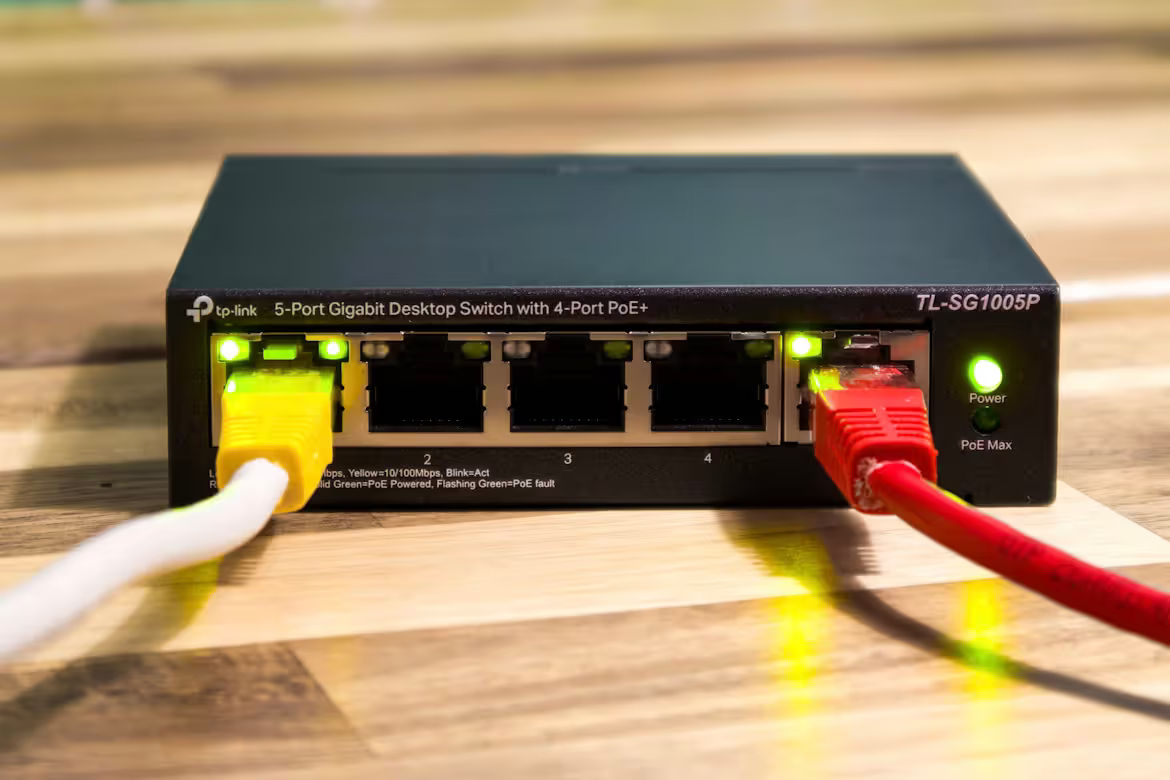
When building or upgrading an enterprise network, the terms 'Ethernet' and 'switch' are often used together, sometimes interchangeably. They refer to two distinct, though related, components of your network infrastructure.
Put simply, Ethernet is the technology—a set of rules or protocols—that governs how data travels over a local area network (LAN). A network switch is the physical hardware that directs this data traffic, connecting devices like computers, servers, and printers within that network.
What is Ethernet?
Think of Ethernet as the universal language for wired networks. It's a standardized set of protocols (officially known as IEEE 802.3) that dictates how devices communicate and share data over a physical connection. This standardization is crucial because it allows networking equipment from different vendors to work together without a hitch.
- Data Framing: It specifies how data is packaged into frames, which include the sender's and receiver's addresses (MAC addresses) and error-checking information.
- Physical Connection: It operates over physical cables, most commonly twisted-pair copper (like Cat6) and fiber optic cables for higher speeds and longer distances.
- Speed and Evolution: Ethernet speeds have evolved significantly, from early 10 Mbps connections to modern standards offering 1 Gbps, 10 Gbps, and even faster for demanding enterprise environments.
What is a Switch?
If Ethernet is the language, a network switch is the intelligent traffic controller for your local network. It's a hardware device that connects multiple devices and directs data packets between them efficiently. Instead of broadcasting information to every device, a switch is much smarter.
- Intelligent Forwarding: A switch learns the unique MAC address of each connected device. When data arrives, it sends it only to the intended recipient, reducing unnecessary traffic and improving network performance.
- Network Creation: It's the central point that allows devices like computers, servers, and printers to talk to one another, effectively creating the network itself.
- Full-Duplex Communication: Switches enable devices to send and receive data at the same time, which prevents data collisions and keeps communication flowing smoothly.
Ethernet vs Switch: Key Differences
While they are deeply connected, the primary differences between Ethernet and a switch come down to their fundamental nature and role within your network.
Function: Protocol vs. Hardware
Ethernet is a protocol—a standardized set of rules that defines how data is formatted and transmitted over a wired network. A network switch, on the other hand, is a piece of physical hardware that uses the Ethernet protocol to direct data packets between connected devices.
Scope: The Standard vs. The Device
The scope of Ethernet is broad; it is the underlying technology standard for nearly all local area networks. A switch operates at a more localized level, creating a network by connecting specific devices and managing the data flow among them.
Relationship: A Necessary Partnership
You can't have one without the other in a modern LAN. A switch needs the Ethernet protocol to understand and forward data. Similarly, Ethernet relies on hardware like switches to build a practical, multi-device network. They are not competing technologies but rather two essential parts of the same system.
How Ethernet Works in a Network
When a device on your network needs to send information, the Ethernet protocol dictates how that data is prepared for travel. It packages the data into a standardized format called an Ethernet frame.
Think of each frame as a digital envelope. It contains the data payload plus header information, including the specific MAC address of the destination device. This address ensures the data is directed to the correct recipient on the local network.
The frame is then transmitted as an electrical or light signal over the physical cable. Historically, Ethernet used a system called CSMA/CD (Carrier Sense Multiple Access with Collision Detection) to listen for a clear channel before sending, which helped prevent data collisions on shared network segments.
While modern switched networks have made collisions far less common, the fundamental process remains the same. Ethernet provides the essential rules for formatting and addressing data so that network hardware can deliver it accurately.
How Switches Function in a Network
A network switch takes the data frames created by the Ethernet protocol and manages their delivery with precision. When a switch receives an Ethernet frame, it reads the destination MAC address in the frame's header.
It then consults an internal table, which maps every known device's MAC address to a specific physical port on the switch. If a match is found, the switch forwards the frame directly to the correct port, creating a temporary, dedicated connection between the sender and receiver.
This intelligent filtering is what makes switched networks so efficient. It ensures other devices on the network are not bothered by irrelevant traffic, creating clear communication channels and preventing the data collisions that can slow down a network.
Choosing Between Ethernet and Switch for Your Business
The decision for your business isn't about choosing Ethernet or a switch—you need both for a functional wired network. The real question is what type of each component best fits your operational needs and budget. The choice comes down to the specific capabilities you require.
Here are the key factors to consider for each:
- Ethernet Considerations: This is about the speed and medium of your network. Do your operations require standard 1 Gbps speeds, or do you handle large data transfers that demand 10 Gbps or more? Similarly, you'll need to decide between copper cabling for standard office setups or fiber optics for higher bandwidth and longer distances.
- Switch Considerations: This focuses on hardware features. Think about port density—how many devices you need to connect now and in the future. You must also decide between a managed switch for granular control over traffic and security, or a simpler unmanaged switch. Finally, consider if you need Power over Ethernet (PoE) to power devices like VoIP phones or cameras directly through the network cable.
Final Thoughts on Ethernet and Switch
Understanding the difference between Ethernet and a switch is fundamental for network planning. Ethernet is the set of rules for data transmission, while a switch is the physical device that directs traffic using those rules.
They are not competing options but partners in building a reliable local network. Your key decisions will involve selecting the right Ethernet speed (e.g., 1 Gbps vs. 10 Gbps) and the right switch features to support your operational demands and future growth.
Need Help Managing Your Network? Lightyear Can Help

Choosing the right Ethernet services and switches is just the first step. Managing the procurement, inventory, and billing for these network assets is where the real complexity begins.
Lightyear automates the entire telecom lifecycle. By handling network service procurement, inventory management, and bill consolidation, we help enterprises achieve over 70% in time savings and 20% in cost savings.
Schedule a demo or get started with our questionare today.
Frequently Asked Questions about Ethernet vs Switch
Can I use an Ethernet cable without a switch?
Yes, you can directly connect two devices, like a computer to a printer, with an Ethernet cable. However, for a network with more than two devices, a switch is necessary to manage traffic and direct data between all of them efficiently.
Do all switches support all Ethernet speeds?
No. Switches are designed for specific speeds, like 1 Gbps or 10 Gbps. It's important to match your switch's speed capabilities with your network's requirements to prevent performance bottlenecks and ensure you get the bandwidth you're paying for.
What’s the difference between a switch and a router?
A switch connects devices to create a local network (LAN), while a router connects different networks together—most commonly, connecting your LAN to the internet. Many business and home routers have a built-in switch to perform both functions.
Let us show you the product and discuss specifics on how it might be helpful.
Schedule a Demo





Revolutionize Your Telecom Experience
Learn how you can get one step closer to optimal business efficiency for all your telecom services.
