Ethernet vs USB: Choosing for Enterprise Connectivity
Choosing between Ethernet and USB for your business? This guide compares performance, security, and costs for enterprise-level connectivity.

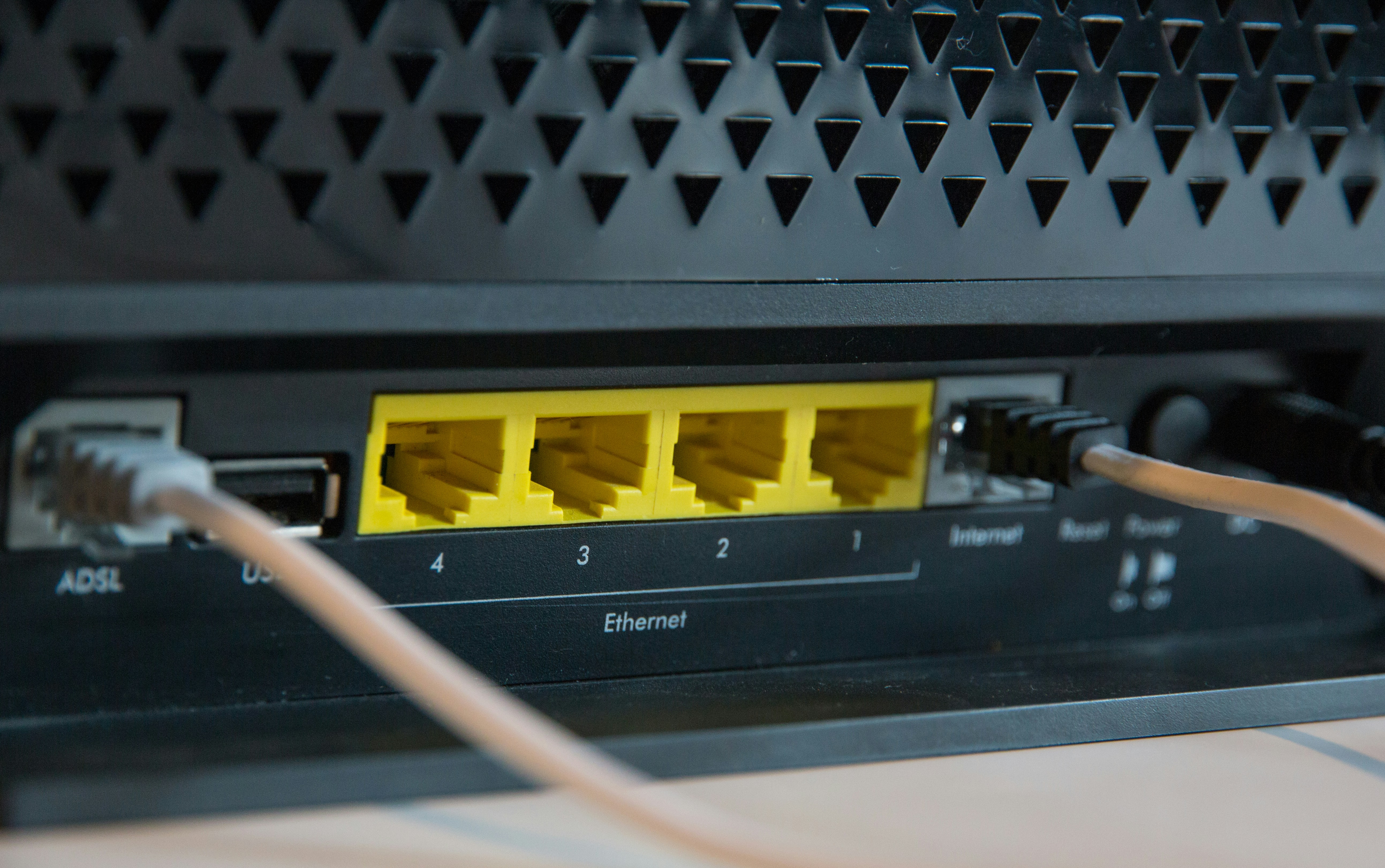
When connecting devices in a business environment, two names frequently come up: Ethernet and USB. While both are essential for modern operations, they are built for fundamentally different purposes and are not interchangeable.
This guide offers a direct comparison for IT and telecom decision-makers. We will break down the core functions, performance, and ideal applications of each to help you make informed choices for your enterprise connectivity needs.
What is Ethernet?
Think of Ethernet as the foundational technology for most wired business networks. It’s the standard method for connecting devices together within a local area network (LAN), such as in an office, a data center, or across a campus. It uses physical cables to create stable, high-speed connections between computers, servers, switches, and routers.
At its core, Ethernet governs how data is formatted and transmitted over a wired network so that all connected devices can communicate effectively. Key characteristics include:
- Wired Connections: It relies on physical cables (like Cat5e or Cat6) to link devices, which provides a dedicated and interference-free path for data.
- Local Area Networks (LANs): Its primary function is to build LANs, enabling devices to share files, access printers, and connect to the internet within a specific geographic area.
- Reliability and Performance: Wired Ethernet connections are known for their stability, low latency, and consistent speeds, which are crucial for business operations that cannot tolerate connection drops.
- Standardization: As a globally recognized standard (IEEE 802.3), it ensures that networking equipment from different vendors can work together seamlessly.
What is USB?
USB, which stands for Universal Serial Bus, is the industry standard for connecting peripheral devices to a host, such as a computer. Think of it as the universal socket for your keyboard, mouse, printer, or external hard drive. Its primary goal is to make adding hardware simple and consistent across a vast range of products.
Unlike Ethernet's role in building networks, USB focuses on direct, short-distance communication between a single host and its connected peripherals. Its design prioritizes ease of use and versatility for everyday accessories. Key characteristics include:
- Peripheral Connections: Its core function is to link external devices to a computer, enabling data transfer and, often, power delivery over the same cable.
- Plug-and-Play Functionality: USB is known for its hot-swappable, plug-and-play nature. You can connect or disconnect devices without rebooting your system, and they are typically recognized automatically.
- Power and Data: A single USB cable can both transmit data and supply power to the connected device, which is why many small gadgets don't need a separate power cord.
- Host-Controlled: The connection is managed by the host device (the computer), which communicates with the peripherals attached to it.
Ethernet vs USB: Key Differences
While both technologies move data, their designs address completely different operational needs. Here’s a breakdown of the fundamental distinctions IT managers should know.
1. Core Purpose: Networking vs. Peripherals
The most significant difference lies in their primary function. Ethernet is exclusively designed for networking; its purpose is to connect multiple independent devices like computers and servers to form a cohesive local area network (LAN).
In contrast, USB is built for peripheral connectivity. It creates a simple, direct link between accessories like a keyboard or external drive and a single host computer that controls the connection.
2. Scale and Scope of Connection
This difference in purpose directly impacts their scale. Ethernet builds networks that can span an entire office floor or even a multi-building campus, linking hundreds of devices together for shared communication.
USB operates on a much smaller, personal scale. Its connections are strictly point-to-point, linking one host to one peripheral (or a few via a hub) over a very short distance.
3. Physical Reach and Cabling
The physical reach of each cable type is a critical differentiator for infrastructure planning. A standard Ethernet cable can reliably transmit data up to 100 meters (328 feet), making it the backbone for wiring buildings.
USB cables have a much shorter effective range. They are typically limited to 5 meters (around 16 feet) before requiring a signal booster, making them suitable only for devices at a workstation.
4. Approach to Power Delivery
Both standards can transmit power, but they do so for different applications. USB is widely used to power and charge small consumer devices like smartphones and webcams directly from a host computer.
Ethernet uses a specialized technology called Power over Ethernet (PoE). This allows a single network cable to power more demanding business hardware like VoIP phones, security cameras, and wireless access points, which simplifies infrastructure and installation.
Speed and Performance Comparison
When comparing speed, both technologies offer impressive performance, but they are optimized for different tasks. The numbers only tell part of the story; how that speed is delivered is what truly matters for enterprise infrastructure.
Ethernet is built for sustained, reliable network throughput. Common speeds in business environments are 1 Gbps (Gigabit Ethernet) and 10 Gbps, designed to handle simultaneous traffic from many users without degradation. This ensures low latency and consistent performance for business-critical applications across the entire network.
USB, on the other hand, is designed for high-speed data bursts between a host and a single peripheral. While modern standards like USB4 can theoretically reach speeds of 40 Gbps, this performance is concentrated in a direct, short-distance link. It excels at tasks like quickly transferring large files to an external hard drive.
Ultimately, Ethernet provides stable, shared bandwidth for an entire local network, prioritizing reliability for many devices. USB delivers high-speed, dedicated bandwidth for one-to-one peripheral connections, prioritizing rapid data transfer for a specific task.
Use Cases for Ethernet and USB
Understanding their distinct roles helps clarify where each technology fits best in a business setting. Their applications rarely overlap, as each is optimized for a specific environment.
1. Common Ethernet Use Cases
Ethernet is the standard for building the stable, wired infrastructure that businesses depend on. It is used for:
- Building Corporate Networks: Connecting computers, servers, and network printers within an office to create a stable Local Area Network (LAN).
- Internet and WAN Access: Linking an entire office to the internet through a router or connecting to a wider corporate network (WAN).
- Infrastructure Backbone: Wiring buildings and data centers to connect network switches, routers, and other core equipment.
- Powering Network Devices: Using Power over Ethernet (PoE) to supply power and data to VoIP phones, wireless access points, and IP security cameras.
2. Common USB Use Cases
USB is designed for simple, direct connections between a computer and its accessories. Common applications include:
- Workstation Peripherals: Connecting essential desktop accessories like keyboards, mice, webcams, and headsets to a user's computer.
- External Data Storage: Quickly transferring files to and from external hard drives, SSDs, and flash drives.
- Direct Device Connection: Linking a printer or scanner directly to a single computer for local use.
- Charging Devices: Powering or charging small electronics like smartphones and tablets at a desk.
Security Considerations
When it comes to security, the risks associated with Ethernet and USB are as different as their functions. Ethernet security focuses on protecting the entire network from unauthorized access, while USB security is about safeguarding individual computers from compromised hardware.
An Ethernet network's vulnerabilities are primarily network-based. Threats include data interception (sniffing) and unauthorized access from bad actors, both internal and external. Protection requires a layered strategy using firewalls, network access controls, and encryption to secure data in transit. Physical security for network closets and wall jacks is also essential.
USB security threats are more direct and physical. The most common risk is malware introduced via an infected device, like a flash drive or even a compromised charging cable. This is why corporate security policies often involve disabling unused USB ports or using endpoint protection software to block unauthorized devices from connecting.
Making the Right Choice for Your Enterprise
Ultimately, the choice between Ethernet and USB isn't a competition. For any enterprise, the correct approach is to recognize that both technologies are essential and designed for fundamentally different tasks.
Ethernet is the foundation of your business's connectivity, creating the reliable, high-performance local area network that connects your core infrastructure and provides internet access.
USB, in contrast, serves the individual user by providing simple, direct connections for workstation peripherals like keyboards, webcams, and external storage.
A successful IT infrastructure depends on using each technology for its intended purpose. This approach keeps your network stable and secure, while your employees have the tools they need to be productive.
Need Help Managing Your Network? Lightyear Can Help

Choosing the right physical connection is just the first step. Once your Ethernet infrastructure is in place, managing the network services that run on it—from procurement to billing—presents its own set of challenges.
Lightyear automates network service procurement, inventory management, and bill consolidation to simplify your telecom operations. Enterprises that use Lightyear save over 70% on time and 20% on costs for their network services.
Schedule a demo or get started with our questionnaire today.
Frequently Asked Questions about Ethernet vs USB
Can I use a USB port for a network connection?
Yes, but only by using a USB-to-Ethernet adapter. This is a common solution for modern laptops that lack a built-in Ethernet port. The adapter lets your device join a standard wired network, but the connection itself still relies on Ethernet technology to function.
Is it cheaper to build a network with Ethernet or USB?
Ethernet is the standard for building networks and is far more cost-effective at any scale. While individual USB cables are inexpensive, creating a true network with them requires specialized and costly hardware. Standard Ethernet infrastructure, like cables and switches, is affordable and built for this purpose.
Why do some devices, like printers, have both Ethernet and USB ports?
The ports offer different connection methods. The USB port is for connecting the printer directly to a single computer for local, personal use. The Ethernet port allows the printer to join the office network, making it a shared resource accessible to multiple users.
Let us show you the product and discuss specifics on how it might be helpful.
Schedule a Demo





Revolutionize Your Telecom Experience
Learn how you can get one step closer to optimal business efficiency for all your telecom services.
