Gateway Router vs Modem: Enterprise Differences Explained
Confused about gateways and modems? This guide explains the core differences for enterprise networks, helping you choose the right hardware for your needs.

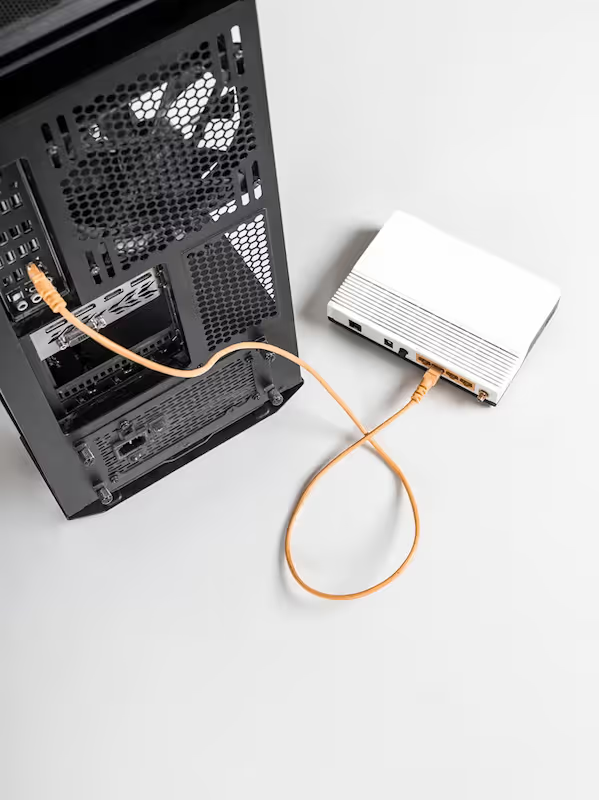
When building out your company's network infrastructure, getting the terminology right is the first step. Two terms that frequently cause confusion are 'modem' and 'gateway router'.
While both devices are essential for connecting to the internet, they perform distinct and separate functions. A modem serves as the bridge to your internet service provider (ISP), translating signals to bring internet access into your building.
A gateway router, on the other hand, takes that internet connection and distributes it to the various devices on your local network, managing traffic and security. This article will clarify the roles of each, outline their differences for business use, and help you decide on the right setup for your organization.
What is a Gateway Router?
A gateway router, often simply called a gateway, is a single piece of hardware that combines the functions of both a modem and a router. It serves as the primary point of entry and exit for all internet traffic on your local network, acting as a central command center for connectivity. For many businesses, especially those with simpler network needs, this integrated device handles several critical tasks at once.
- Routing and Switching: It creates your local area network (LAN) and intelligently directs traffic between all connected devices, such as computers, servers, and VoIP phones.
- Modem Connection: It contains a built-in modem that communicates directly with your internet service provider (ISP), translating their signal into a usable internet connection for your office.
- Security Enforcement: Gateways almost always include a firewall. This feature monitors network traffic to block unauthorized access and protect your business data from external threats.
- Wireless and Wired Access: It provides both Wi-Fi for wireless devices and physical Ethernet ports for wired connections, offering flexible connectivity options for your entire workplace.
What is a Modem?
A modem is a specialized device with one primary job: connecting your internal network to your internet service provider (ISP). Its name is a portmanteau of "modulator-demodulator," which perfectly describes its core function of converting signals.
Unlike a gateway, a modem doesn't manage your local network, assign internal IP addresses, or provide Wi-Fi. It is a dedicated translator that ensures data can travel between your digital devices and the ISP's infrastructure, whether that's cable, DSL, or fiber.
- Signal Conversion: It modulates outgoing digital data from your network into signals compatible with your ISP's line and demodulates incoming signals back into digital data your devices can understand.
- ISP Handshake: The modem establishes the direct communication link with your provider's network, authenticating your service to get you online.
- Public IP Address: Your ISP assigns a single, public IP address directly to the modem. This becomes your network's unique, identifiable address on the public internet.
- Single Connection Point: A modem typically has just one Ethernet port designed to connect to a single downstream device, which is usually a router or a firewall.
Gateway Router vs Modem: Key Differences
While both devices are crucial for internet access, their roles and capabilities are fundamentally different. Understanding these distinctions is key to designing a network that meets your business's specific needs for performance, security, and scalability.
1. Functionality
A gateway is an all-in-one device, combining a modem, router, and often a wireless access point into a single unit. It's designed to be a complete, out-of-the-box solution for network connectivity.
A modem, in contrast, is a single-purpose device. Its only job is to translate signals from your ISP, providing an internet connection to one other piece of equipment, typically a separate router.
2. Network Control and Management
A gateway router creates and manages your local area network (LAN). It assigns local IP addresses to devices, directs internal traffic, and provides features like DHCP and NAT.
A modem offers no local network management. It simply passes the single public IP address from your ISP to whatever device is connected to it, leaving all routing and traffic management to separate hardware.
3. Physical Connectivity
Gateways are built for multiple connections, typically featuring several Ethernet ports and built-in Wi-Fi. This allows you to directly connect numerous wired and wireless devices.
A standard modem has only one Ethernet port. This port is intended to provide the internet connection to a single device, like a dedicated router or firewall, not to an entire office of computers.
4. Security Features
Most gateways come with an integrated firewall, offering a basic layer of security by monitoring traffic and blocking potential threats. This provides foundational protection for your network.
A modem itself has no security features. It simply passes data through. Any network security, like a firewall, must be handled by a separate, dedicated device connected to the modem.
How to Choose Between a Gateway Router and a Modem
Choosing the right equipment depends on your organization's specific operational needs, budget, and future growth plans. To make the right choice, evaluate your current and future network demands against these key factors.
- Network Size and Simplicity: For smaller offices or retail locations with basic connectivity needs, a gateway offers a straightforward, all-in-one solution that is easy to deploy and manage.
- Performance and Customization: If your operations demand high throughput, advanced security policies, or specific routing configurations, a separate modem paired with a dedicated router provides far greater control and power.
- Future Scalability: A separate modem and router setup is more modular. It allows you to upgrade your router or firewall independently as your company grows or technology evolves, without replacing your modem.
- ISP Equipment vs. Owned Hardware: Using a separate modem gives you the freedom to purchase your own equipment, potentially avoiding monthly rental fees from your ISP and allowing you to select a router that precisely fits your security requirements.
Benefits of Using a Gateway Router
For many businesses, the primary advantage of a gateway router is its simplicity. Combining a modem and router into one piece of hardware simplifies installation and reduces physical clutter, requiring fewer cables and power outlets. All network settings are managed through a single interface, which can be a significant time-saver for IT teams.
This all-in-one approach is also often more cost-effective upfront compared to purchasing a separate modem and a comparable business-grade router. Many internet service providers offer gateways as part of their business packages, removing the need for an initial hardware investment.
Finally, troubleshooting becomes more direct. With a single device handling your connection, there is only one point of contact for support, eliminating the common problem of determining whether an issue lies with the modem or the router.
Benefits of Using a Modem
Opting for a separate modem provides a distinct set of advantages centered on flexibility and performance. The primary benefit is the freedom to pair the modem with any router or firewall, giving you complete control over your network's features and security posture.
This modular approach allows you to select a dedicated router that meets specific business needs, such as advanced traffic management or robust VPN capabilities, which may not be available in a standard gateway.
Separating these functions can also lead to better performance, as a high-quality router is purpose-built to handle heavy network loads more efficiently than many all-in-one units. This setup simplifies upgrades; you can adopt new Wi-Fi standards or security hardware by replacing only the router, not the entire system. Over time, owning your equipment often reduces costs by eliminating monthly ISP rental fees.
Making the Right Choice for Your Network
Deciding between a gateway router and a separate modem hinges on your business's priorities. The choice represents a clear trade-off between integrated convenience and modular control.
For smaller offices or locations with basic connectivity demands, a gateway provides an efficient, all-in-one solution. It simplifies installation and management into a single device, making it a practical choice for straightforward networks.
Conversely, for organizations that require granular control over security, high performance for demanding applications, or future scalability, a separate modem and router is the better path. This setup allows you to choose specialized hardware that meets your specific operational requirements.
Ultimately, evaluating your network's complexity, security posture, and growth trajectory will guide you to the right hardware decision for your company.
Need Help Managing Your Network? Lightyear Can Help

Choosing the right hardware is just one piece of the puzzle. Lightyear takes the pain out of managing the rest of your telecom infrastructure by automating service procurement, inventory management, and bill consolidation.
The hundreds of enterprises who trust Lightyear achieve over 70% time savings and 20% cost savings on their network services. Schedule a demo or get started with our questionnaire today.
Frequently Asked Questions about Gateway Router vs Modem
Can I use my own router with an ISP-provided gateway?
Yes, by enabling "bridge mode" on the gateway. This setting disables the gateway's routing functions, effectively turning it into a simple modem. This allows you to connect and manage your network with a separate, more powerful router of your choice.
Is a gateway's security enough for a business?
For basic needs, perhaps. But if your business handles sensitive data, requires a complex firewall, or needs robust VPN access, a gateway's built-in security is likely insufficient. A dedicated firewall and router offer far more advanced protection and control.
Do I need a modem for a fiber optic connection?
Not exactly. Fiber connections use an Optical Network Terminal (ONT) instead of a modem. The ONT converts light signals into an Ethernet connection. Like a modem, it serves as the bridge to your ISP, and you will still need a router.
Let us show you the product and discuss specifics on how it might be helpful.
Schedule a Demo





Revolutionize Your Telecom Experience
Learn how you can get one step closer to optimal business efficiency for all your telecom services.
