Hub vs Node: Differences in Network Architecture
Hub vs. Node: What's the difference? Learn how these key network components work and the distinct roles they play in your enterprise architecture.

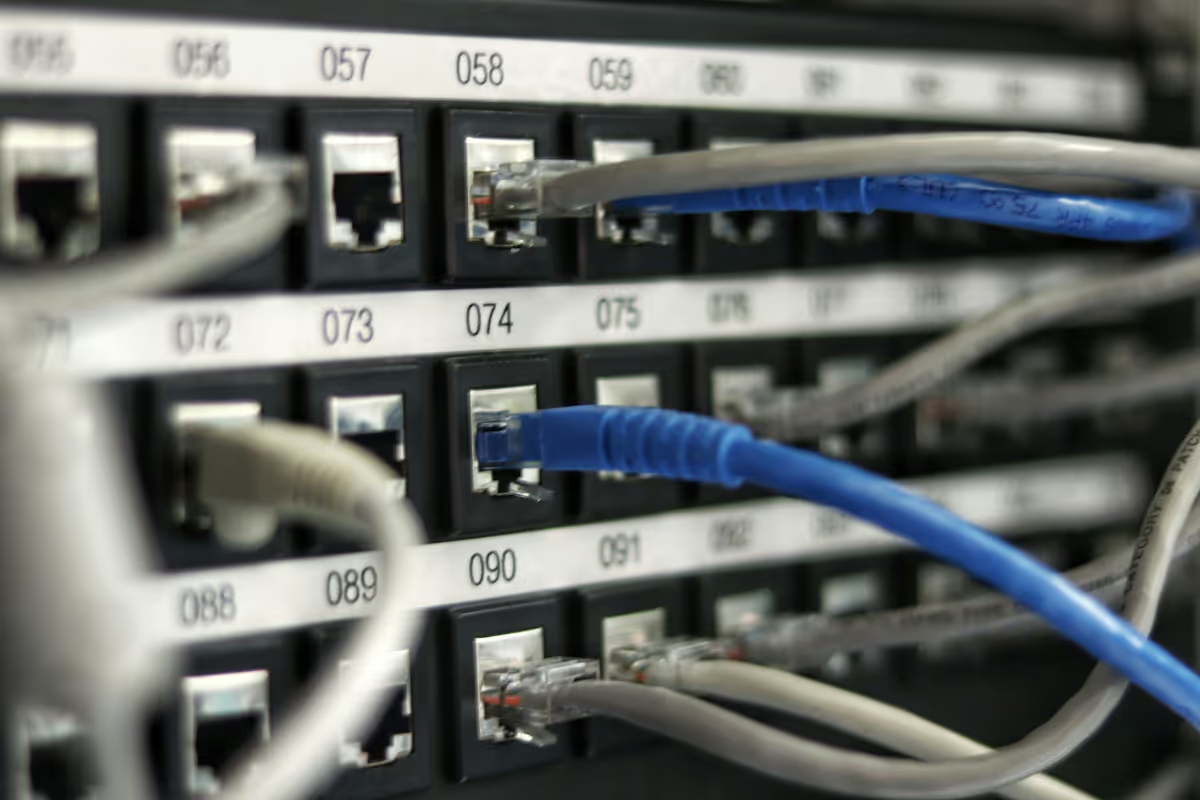
When building or managing a company's network infrastructure, it's common to come across terms that seem interchangeable but have very different functions. Getting the terminology right is key to making informed decisions about your network's design and performance.
Two foundational concepts in this area are 'hub' and 'node.' This guide will clarify the specific functions of each and explain how they fit into your overall network architecture.
What is a Hub?
Think of a network hub as a central meeting point for devices on a local network. It's a basic hardware device that operates at the physical layer (Layer 1) of the network. Its primary function is to take any data packet it receives on one port and broadcast it to every other port connected to it. This means all devices receive all the data, regardless of which device is the intended recipient.
Here are its core characteristics:
- It serves as a common connection point, linking multiple computers or other network devices together.
- It broadcasts all incoming data to every connected device, creating a single collision domain.
- Because it broadcasts everything, all connected devices must share the available bandwidth.
- Hubs are considered non-intelligent devices because they don't filter data or know anything about the traffic passing through them.
What is a Node?
A network node, on the other hand, is a much broader term. It refers to any individual device or data point connected to a larger network. Unlike a hub, which is a specific piece of hardware, a node can be virtually any device that can send, receive, or forward information. This includes everything from computers and printers to servers and even other networking devices like switches and routers.
- Any device with a network address, such as an IP address, is considered a node.
- Nodes can be endpoints where data originates or terminates (like a laptop) or redistribution points that relay information (like a router).
- They are the fundamental building blocks of any network architecture.
- The capabilities of a node vary widely depending on its function—a server node is far more powerful than a simple sensor node on an IoT network.
Hub vs Node: Key Differences
While they both relate to network connectivity, their function and scope are fundamentally different. Here are the key distinctions to clarify their roles.
1. Function vs. Concept
A hub is a specific piece of hardware. Its function is to take an incoming data signal and broadcast it out to every other device connected to it.
A node is a broader concept. It refers to any device connected to the network, from a computer or printer to a server or router.
2. Specificity
The relationship is best understood this way: a hub is always a type of node.
However, a node is rarely a hub. Most nodes are endpoint devices (like your laptop) or more intelligent networking hardware (like a switch).
3. Intelligence and Operation
Hubs are unintelligent Layer 1 devices. They don't analyze traffic; they just repeat it, creating a "noisy" network where all devices share the same bandwidth.
Nodes vary in intelligence. A switch, for example, is a node that operates at Layer 2, reading data addresses to send information only to the correct destination.
Benefits of Using a Hub
While hubs are largely considered legacy technology, they still offer a few key benefits in specific scenarios. Their straightforward design makes them useful where cost and simplicity are the top priorities.
- Low Cost: Hubs are one of the most inexpensive ways to connect multiple devices, making them a budget-conscious choice for small-scale or temporary setups.
- Ease of Use: As simple plug-and-play devices, they require no configuration. This allows for quick network expansion without needing specialized IT knowledge.
- Network Visibility: Because a hub broadcasts every data packet to all its ports, it can be a useful tool for network troubleshooting. Connecting a network analyzer to a hub allows you to monitor all traffic passing through it.
Advantages of a Node in Networking
Because a node can be any device on a network, its advantages are directly tied to the specific role it plays. This versatility is where its true value is found, allowing for the creation of powerful and efficient network architectures.
- Scalability: As the fundamental components of a network, nodes allow for immense scalability. You can add specialized nodes—like servers, switches, or firewalls—to expand the network's size and capabilities as your business grows.
- Efficiency: Unlike a hub, intelligent nodes like switches and routers direct traffic precisely. By sending data only to the intended recipient, they reduce network congestion and improve overall performance for all connected devices.
- Specialized Functions: Nodes can be assigned specific, critical roles. A server node can host applications and data, a firewall node can enforce security policies, and a printer node can manage print jobs, creating a highly functional ecosystem.
Choosing Between Hub and Node for Your Enterprise
When building your enterprise network, the choice isn't a direct comparison of a hub versus a node. Since a hub is simply one type of node, the real question is which type of node is appropriate for the task at hand.
1. When to Use a Hub
For most modern business networks, hubs are considered legacy hardware. Their use is limited to very specific, non-critical situations. A hub might be a practical choice for a small, temporary network segment where cost is the absolute priority and performance is not a concern. They can also be used for network diagnostics where broadcasting all traffic to a monitoring tool is actually helpful.
2. When to Choose Intelligent Nodes
For any network that supports daily business operations, you will need intelligent nodes like switches and routers. A switch is the standard for connecting devices within a local network because it directs traffic efficiently, preventing the congestion that hubs cause. Routers are essential nodes for connecting different networks together and managing traffic between them, forming the backbone of your company's connectivity.
3. The Modern Enterprise Standard
In any enterprise context, the conversation centers on selecting the right mix of intelligent nodes. The goal is to build a scalable and secure architecture using switches for efficient local communication, routers for wide-area connectivity, and other specialized nodes like firewalls to protect your infrastructure.
Final Thoughts on Hub and Node
Understanding the distinction between a hub and a node is fundamental for effective network planning. While they are related, they serve very different purposes in your infrastructure.
A hub is a specific, basic hardware device that broadcasts data, whereas a node is a broad term for any device connected to the network. Essentially, a hub is just one simple type of node.
For modern enterprise networks, the practical choice is always to select intelligent nodes like switches and routers. This ensures your network is efficient, secure, and ready to grow with your business needs.
Need Help Managing Your Network? Lightyear Can Help

Building an efficient network goes beyond choosing the right nodes. Lightyear helps you manage your entire telecom infrastructure, from procurement and inventory management to bill consolidation, all in one place.
By automating these processes, enterprises save over 20% on costs and reduce time spent on telecom management by 70%. Schedule a demo or get started with our questionnaire today.
Frequently Asked Questions about Hub vs Node
Can a hub connect to a switch?
Yes, you can connect a hub to a switch to expand the number of available ports. However, all devices connected to that hub will share the same bandwidth and collision domain, which can create a performance bottleneck on that segment of the network.
Is a modem considered a node?
Absolutely. A modem is a perfect example of a specialized node. Its function is to modulate and demodulate signals for internet connectivity. Like any other device with a network address that sends or receives data, it qualifies as a node in your network architecture.
How does a hub impact network security?
Hubs can pose a security risk because they broadcast all data packets to every connected device. This makes it easy for any device on the hub to capture traffic not intended for it using a packet sniffer, a practice known as eavesdropping.
Can a node be a virtual machine?
Yes. Any entity with its own network address that can communicate on the network is a node. This includes virtual machines (VMs) running on a physical server, as each VM typically has its own unique IP address and functions as an independent endpoint.
Let us show you the product and discuss specifics on how it might be helpful.
Schedule a Demo





Revolutionize Your Telecom Experience
Learn how you can get one step closer to optimal business efficiency for all your telecom services.
