Layer 2 Switching vs HUB: Enterprise Networking Guide
Choosing between a Layer 2 switch and a hub? Our guide explains the performance and security differences to help you make the right network decision.

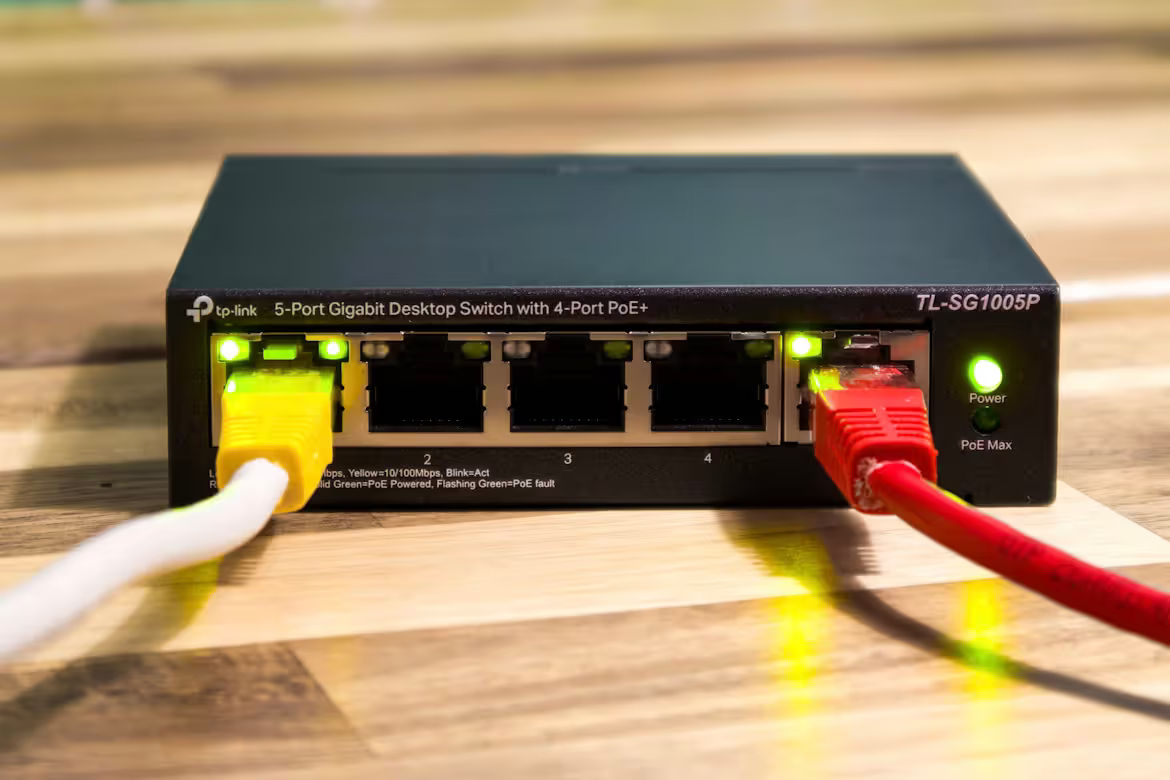
Building a reliable and efficient enterprise network starts with choosing the right hardware. Two fundamental components you'll encounter are Layer 2 switches and hubs, which both play a role in connecting devices on a local area network (LAN).
While they might seem similar, they operate very differently, with significant impacts on network performance, traffic management, and security. Understanding these distinctions is key to designing a network that meets your business needs.
What is Layer 2 Switching?
Layer 2 switching is a network process that occurs at the Data Link Layer (Layer 2) of the Open Systems Interconnection (OSI) model. A Layer 2 switch intelligently forwards data packets based on the unique MAC (Media Access Control) address of each connected device.
This process creates more efficient and secure communication within a local network. Here’s how it functions:
- Learning and Mapping: As devices connect to the switch, it learns their MAC addresses and maps them to the physical port they are using.
- Building a MAC Address Table: The switch stores these address-to-port mappings in an internal table (often called a CAM table).
- Intelligent Forwarding: When a data frame arrives, the switch examines the destination MAC address. It then consults its table and forwards the frame only to the specific port connected to the destination device.
- Collision Prevention: By creating a direct path between sender and receiver, the switch prevents data collisions and reduces unnecessary traffic on the network.
What is a HUB?
A network hub is a more fundamental networking device that operates at the Physical Layer (Layer 1) of the OSI model. It serves as a central connection point for devices on a LAN but lacks the intelligence of a switch. Instead of directing traffic, it simply broadcasts it.
Its primary function is to take data from one port and repeat it to every other port. Here’s how that works in practice:
- Broadcast Transmission: When a data packet arrives at any port, the hub regenerates and retransmits it to all other connected ports, regardless of the intended destination.
- No Address Intelligence: A hub does not read the MAC address of incoming data. It cannot identify the sender or the intended recipient.
- Shared Bandwidth: All devices connected to the hub share the total bandwidth. As more devices become active, performance for all connected devices decreases.
- Single Collision Domain: Because every packet is sent everywhere, if two devices transmit simultaneously, their data packets collide. This forces the devices to wait and retransmit, creating network congestion.
Key Differences Between Layer 2 Switching and HUBs
While both devices connect network segments, their methods and capabilities create significant distinctions in how your network operates.
1. Intelligence and Data Handling
The most fundamental difference lies in intelligence. A Layer 2 switch operates at the OSI model's Data Link Layer, allowing it to read the MAC address of each data frame and forward it only to the specific port of the intended recipient.
A hub, a simpler Layer 1 device, has no such capability. It blindly broadcasts any incoming data to every single port on the device, regardless of the destination.
2. Performance and Bandwidth
This difference in data handling directly impacts performance. A switch provides dedicated bandwidth to each port, creating a direct line of communication between devices without interference.
Conversely, all devices connected to a hub must share the total available bandwidth. This means network speed degrades for everyone as more devices become active.
3. Network Collisions
A switch creates a separate collision domain for each port, which virtually eliminates the data collisions that slow down a network.
A hub, however, functions as a single collision domain. If two devices try to send data simultaneously, the packets collide, forcing retransmissions and creating network-wide congestion.
4. Security
From a security standpoint, switches offer an inherent advantage. By directing traffic only to the correct device, they prevent other machines on the network from easily intercepting data not meant for them.
The broadcast nature of a hub means any device can potentially see all traffic, posing a significant security risk in a business environment.
Advantages of Layer 2 Switching
For a business network, the technical superiority of a switch translates into several key operational benefits that go beyond simple data forwarding.
- Greater Scalability: Switches easily support growing networks. Since each port has dedicated bandwidth, adding more devices doesn't slow down performance for everyone else, making them ideal for expanding businesses.
- Enhanced Security with VLANs: Layer 2 switches can segment a network into Virtual LANs (VLANs). This allows you to isolate traffic—for instance, keeping finance data separate from a guest network—significantly improving security and organization.
- Full-Duplex Operation: Switches operate in full-duplex mode, allowing connected devices to send and receive data at the same time. This effectively doubles the potential bandwidth of a connection compared to a hub's half-duplex mode.
Advantages of HUBs
While switches are the standard for modern business networks, hubs offer a few specific advantages, particularly in situations where simplicity and cost are the main drivers.
- Low Cost: Hubs are considerably cheaper than switches. This makes them a practical choice for small-scale, non-critical applications or temporary networks where budget is the primary constraint.
- Ease of Use: As simple Layer 1 devices, hubs require no setup or configuration. They are true plug-and-play devices, making them easy for anyone to deploy quickly.
- Network Monitoring: In certain troubleshooting scenarios, the broadcast function is useful. It allows a network analyzer connected to any port to capture all traffic on the network segment for analysis.
Choosing the Right Technology for Your Network
Making the right choice comes down to your specific operational needs, budget, and long-term goals. For most business environments, the decision is quite straightforward.
For Modern Business Networks
For any standard business application, a Layer 2 switch is the correct choice. If your network must support multiple users, handle sensitive data, or has the potential to grow, a switch is essential.
Its ability to manage traffic intelligently provides the performance, security, and scalability required for daily operations. Investing in a switch is investing in a stable and efficient network foundation.
For Niche or Temporary Setups
A hub should only be considered in very limited situations. If you need a quick, temporary network for a few devices where performance and security are not concerns, a hub’s low cost can be practical.
This might apply to a small, isolated lab environment or for specific network diagnostic tasks where capturing all traffic is the objective.
Final Thoughts on Layer 2 Switching vs HUB
The choice between a Layer 2 switch and a hub is clear for nearly all business applications. While hubs once served a purpose in simple networking, their broadcast-based nature creates performance bottlenecks and security vulnerabilities that are unacceptable in a modern enterprise environment.
A Layer 2 switch, with its intelligent MAC address-based forwarding, provides the dedicated bandwidth, security, and scalability necessary to support productive and reliable operations. It is the foundation for a network that can grow with your business.
For any network that values efficiency and data integrity, the switch is the definitive standard, leaving hubs for only the most basic, non-critical, or diagnostic uses.
Need Help Managing Your Network? Lightyear Can Help

Choosing the right hardware is just the first step; managing the services that run on your network, from procurement to billing, presents its own set of challenges.
By automating network service procurement, inventory management, and bill consolidation, Lightyear takes the pain out of telecom infrastructure management. The hundreds of enterprises who trust Lightyear achieve 70%+ time savings and 20%+ cost savings on their network services.
Schedule a demo or get started with our questionare today.
Frequently Asked Questions about Layer 2 Switching vs HUB
Can you use a hub and a switch together in the same network?
Yes, but it's not recommended. Connecting a hub to a switch creates a shared collision domain for all devices on that hub. This negates the switch's performance benefits for that segment, slowing down traffic for those specific devices.
Are hubs still manufactured and sold today?
While largely obsolete, hubs are still available as low-cost legacy or specialty items. However, inexpensive Layer 2 switches have become so affordable that they have replaced hubs in nearly all standard use cases for modern business networks.
How does a Layer 3 switch differ from a Layer 2 switch?
A Layer 3 switch adds routing functionality. While a Layer 2 switch uses MAC addresses to forward data within one network, a Layer 3 switch can route traffic between different networks (like VLANs) using IP addresses, combining switch and router functions.
Do hubs support VLANs like Layer 2 switches do?
No, hubs cannot support VLANs. Operating at the Physical Layer, they lack the intelligence to read data frames and understand VLAN tags. Network segmentation with VLANs is a feature exclusive to managed switches, which is critical for security and organization.
Let us show you the product and discuss specifics on how it might be helpful.
Schedule a Demo





Revolutionize Your Telecom Experience
Learn how you can get one step closer to optimal business efficiency for all your telecom services.
