Mesh Router vs WiFi Router: Enterprise Differences
Mesh or traditional WiFi router for your enterprise? We compare the differences in coverage, performance, and management to help you decide.

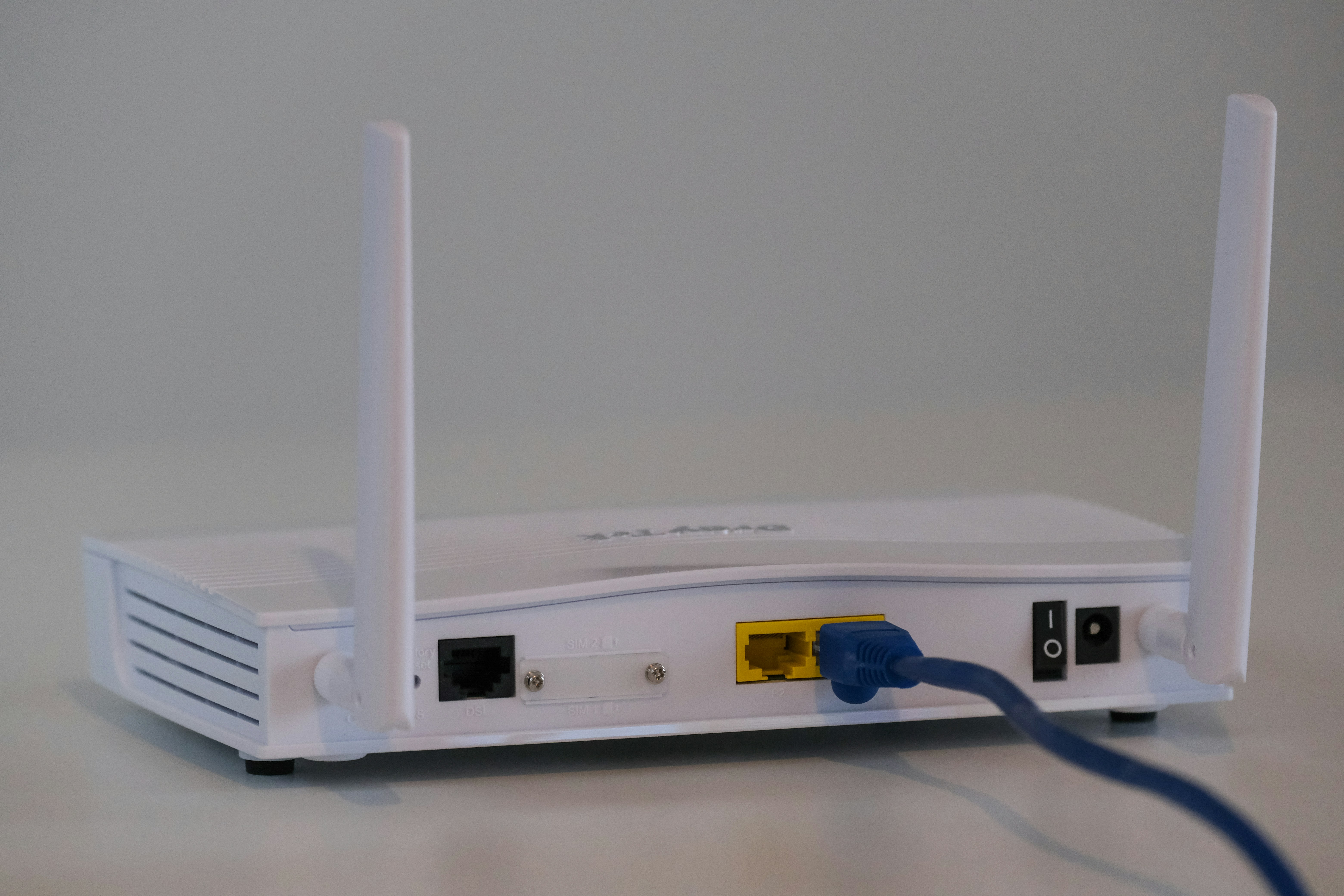
Selecting the right networking hardware is a foundational decision for any business, directly affecting daily operations and employee productivity.
For wireless connectivity, the choice often comes down to two primary options: a single WiFi router or a multi-point mesh WiFi system.
While both provide internet access, their architecture and performance characteristics differ significantly, especially in a business setting. This guide will break down those differences to help you determine the most suitable option for your enterprise network.
What is a Mesh Router?
Think of a mesh router system not as one device, but as a team of devices working in unison to blanket your entire office with strong, reliable WiFi. It's designed to eliminate dead zones and provide consistent coverage over large or complex areas.
A mesh system is built on a few key principles:
- Multiple Access Points: The system includes a main router that connects to your modem and several satellite devices, often called "nodes." You place these nodes strategically around your workspace to extend the signal.
- A Single, Unified Network: All nodes broadcast the same network name (SSID) and password. This allows your devices to automatically switch to the node with the strongest signal as you move, providing a smooth and uninterrupted connection.
- Intelligent Data Routing: The nodes communicate with each other to find the most efficient path for data to travel back to the main router. If one node goes down or becomes congested, the system automatically reroutes traffic through another node.
- Easy Scalability: If you need to cover a larger area, you can simply add more nodes to the existing system to expand your network's reach.
What is a WiFi Router?
A traditional WiFi router is a single, standalone device that acts as the central hub for your internet connection. It connects directly to your modem and broadcasts a wireless signal from that one location, creating a local area network (LAN) for your devices to join.
Here’s a breakdown of how it operates:
- Centralized Broadcast Point: The router creates a single wireless network from a fixed point. All your wireless traffic flows through this one device.
- Signal Strength and Range: The WiFi signal originates from the router and weakens as it travels further away or passes through obstacles like walls, floors, and furniture. The effective coverage area is limited to the immediate vicinity of the router.
- Wired and Wireless Connections: Most WiFi routers also include several Ethernet ports, allowing you to connect devices directly with a cable for a more stable, high-speed connection.
- Network Management: It manages all connected devices, assigning local IP addresses and directing data between them and the wider internet.
Mesh Router vs WiFi Router: Key Differences
While both technologies get your business online, their fundamental designs lead to very different outcomes in coverage, scalability, and reliability.
1. Coverage and Performance
A mesh system uses multiple nodes to create a consistent web of WiFi coverage across a large area. This design minimizes weak signal spots and maintains performance even at the edges of your office.
A traditional router broadcasts from a single point. Its signal weakens significantly with distance and physical obstructions like walls, leading to inconsistent performance and potential dead zones in parts of the building.
2. Scalability
Expanding a mesh network is simple: you just add another node to the system. The new node integrates automatically, extending the unified network without complicating management.
To extend a traditional router’s range, you typically add a WiFi extender. This often creates a separate network with a different name (SSID) and can cut your bandwidth in half, degrading performance.
3. Device Roaming
In a mesh network, your devices intelligently switch to the node with the strongest signal as you move around. This transition is automatic and happens without interrupting your connection.
With a traditional router and extenders, devices often remain connected to a weaker, more distant signal. This forces users to manually disconnect and reconnect to find the best access point.
4. Reliability
Mesh systems offer greater resilience. If one node fails or gets disconnected, the other nodes can reroute data traffic to keep the network running.
A traditional router is a single point of failure. If the router malfunctions, your entire network goes down until it is fixed or replaced.
Benefits of Mesh Routers for Enterprises
For businesses, the technical advantages of a mesh system translate directly into operational gains. The architecture is particularly well-suited for modern offices with open floor plans, multiple levels, or signal-blocking materials like concrete and steel.
- Improved Employee Productivity: Consistent, high-speed connectivity across the entire office means fewer dropped video calls and less time spent waiting for applications to load. This directly reduces IT support tickets related to poor WiFi performance.
- Simplified Network Management: IT teams can monitor and control the entire network through a single, centralized dashboard. This makes it easier to manage security settings, guest access, and device permissions without configuring multiple pieces of hardware.
- Flexible and Future-Proof: As your company grows or reconfigures its space, the network can adapt. Adding or repositioning nodes is straightforward, providing a flexible solution that scales with your business needs without requiring a complete network overhaul.
- Enhanced Security: Many enterprise-grade mesh systems include built-in security features, such as automatic firmware updates, traffic monitoring, and isolated guest networks, which help protect sensitive business data across all connection points.
Advantages of Traditional WiFi Routers
Despite the clear benefits of mesh systems, a traditional router still holds its ground in certain business scenarios. Its simplicity and directness can be a major asset, especially when network needs are more concentrated.
- Maximum Performance for Key Devices: Traditional routers come equipped with multiple Ethernet ports. This allows you to provide a direct, wired connection to essential hardware like servers, network-attached storage (NAS), or fixed desktop workstations, ensuring maximum speed and stability where it matters most.
- Straightforward Setup and Troubleshooting: With only one device to configure and manage, the setup process is typically simpler. When network issues arise, troubleshooting is focused on a single point of hardware, which can simplify diagnostics for smaller IT teams or businesses without dedicated network staff.
- Effective for Compact Spaces: For smaller, single-floor offices or retail locations with an open layout, a single, powerful router can provide excellent coverage. In these contained environments, it delivers a focused solution without the need for a more complex multi-node system.
Cost Considerations for Mesh and WiFi Routers
When it comes to budget, the initial investment is a key differentiator. A traditional WiFi router generally has a lower upfront cost, making it an attractive option for businesses with limited space and straightforward network needs.
In contrast, a mesh WiFi system typically requires a higher initial outlay. This is because you are purchasing a multi-device kit, and the total price will depend on the number of nodes required to adequately cover your entire office.
However, it's important to consider the total cost of ownership. While a single router is cheaper to start, expanding its coverage later with extenders adds to the expense and can create network management challenges.
The higher price of a mesh system often translates to better long-term value for larger spaces, providing scalable coverage that can reduce IT support costs and prevent productivity losses from unreliable WiFi.
Making the Right Choice for Your Enterprise
Choosing between a mesh system and a traditional router comes down to your specific business environment and operational needs. The decision becomes clearer when you assess your priorities.
A traditional WiFi router is an excellent, cost-effective choice for smaller, single-floor offices where coverage demands are straightforward. It provides strong performance in a contained area and offers stable, wired connections for critical devices.
On the other hand, a mesh WiFi system is built for complexity and scale. If your business operates in a large, multi-story building or has a layout with signal-blocking materials, a mesh network will provide the consistent, reliable coverage you need.
Ultimately, evaluate your office's physical layout, the number of users, and your plans for future growth. This assessment will point you to the solution that best supports your team's productivity and your company's network requirements.
Need Help Managing Your Network? Lightyear Can Help

Once you've chosen your hardware, the next step is managing the underlying telecom services that power it. Lightyear helps you procure and manage the connectivity for your entire network, whether you use a mesh system or traditional routers.
By automating network service procurement, inventory management, and bill consolidation, we help enterprises save over 70% in time and 20% in costs. Schedule a demo or get started with our questionare today.
Frequently Asked Questions about Mesh Router vs WiFi Router
Do mesh nodes reduce internet speed like extenders do?
Mesh nodes are designed for minimal speed loss. While a small performance drop can occur as data hops between nodes, it is significantly less than with traditional extenders, which often create a separate, slower network and can halve your bandwidth.
Can I mix and match nodes from different brands?
Generally, no. Mesh systems are designed as closed ecosystems. For optimal performance and compatibility, you must use nodes from the same manufacturer as your main mesh router. This ensures all features work correctly and management remains centralized.
What is wired backhaul and is it necessary?
Wired backhaul means connecting mesh nodes to each other via an Ethernet cable instead of wirelessly. This creates a highly stable link, freeing up wireless bandwidth for your devices. It is not required but is ideal for maximizing network performance.
Let us show you the product and discuss specifics on how it might be helpful.
Schedule a Demo





Revolutionize Your Telecom Experience
Learn how you can get one step closer to optimal business efficiency for all your telecom services.
