Modem vs Hub: Differences for Enterprise Networks
A modem connects you to the internet; a hub connects your local devices. Learn the specific roles of each for your enterprise network in our clear guide.

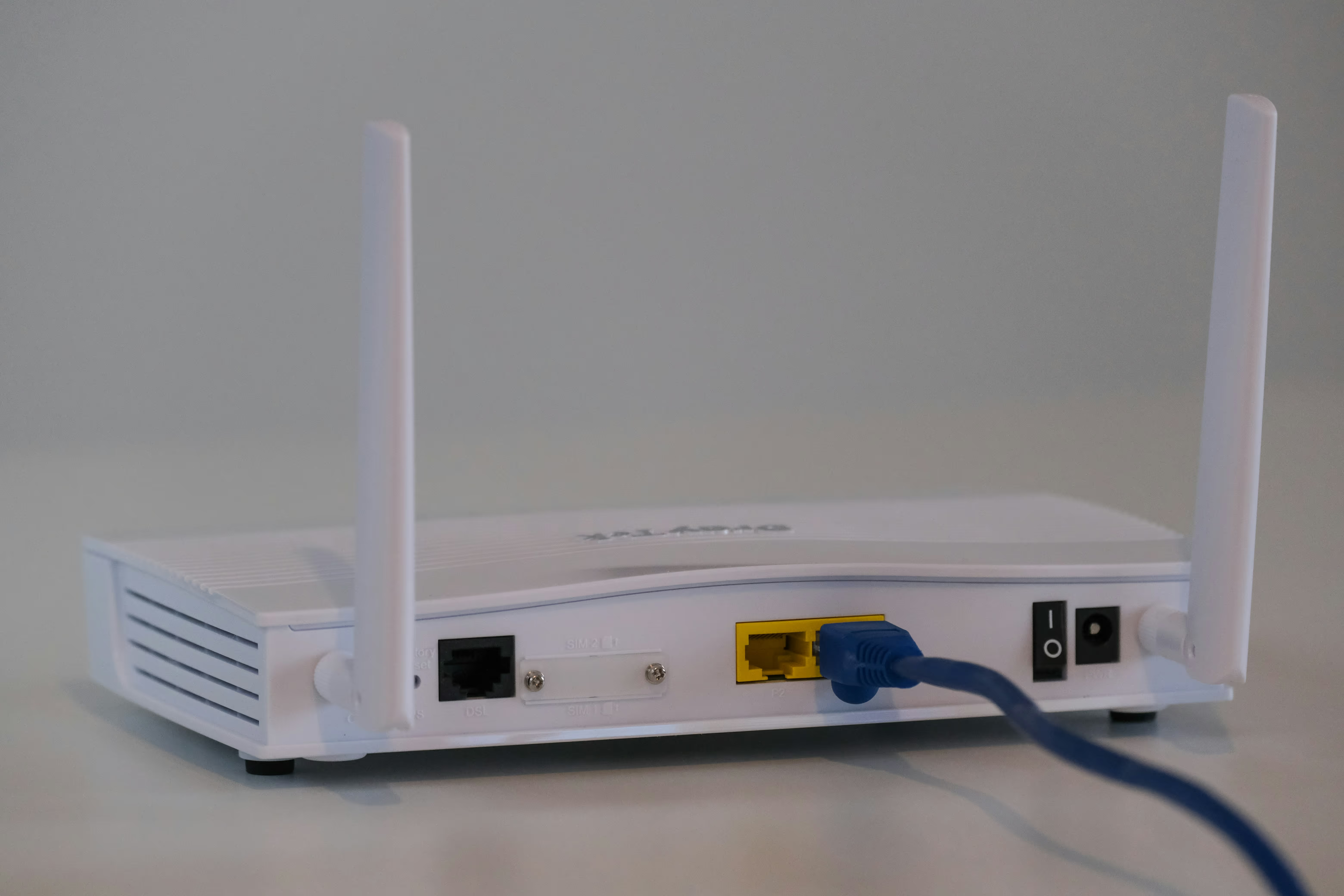
When building or scaling an enterprise network, a clear understanding of each hardware component is essential for making sound procurement decisions. Two foundational pieces of equipment are the modem and the hub, which are both involved in connectivity but perform very different functions.
This article will explain the distinct roles of each device. We will cover how a modem provides access to the internet from your service provider, while a hub connects multiple devices together on a single local network.
What is a Modem?
A modem is the essential piece of hardware that connects your internal network to the wider internet provided by your Internet Service Provider (ISP). Its name is a portmanteau of "modulator-demodulator," which describes its core function: converting signals.
It takes the digital output from your network devices and modulates it into an analog signal that can travel over your ISP's infrastructure (like cable or fiber lines). It also demodulates incoming analog signals back into digital data that your devices can process. Without a modem, your business has no on-ramp to the internet.
- Connects to the ISP: A modem has a specific port (like coaxial or fiber) to connect to the physical line coming from your service provider.
- Provides a Public IP Address: Your ISP assigns a single, unique public IP address to your modem, which is how your entire network is identified on the public internet.
- Single Device Connection: Most basic modems are designed to provide internet access to just one device through an Ethernet port.
- Service-Specific Hardware: Modems are built for specific types of internet service, such as DSL, cable, or fiber, and must be compatible with your ISP's network.
What is a Hub?
A hub is a basic networking device that connects multiple devices together on a single local area network (LAN). It acts as a central connection point for all your network equipment, but it's one of the simplest and least intelligent components available. It operates at the physical layer (Layer 1) of the network, meaning it doesn't inspect or manage the traffic passing through it.
When a hub receives a data packet on one of its ports, it simply broadcasts that packet to every other port. This means all devices connected to the hub receive all the data, even if it was intended for only one device. This method is inefficient and can create significant network congestion, especially as more devices are added.
- Connects Local Devices: Its sole purpose is to link computers, printers, and other hardware within a single local network segment.
- Broadcasts All Traffic: A hub cannot identify the intended recipient of data, so it forwards all incoming information to every connected device.
- Shared Bandwidth: All devices on a hub share the same bandwidth. Performance degrades for all users as more devices become active.
- Single Collision Domain: Because it broadcasts everything, only one device can transmit data at a time. If two devices try to send simultaneously, a data collision occurs, and the information must be resent.
Modem vs Hub: Key Differences
While both devices are part of a network's physical infrastructure, they operate in completely different spheres and have no overlapping functions. Here’s a direct comparison of their key distinctions.
1. Core Function
The primary difference lies in what they connect. A modem serves as a bridge between your private local network and the public internet provided by your ISP.
A hub, in contrast, only connects devices within a single local network, like computers and printers. It cannot provide internet access on its own.
2. Traffic Handling
A modem manages a dedicated data stream between your network and the ISP. It translates signals for this one specific connection.
A hub takes any data it receives on one port and broadcasts it to every other port. This inefficient method creates network congestion and data collisions.
3. Network Intelligence
Modems are specialized devices that modulate and demodulate signals for a specific type of internet service (e.g., cable, fiber). They are essential for communication with the ISP's network.
Hubs are unintelligent devices operating at the physical layer (Layer 1). They do not read or direct data packets; they simply repeat electrical signals to all connected devices.
4. IP Addresses
Your ISP assigns a single public IP address to your modem, making your network visible to the internet. The modem manages this external-facing identity.
A hub does not deal with IP addresses at all. It is unaware of the data it transmits and plays no role in how devices are addressed on the network.
When to Use a Modem
A modem is a fundamental requirement for every physical location that needs a connection to the internet. Its use is not optional; it is the essential hardware that links your site to your Internet Service Provider (ISP).
You will always use a modem when establishing a new internet circuit for any business site, from a corporate headquarters to a small branch office. It serves as the gateway for all your Wide Area Network (WAN) traffic.
In a typical business network, the modem provides the raw internet feed and connects directly to a router or firewall. That next device then handles traffic distribution, security, and management for the local network. The modem’s job is simply to establish and maintain the connection to the outside world.
When to Use a Hub
In modern business networks, hubs are rarely used. Their tendency to broadcast all data and create network collisions makes them unsuitable for any environment where performance and security are priorities. For nearly all local networking tasks, they have been replaced by more intelligent and efficient devices, primarily network switches.
A hub might only be considered for a very small, temporary, or non-critical setup, like a quick lab for testing devices where network speed is irrelevant. Even in these cases, a small, inexpensive switch is usually a better option.
The one specific, technical scenario where a hub is sometimes still used is for network monitoring. Because it forwards every data packet to every port, it allows a network analyzer to capture and inspect all traffic on that segment. Outside of this niche diagnostic purpose, hubs are considered obsolete technology for building a functional business network.
Common Misconceptions About Modems and Hubs
Because both devices are involved in network connectivity, their specific roles are often confused. This can lead to incorrect equipment choices. Let's clear up a few common points of confusion.
- "A modem creates a local network." A standard modem’s job is to provide an internet connection for a single device. To create a local network that shares this connection among multiple devices, you need a router. While some ISPs provide combination modem-router units, a standalone modem does not manage a local network.
- "Hubs are just old versions of switches." While both connect local devices, their method is fundamentally different. A hub is a Layer 1 device that broadcasts data to every port, creating inefficiency. A switch is a more intelligent Layer 2 device that learns device addresses and sends data only to the correct port, improving performance and security.
- "You can use a hub to get internet access." This is a frequent mistake. A hub has no ability to communicate with an ISP or translate internet signals. It can only connect devices that are already on a local network. A modem is always required to establish the primary internet connection.
Making the Right Choice for Your Network
Choosing between a modem and a hub is straightforward because they perform entirely separate jobs. Your decision isn't about picking one over the other; it's about understanding where each fits—or doesn't fit—in a modern enterprise network.
A modem is a fundamental requirement for any site needing internet access. It acts as the essential translator between your internal network and your Internet Service Provider. Without the correct modem for your circuit type (e.g., fiber, cable), you simply cannot connect to the outside world.
For connecting devices within your local network, the choice is equally clear: use a network switch. Hubs are obsolete technology that create network congestion and are unsuitable for business use. A switch provides the performance, security, and efficiency required for any professional environment.
Ultimately, the correct procurement strategy involves two distinct steps. First, you must select a modem that is compatible with your specific internet service. Second, you build your local network using a router and switches to distribute that connection efficiently and securely to all your computers, printers, and other endpoints.
Need Help Managing Your Network? Lightyear Can Help

Choosing the right hardware is just the first step; managing the services that connect to your modems and other equipment is the next challenge. Lightyear helps you manage the entire lifecycle of your enterprise network services.
By automating network service procurement, inventory management, and bill consolidation, Lightyear removes the complexity from telecom infrastructure. Enterprises using our platform achieve 70%+ time savings and 20%+ cost savings on their network services.
Schedule a demo or get started with our questionnaire today.
Frequently Asked Questions about Modem vs Hub
Can a modem and a hub be used in the same network?
Yes, but it's not recommended. A typical setup would be Modem → Router → Hub. The modem provides internet, the router manages traffic, and the hub connects end devices. However, a switch should always be used instead of a hub for better performance and security.
How does a modem/router combo unit differ from using a modem with a hub?
A combo unit intelligently manages and directs traffic to specific devices. A modem connected to a hub simply provides an internet signal that the hub then broadcasts inefficiently and insecurely to all connected devices, creating significant network congestion.
Are there any security reasons to use a hub over a switch?
Generally, no. Hubs are insecure because they broadcast all data. The only exception is for specific network monitoring tasks where a security tool needs to see all traffic on a segment. For all other purposes, a switch is far more secure.
Let us show you the product and discuss specifics on how it might be helpful.
Schedule a Demo





Revolutionize Your Telecom Experience
Learn how you can get one step closer to optimal business efficiency for all your telecom services.
