Modem vs NIC: Differences for Enterprise Buyers
A modem connects your business to the internet from your ISP. A NIC connects devices within your local network. Learn the key differences inside.

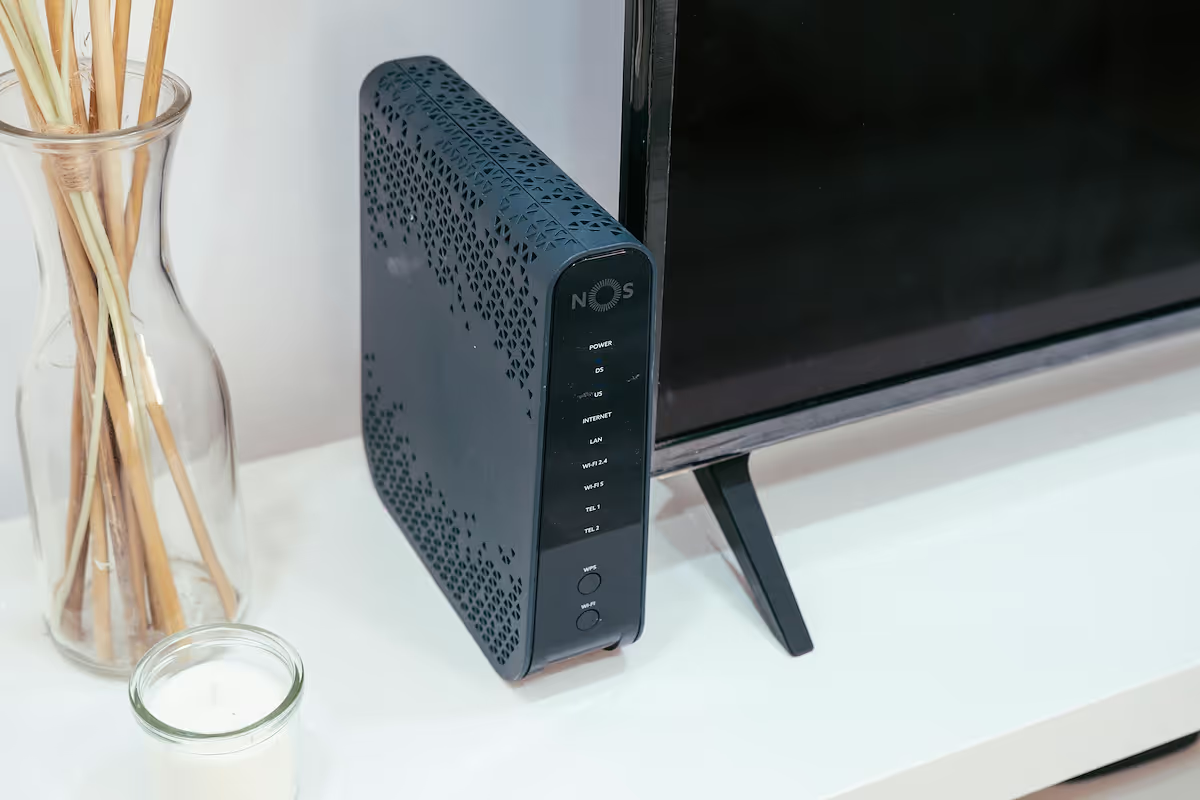
In enterprise networking, terms like modem and Network Interface Card (NIC) are often mentioned together. While both are essential for getting online, they play fundamentally different roles in your IT infrastructure.
A modem serves as the gateway, connecting your entire local network to the internet service from your provider. A NIC, however, allows a single device—like a computer or server—to connect to that local network.
Understanding this difference is key for making smart procurement and network design decisions. This guide will break down their specific functions for enterprise buyers.
What is a Modem?
A modem is the essential hardware that bridges your internal network with your Internet Service Provider (ISP). Its main function is to translate data signals, allowing them to travel between your local environment and the wider internet. Think of it as your network's dedicated interpreter for the outside world.
- The term "modem" is short for modulator-demodulator. It modulates outgoing digital data from your network into analog signals compatible with your ISP's infrastructure (e.g., cable, fiber, or phone lines) and demodulates incoming analog signals back into digital data your devices can process.
- Modems are specific to the type of internet connection you have. A modem built for a cable connection will not work with a fiber or DSL service, and vice versa.
- This device is assigned a public IP address by your ISP, which allows your network to send and receive data across the internet.
What is a Network Interface Card (NIC)?
A Network Interface Card (NIC) is the hardware component that connects an individual device, such as a computer or server, to a network. While a modem links your entire office to the internet, a NIC’s role is to get a single machine communicating on your local area network (LAN). It serves as the physical point of connection between the device and the network itself, whether through an Ethernet cable or a wireless signal.
- Each NIC is assigned a unique hardware identifier called a Media Access Control (MAC) address. This address is used to route data to the correct device within the local network.
- NICs can be integrated directly onto a device's motherboard, which is common in modern computers, or they can be added as separate expansion cards for more specialized networking needs.
- The card translates data from the device into a format suitable for transmission over the network and converts incoming signals back into data the device can understand.
Key Differences Between Modems and NICs
While both are crucial for connectivity, their core functions, scope, and addressing methods set them apart. Here’s a closer look at the main distinctions.
1. Function and Purpose
A modem’s primary job is signal conversion. It translates digital data from your network into analog signals compatible with your ISP’s infrastructure and vice versa.
A NIC, however, focuses on data formatting. It prepares data from a single device for transmission over the local network and translates incoming network data for that device to use.
2. Scope of Connection
The modem serves as the gateway for your entire network, connecting your Local Area Network (LAN) to the internet (a Wide Area Network or WAN).
A NIC’s scope is much smaller. It connects a single endpoint, like a computer or server, to the LAN, operating exclusively within your internal network.
3. Addressing Method
Your ISP assigns a public IP address to your modem, which identifies your entire network on the internet. This address is how external data finds its way to you.
In contrast, every NIC has a unique, permanent MAC address burned into its hardware. This address is used to deliver data to the correct device inside your local network.
How Modems Work in a Network
In a typical enterprise network, the modem is positioned at the edge, acting as the primary interface with your Internet Service Provider (ISP). It connects directly to the incoming service line—be it fiber, cable, or DSL—at what's known as the demarcation point.
Once connected, its job is to translate the incoming signals from the ISP into digital signals that your internal network hardware can understand. This converted signal is then passed on, usually via an Ethernet cable, to the next device in the chain.
In most business environments, this next device is a dedicated router or firewall. The router manages traffic distribution and security for the local network. While combination modem-router units exist, separating these functions provides greater control and scalability for enterprise needs.
The Role of NICs in Network Communication
A Network Interface Card operates at the foundational layers of the network, specifically the physical and data link layers. It provides the physical port or wireless antenna for a device to connect to the local network.
When a device needs to send information, its NIC packages the data into frames. Each frame is tagged with the unique MAC address of both the sending and receiving devices, acting like a specific mailing address for internal traffic.
The NIC then broadcasts these frames onto the Local Area Network (LAN). While all devices on the LAN see the frames, only the NIC with the matching destination MAC address will accept and process the data, passing it to the device's operating system.
This process ensures that data is delivered precisely to the correct computer, server, or printer within your office, forming the basis for all internal communication.
Choosing Between a Modem and a NIC for Your Enterprise
For any enterprise, this isn't an "either/or" decision—you need both. A modem connects your entire business to the internet, while NICs connect each individual computer, server, and printer to your local network. The choice is not about which one to get, but about selecting the right specifications for each to support your operations.
Here’s what to consider when procuring each component:
- Modem Selection: Your choice of modem is determined entirely by your Internet Service Provider (ISP). It must be compatible with the type of service you have (e.g., fiber, cable, DSL) and powerful enough to handle the bandwidth your business pays for.
- NIC Selection: The right NIC depends on the device it will serve. A standard office workstation typically requires a 1 Gbps NIC, whereas a server processing large amounts of data may need a 10 Gbps NIC or faster to avoid performance issues.
- Connection Type: You will also choose between wired (Ethernet) and wireless NICs. While wireless offers flexibility, critical infrastructure like servers and core workstations almost always use wired NICs for their superior speed, stability, and security.
Final Thoughts on Modems and NICs
While both modems and NICs are essential for connectivity, they operate at different scales. A modem is your network's single gateway to the internet, translating signals from your ISP.
In contrast, a NIC provides a connection point for a single device to your internal network. This distinction—gateway versus endpoint connection—is fundamental for designing and managing an effective enterprise network.
Ultimately, you need both components working in concert for your business to get online.
Need Help Managing Your Network? Lightyear Can Help

Choosing the right hardware is just one piece of the puzzle. Lightyear helps you manage the network services that connect everything together, from procurement to billing.
By automating network service procurement and inventory management, we take the pain out of telecom infrastructure management, helping enterprises achieve over 70% time savings and 20% cost savings.
Schedule a demo or get started with our questionnaire today.
Frequently Asked Questions about Modem vs Network Interface Card
Can a device function as both a modem and have a NIC?
Yes, this is common in modem/router combination units. The modem component handles the internet connection, while internal NICs provide the physical Ethernet ports and wireless capabilities for connecting devices to the local network. These are often used in smaller or less complex environments.
Is a device's Ethernet port the same as its NIC?
Not exactly. The Ethernet port is the physical socket you plug a cable into. The Network Interface Card (NIC) is the underlying hardware that includes the port and all the electronics required to process network data. The port is simply the interface of the NIC.
Do I need a NIC if my computer connects via Wi-Fi?
Yes. A device that connects to Wi-Fi has a wireless NIC. Instead of an Ethernet port, it uses an antenna to send and receive data. Functionally, it serves the same purpose as a wired NIC: connecting the device to the local network.
Why do some servers have multiple NICs?
Servers often use multiple NICs for redundancy or performance. One NIC might handle primary traffic while another serves as a backup (failover). Alternatively, they can be bonded together to increase total bandwidth, which is crucial for servers handling heavy network loads.
Let us show you the product and discuss specifics on how it might be helpful.
Schedule a Demo





Revolutionize Your Telecom Experience
Learn how you can get one step closer to optimal business efficiency for all your telecom services.
