Modem vs Router: What are the Key Differences for IT Buyers?
A modem connects you to the internet. A router creates your local network. Learn the key differences and how they work together for your business.

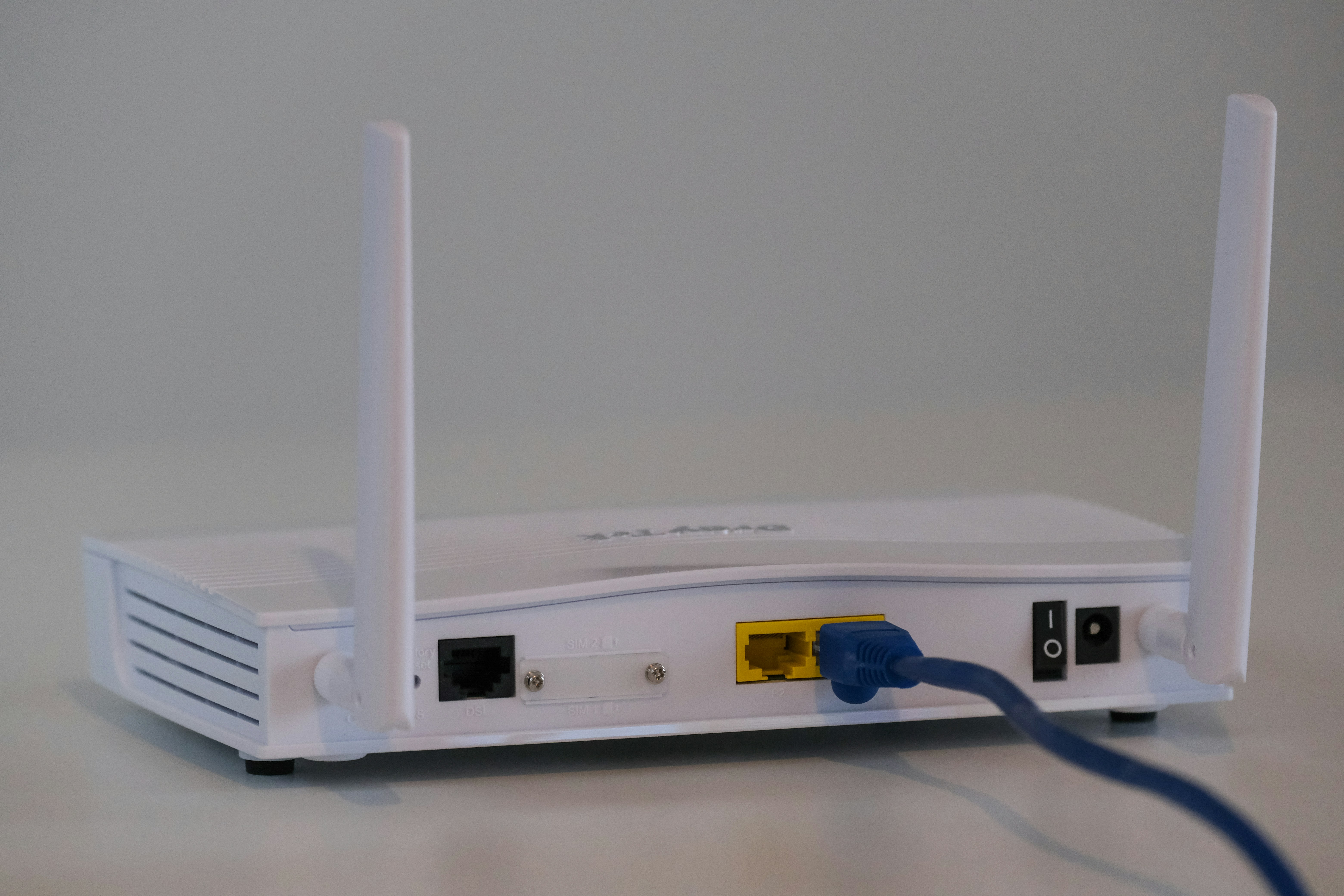
The terms ‘modem’ and ‘router’ are often used interchangeably, but they are two distinct pieces of hardware with separate, critical functions for business connectivity.
A modem is the device that connects your internal network to your Internet Service Provider (ISP), translating the signal from your provider into one your network can use. A router then takes that connection, creates a local network, and allows multiple devices to share that internet access.
Understanding the distinction is fundamental for managing enterprise networks. This guide clarifies the key differences to help IT and telecom buyers make informed procurement decisions.
What is a Modem?
A modem gets its name from its primary function: modulating and demodulating signals. Think of it as the essential translator that allows your internal business network to communicate with the wider internet through your Internet Service Provider (ISP). It takes the specific type of signal from your ISP—whether delivered via fiber, cable, or DSL—and converts it into a standard digital format that your network hardware can use.
- Direct ISP Link: A modem establishes the direct connection to your ISP's infrastructure. It's the endpoint for the service you purchase from them.
- Signal Conversion: Its core task is converting signals. It modulates outgoing digital data into analog signals for the ISP's network and demodulates incoming analog signals into digital data for your network.
- Single Public IP Address: Your ISP assigns a single public IP address to your modem, which serves as your network's unique address on the internet.
- Limited Connectivity: A standard modem typically has only one Ethernet port, designed to provide an internet connection to a single device (like a computer or a router).
What is a Router?
Where a modem brings the internet into your building, a router takes that single connection and creates a private network for all your business devices. It acts as a traffic director, managing the flow of data to ensure information gets to the right place. This allows multiple computers, servers, and printers to share the same internet connection securely and efficiently.
- Local Network Creation: A router establishes a Local Area Network (LAN), enabling all connected devices to communicate with each other and the internet.
- Traffic Management: It directs data packets to their intended destinations. For example, it ensures a print job from your laptop goes to the office printer, not your colleague's computer.
- IP Address Assignment: Using a process called DHCP, the router assigns a unique private IP address to each device on the network, preventing data mix-ups.
- Security Features: Routers typically include a built-in firewall, which serves as a critical first line of defense by monitoring incoming and outgoing traffic to block potential threats.
Modem vs Router: Key Differences
While both devices are essential for getting online, they play distinct and separate roles. Here’s a straightforward look at their key differences.
1. Core Function: Gateway vs. Network Director
A modem acts as a gateway to the internet. Its sole purpose is to establish and maintain the connection with your ISP.
A router, on the other hand, is a network director. It takes the internet connection from the modem and distributes it, managing traffic between all the devices on your local network.
2. IP Addresses: Public vs. Private
Your modem is assigned a single public IP address by your ISP. This is the unique address that identifies your entire network to the outside world.
A router creates a private network and assigns a unique private IP address to each connected device, ensuring data goes to the right computer, printer, or server internally.
3. Connectivity: Single vs. Multiple Ports
A modem is built for a single connection and typically has only one Ethernet port. This port is meant to connect directly to a router or a single computer.
A router is designed for sharing. It comes with multiple Ethernet ports and usually provides Wi-Fi, allowing numerous devices to connect at once.
4. Security: None vs. A First Line of Defense
A modem itself offers little to no security. It simply translates and passes data between your network and your ISP.
A router provides a crucial security layer. Most include a built-in firewall that inspects incoming data and helps protect your network from unauthorized access and threats.
How Modems Work in a Network
A modem’s role in the network starts with its physical connection to your ISP, which is typically a coaxial, fiber optic, or DSL line. This line is the dedicated link that brings the internet service into your facility.
When a user on your network requests information from the internet, the modem converts that digital request into an analog signal compatible with your ISP’s infrastructure. It then sends this signal out over the service line.
In response, the ISP sends data back. The modem receives these incoming analog signals and demodulates them back into a digital format that your internal hardware can understand. This clean digital signal is then passed through the modem’s Ethernet port to the next device in the chain.
How Routers Enhance Connectivity
A router takes the single internet connection from the modem and creates a functional, private network for your business. It acts as a distribution hub, allowing multiple devices—computers, servers, and printers—to share that one connection simultaneously through a Local Area Network (LAN).
By assigning a unique private IP address to each device, the router directs data traffic with precision. This ensures information gets to the correct destination within your network. Many routers also provide Wi-Fi, offering wireless access for greater flexibility, and include a built-in firewall that protects all connected devices from online threats.
Choosing the Right Device for Your Enterprise
For nearly all business applications, the decision isn't about choosing a modem or a router—you need both to create a functional and secure network. The real choice lies in selecting the right type of equipment for your specific operational needs.
- Separate vs. Combo Devices: While all-in-one modem/router combo units exist, most enterprises opt for separate devices. This approach provides greater flexibility for upgrades, simplifies troubleshooting, and allows you to select a router with the specific security and traffic management features your business requires.
- Modem Compatibility: Your modem choice is dictated by your ISP. It must be compatible with your service type (e.g., fiber, cable) and rated for the bandwidth you’re paying for. Using an under-specced modem will bottleneck your entire network’s performance.
- Router Scalability: Router selection depends on your internal needs. Consider the number of users and devices, the physical size of your office for Wi-Fi coverage, and whether you require advanced features like VPN access or Quality of Service (QoS) for prioritizing voice traffic.
- Leasing vs. Purchasing: Finally, decide whether to lease equipment from your ISP or purchase your own. Leasing is convenient with direct support, but purchasing your hardware can reduce monthly costs and give you full control over your network configuration and security settings.
Final Thoughts on Modems versus Routers
Understanding the difference between a router versus modem is more than just a technical detail; it's fundamental to building a reliable business network. A modem serves as your dedicated gateway to the internet, while a router creates and manages your internal network, directing traffic and providing a crucial layer of security.
For most businesses, using separate, high-quality devices is the recommended approach. This strategy offers greater control over your network's security, simplifies troubleshooting, and ensures your infrastructure can scale with your company's needs. Getting the hardware right builds a strong foundation for all your business connectivity.
Need Help Managing Your Network? Lightyear Can Help

Choosing the right modem and router is just the first step. Once the hardware is sorted, Lightyear can help you manage the entire telecom lifecycle that comes next, from procurement to billing.
By automating network service procurement, inventory management, and bill consolidation, Lightyear takes the pain out of telecom infrastructure management. The hundreds of enterprises who trust Lightyear achieve 70%+ time savings and 20%+ cost savings on their network services.
Schedule a demo or get started with our questionnaire today.
Frequently Asked Questions about Router vs Modem
Can I use any modem with any ISP?
No. Your modem must be compatible with your ISP’s network technology (like fiber or cable) and be on their list of approved devices. Using an unapproved modem may result in poor performance or no connection at all. Always check with your provider first.
Does my router's speed need to match my internet plan?
Yes, for optimal performance. Your router should support speeds equal to or greater than your internet plan. An older or underpowered router can become a bottleneck, preventing you from getting the full bandwidth you pay for, even with a fast modem and connection.
What is a gateway and how is it different from a modem?
A gateway is typically a combination modem/router device in a single box. While a modem only connects you to the ISP, a gateway also includes routing functions to create a local network. Most businesses prefer separate devices for better control and performance.
If my ISP provides a device, do I still need a separate router?
Often, yes. ISP-provided devices are usually modem/router combos with basic features. Using your own separate router allows for more advanced security, better Wi-Fi coverage, and greater control over your network configuration, which is critical for most business environments.
Let us show you the product and discuss specifics on how it might be helpful.
Schedule a Demo





Revolutionize Your Telecom Experience
Learn how you can get one step closer to optimal business efficiency for all your telecom services.
