8 Network Documentation Best Practices for Modern IT Teams
Outdated spreadsheets can cripple IT. In 2025, network documentation best practices demand automation and real-time visibility.


A small oversight in your records can turn a quick fix into hours of wasted time. A missing IP address entry, an outdated firewall rule, or a forgotten circuit contract can stall troubleshooting, delay upgrades, and even trigger costly downtime.
Accurate network documentation is the foundation of efficient IT operations. It captures every circuit, contract, device, and configuration detail so your team can act quickly and confidently. The challenge is keeping that documentation current. Manual spreadsheets and static charts rarely keep pace with the constant changes in enterprise networks.
That’s why many IT leaders are moving to automated documentation systems. Lightyear is the telecom operating system that replaces fragmented records with a digital system of record. Its Network Inventory Manager automatically tracks circuits, IP addresses, contracts, and vendor details, giving you real-time visibility without the manual upkeep.
This guide covers the benefits of network documentation, the best practices to follow in 2025, and how automation can transform the documentation process.
What Is Network Documentation?
Network documentation is the comprehensive record of your network infrastructure. It covers physical devices, logical connections, contracts, and configurations. Think of it as your network’s technical blueprint.
Network documentation should include:
- Physical records: routers, switches, firewalls, cabling, and their physical locations in offices or data centers.
- Logical records: network topology, subnets, VLANs, routing protocols, and traffic flows.
- Contracts and services: provider relationships, circuit IDs, bandwidth allocations, SLAs, warranty information, and renewal dates.
- Configuration details: device settings, firmware versions, serial numbers, and access control policies.
Many organizations still rely on outdated charts, scattered spreadsheets, or tribal knowledge that disappears when key team members leave. Proper documentation consolidates this information into structured, maintainable records that support your entire IT team.
Benefits of Network Documentation
Good documentation pays off across operations, security, finance, and resilience:
Faster troubleshooting and reduced downtime
When something breaks, accurate records cut guesswork. Instead of tracing cables or digging through old diagrams, engineers can quickly see which circuits are affected, what the backup paths are, and how traffic flows through the network. That speed translates into lower MTTR and less disruption for the business.
Stronger security and compliance
Security teams need visibility into every firewall rule, VPN connection, and device configuration. Documentation surfaces misconfigurations before attackers do, and provides audit-ready evidence for regulators. Without it, proving compliance becomes almost impossible.
Smoother onboarding and knowledge transfer
Networks evolve over years, often under the watch of a handful of engineers. When those people leave, undocumented decisions leave new hires scrambling. Documentation preserves design choices, naming conventions, and configuration standards so teams can stay productive through turnover.
Cost and vendor management
Beyond the technical value, documentation saves money. It highlights underutilized circuits, duplicate services, and contracts heading toward auto-renewal at inflated rates. With clear records of terms and pricing, IT and finance teams negotiate from a position of strength.
Business continuity and recovery
In a crisis, accurate documentation becomes a playbook. Disaster recovery plans depend on knowing dependencies, backup systems, and failover procedures. Without that level of detail, recovery efforts take longer and risk more data loss.
8 Network Documentation Best Practices To Follow
Documentation works best when it’s intentional. Rather than treating documentation as an afterthought, enterprises can follow a set of best practices that keep records accurate and useful:
- Establish a documentation policy. Define what gets recorded, how often it’s updated, and who owns each category. Tie updates to your change management workflow so records always reflect reality.
- Standardize templates and formats. Use consistent structures for IP addresses, VLANs, and routing protocols. Supplement text with diagrams (Lucidchart, Visio, or automated tools) so relationships are easy to interpret.
- Keep hardware and software records detailed. Capture serial numbers, firmware versions, warranty dates, and even rack positions. This level of precision prevents assets from becoming “lost” in the system.
- Document network topology end to end. Logical topology (subnets, routing protocols, VLANs) and physical layout (cabling, patch panels, racks) both matter. Together they create the full blueprint for operations and troubleshooting.
- Keep diagrams alive. Network maps degrade quickly if they aren’t updated. Make them living documents by linking them to automated discovery tools that reconcile changes as they happen.
- Automate wherever possible. Manual updates don’t scale. Automate IP assignments, contract renewals, and configuration changes. Real-time sync reduces human error and frees engineers from clerical work.
- Enable collaboration, not silos. Documentation should be usable by finance, operations, and security teams, not just the network engineers. Shared access, version control, and change logs ensure everyone stays aligned.
- Plan for tomorrow’s network. Document not just today’s design, but available capacity, growth constraints, and cloud connectivity plans (AWS, Azure, etc.). Future-proof documentation saves time during expansions and migrations.
Where Network Documentation Goes Wrong
Even teams that invest time in documentation often fall into the same traps. These mistakes leave records outdated, incomplete, or unusable when they’re needed most:
- Relying solely on spreadsheets for complex data.
- Neglecting updates after upgrades or new deployments.
- Missing firewall rules, VPN settings, or VLAN details.
- Failing to align documentation with network management and auditing needs.
How Lightyear Streamlines Network Documentation
It’s clear that the era of static spreadsheets and outdated diagrams is ending. Network documentation is moving toward automated, integrated systems that update themselves in real time.
Modern platforms already use APIs and device integrations to keep records accurate, while cloud environments like AWS and Microsoft Azure demand hybrid visibility across on-premises and virtual networks.
AI is poised to take this even further, detecting configuration drift, suggesting optimizations, and flagging risks before they impact operations. As a result, network information is no longer just a reference; it’s a business-critical asset.
Lightyear’s Network Inventory Manager makes this shift practical. It eliminates the manual overhead of fragmented tools by consolidating every detail into one system of record.
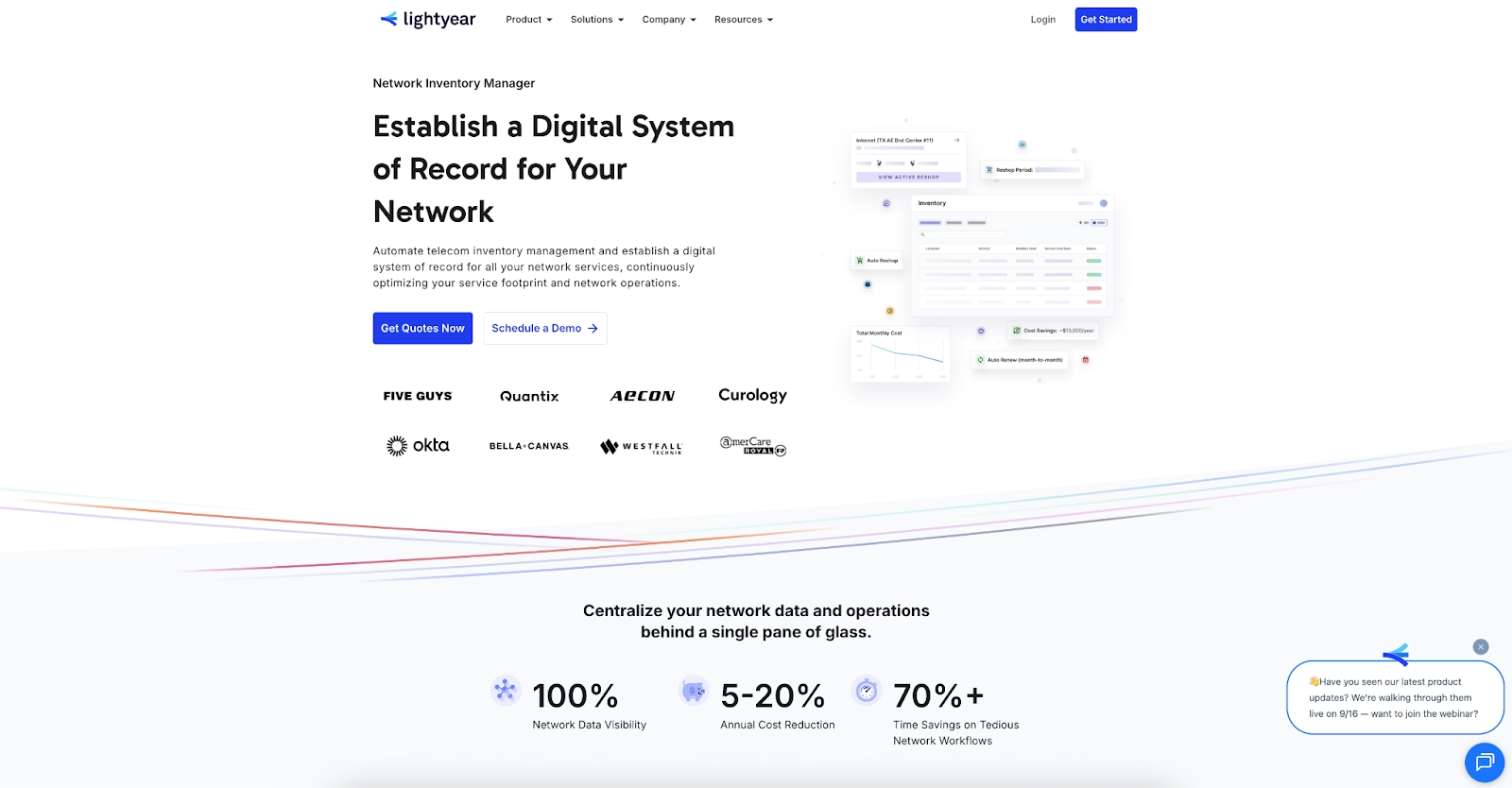
With Lightyear, you can:
- Track 25+ data points per service (circuits, contracts, IPs, vendor info, and more)
- Sync directly with providers for always-current documentation
- Maintain real-time change logs and audit trails across your environment
- Get a unified view across WAN, data centers, and cloud networks
- Receive automated reminders for renewals and lifecycle events
The result: accurate, real-time visibility across your entire network—without the upkeep
See Lightyear in Action Today
Following best practices—standardizing records, keeping diagrams current, and automating updates—is only sustainable with the right platform. Lightyear turns documentation into a living digital system of record, reducing downtime, cutting costs, and keeping your team aligned.
Ready to replace spreadsheets with a system built for modern IT? Schedule a demo of Lightyear and see how automated documentation can reduce downtime, cut costs, and keep your team aligned.
FAQs and summary about network documentation
What is network documentation?
Network documentation is the comprehensive record of circuits, devices, IP addresses, configurations, and contracts that make up an enterprise network. It serves as a technical blueprint for managing operations, security, and troubleshooting.
Why is network documentation important?
Accurate documentation reduces downtime, speeds up troubleshooting, strengthens security, and ensures compliance. It also improves vendor management and cost control by tracking contracts and renewals.
What should be included in network documentation?
Effective documentation should cover physical devices (routers, switches, firewalls), logical details (subnets, VLANs, routing protocols), service contracts (circuit IDs, SLAs, renewal dates), and configuration data (firmware versions, access controls).
How often should network documentation be updated?
Documentation should be updated in real time whenever a change occurs—such as new circuits, device upgrades, or contract renewals. Automated systems like Lightyear eliminate lag by syncing updates directly from vendors and service providers.
What are the common pitfalls of network documentation?
Common mistakes include relying only on spreadsheets, failing to update diagrams after changes, missing firewall/VPN rules, and not aligning records with auditing or compliance requirements.
How does automation improve network documentation?
Automation ensures records are accurate and current by integrating with providers and devices. Tools like Lightyear’s Network Inventory Manager automatically capture circuit, contract, and configuration data, replacing error-prone manual updates.
Let us show you the product and discuss specifics on how it might be helpful.
Schedule a Demo





Revolutionize Your Telecom Experience
Learn how you can get one step closer to optimal business efficiency for all your telecom services.
