Portable WiFi Router vs Mobile Hotspot Comparison
Portable WiFi router vs. mobile hotspot: What's the difference? Learn which is the right choice for your business's connectivity needs.

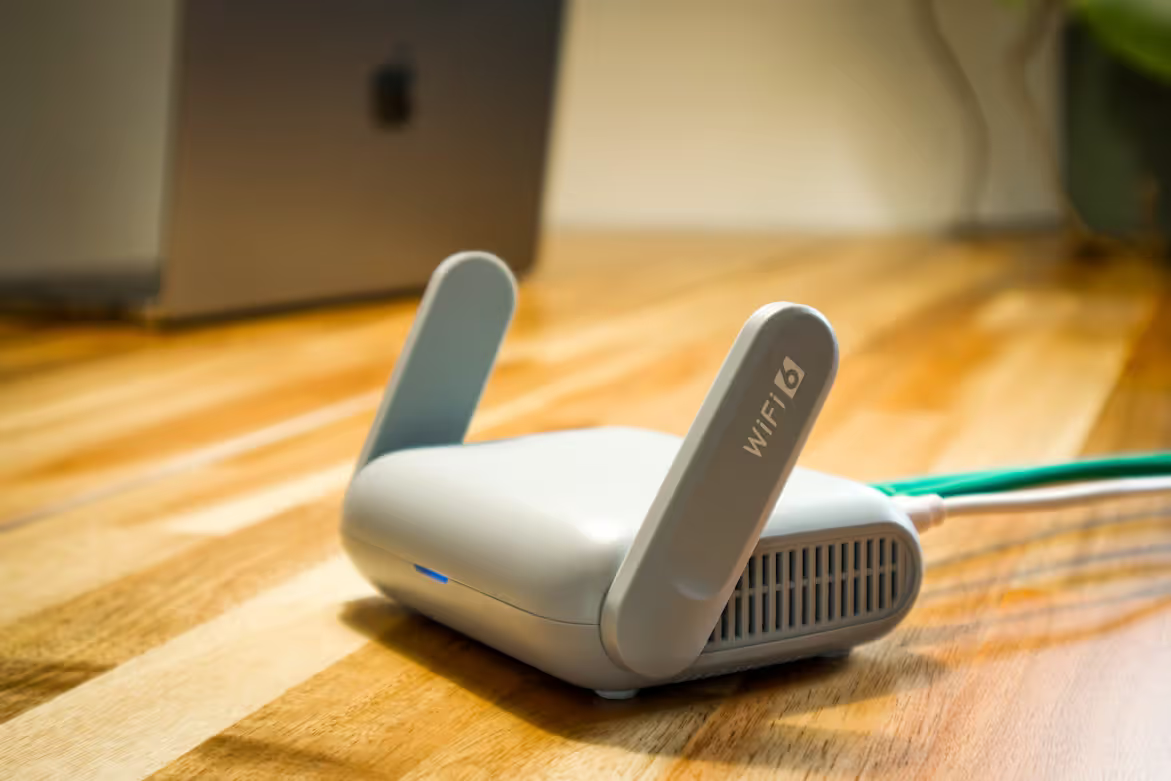
When your business needs reliable internet access for teams on the go, you'll often come across two main solutions: portable WiFi routers and mobile hotspots.
While these terms are frequently used interchangeably, they refer to distinct technologies with different capabilities and use cases.
This guide will clarify those differences, helping you decide which option best supports your company's remote connectivity requirements.
What is a Portable WiFi Router?
Think of a portable WiFi router as a compact, travel-friendly version of the router you have at home or in the office. It is a dedicated hardware device designed to create a private, secure wireless network wherever you go. Unlike a feature built into another device, its sole purpose is to provide a stable WiFi connection for multiple devices.
To get online, a portable router needs its own internet source. This is usually accomplished by inserting a data-enabled SIM card. Some models also offer the flexibility to connect to an existing wired network via an Ethernet port or to extend another WiFi signal, acting as a repeater.
- Dedicated Hardware: It is a standalone device built specifically for routing traffic and managing a local network.
- Flexible Connectivity: It can use a cellular data plan (via a SIM card), an Ethernet connection, or an existing WiFi network as its internet source.
- Advanced Features: These routers often include features found in traditional routers, such as Ethernet ports for wired connections, robust security settings like firewalls, and support for a higher number of connected devices.
- Broader Coverage: They typically have more powerful antennas, providing a stronger and more reliable signal over a larger area.
What is a Mobile Hotspot?
A mobile hotspot is a feature that allows a device, most commonly a smartphone, to share its cellular data connection with other nearby devices over WiFi. Unlike a portable router, it is typically a software function you can activate in your phone's settings rather than a separate piece of hardware.
This capability turns your phone into a personal internet source for a laptop, tablet, or other WiFi-enabled equipment. While dedicated mobile hotspot devices (often called MiFi) also exist, the term most often refers to this smartphone functionality.
- Software-Based Function: It is usually a built-in feature of a smartphone or tablet, not a dedicated networking device.
- Cellular Dependent: It relies exclusively on the device's mobile data plan to provide an internet connection.
- Basic Functionality: Its purpose is straightforward—to share an internet connection. It generally lacks the advanced security and management features of a router.
- Designed for Personal Use: Mobile hotspots are ideal for connecting a few devices and typically have a more limited range and battery life when compared to a portable router.
Key Differences Between Portable WiFi Routers and Mobile Hotspots
While both provide on-the-go internet, their core design and capabilities create some important distinctions for business users to consider.
Hardware vs. Software
The most fundamental difference is that a portable WiFi router is a dedicated hardware device. Its only purpose is to create a private, stable wireless network.
A mobile hotspot, on the other hand, is a software feature built into a multi-purpose device like a smartphone. Activating it simply shares the phone's existing cellular connection.
Connection Performance and Capacity
Portable routers are engineered for superior performance. They typically have more powerful antennas, providing a stronger signal and wider coverage area. This allows them to support a greater number of simultaneous device connections without slowing down.
A mobile hotspot is designed for convenience and personal use. Its range is more limited, and performance can degrade if too many devices connect at once.
Features and Security
For IT teams, the feature set is a key differentiator. Portable routers often include advanced controls like firewalls, VPN passthrough, and guest networks. Many also have Ethernet ports for connecting wired devices.
Mobile hotspots offer basic password protection but lack the granular security and management tools found in a dedicated router.
Battery Impact
A portable router uses its battery for a single function, which generally means it can broadcast a WiFi signal for a longer period on a single charge.
Using a smartphone as a hotspot is notoriously draining on its battery, as the phone must power its own operations in addition to the hotspot function.
Advantages of Using a Portable WiFi Router
For business applications, a portable WiFi router offers distinct benefits centered on performance, security, and reliability. Its design as a dedicated networking device translates directly into a more stable experience for teams.
The ability to handle more simultaneous connections ensures that multiple employees can work productively without performance drops. This is ideal for pop-up work sites or team meetings outside the office.
From a security standpoint, these routers provide greater control. Features like built-in firewalls and VPN support create a more secure connection for handling sensitive company information, which is a significant step up from basic password protection.
Finally, since it operates on its own battery, it provides sustained connectivity without draining an employee’s smartphone, keeping their primary communication device available for calls.
Benefits of Choosing a Mobile Hotspot
While a portable router excels in performance, a mobile hotspot shines in its sheer convenience and cost-effectiveness. For businesses, the primary advantage is that it requires no additional hardware.
Employees can use the smartphones they already carry, eliminating the need for procurement, device management, and the risk of lost equipment. This simplicity extends to the user experience; activating a hotspot is straightforward and requires no technical setup.
For occasional or light use, leveraging an existing mobile data plan can also be more economical than purchasing and managing separate data plans for dedicated routers. It's an ideal solution for immediate, hassle-free connectivity for an individual or a very small group.
Use Cases for Portable WiFi Routers and Mobile Hotspots
Understanding the practical applications of each device helps clarify which is right for different business scenarios. The choice often comes down to the number of users, security needs, and the work environment.
1. Portable WiFi Router
- Field Teams and Pop-Up Sites: Ideal for construction sites, event management, or any temporary location where a stable, multi-device network is needed without existing infrastructure. Its stronger signal supports multiple users effectively.
- Team Business Travel: A single router can provide a secure, shared connection for an entire team in a hotel or temporary workspace, ensuring consistent performance for everyone without draining phone batteries.
- Retail and Branch Connectivity: Can serve as a primary internet source for pop-up shops or as a reliable failover solution for small offices to maintain operations during a primary internet outage.
- In-Vehicle Connectivity: For company vehicles, shuttles, or mobile command centers that require a persistent and robust internet connection for multiple onboard devices and passengers.
2. Mobile Hotspot
- Solo Business Travelers: Perfect for an individual employee who needs to connect their laptop or tablet for short periods, such as working between meetings or at an airport where public WiFi is not secure.
- Immediate, Light-Use Needs: When an employee needs to quickly send an email or access a cloud document and doesn't have access to a trusted WiFi network. It offers instant, convenient access.
- Informal Collaboration: Useful for one or two colleagues who need to briefly share a connection for a specific task. It's a simple solution when performance and security are not primary concerns.
- Cost-Sensitive Scenarios: When providing a dedicated device isn't practical, leveraging an employee's existing smartphone and data plan is a simple solution with no added hardware costs.
Making the Right Choice for Your Enterprise
Choosing between a portable WiFi router and a mobile hotspot ultimately depends on your specific business requirements for performance, security, and scale.
For teams in the field, temporary work sites, or any scenario demanding a secure, high-performance connection for multiple devices, a dedicated portable router is the more robust solution. Its design prioritizes stable, long-lasting connectivity for group settings.
Conversely, for individual employees who need convenient, short-term internet access, a mobile hotspot is a practical and cost-effective choice. It leverages existing hardware and data plans, making it ideal for light use on the go.
By evaluating your typical use cases against these distinct functions, you can select the right tool to keep your teams productive without over-provisioning.
Need Help Managing Your Network? Lightyear Can Help

Whether you choose portable routers or mobile hotspots, managing the procurement and inventory for dozens of data plans can be complex. Lightyear automates this entire lifecycle, from sourcing the best carrier options to tracking every service in a central system.
By automating network service procurement and inventory management, Lightyear helps enterprises achieve over 70% in time savings and 20% in cost savings.Schedule a demo or get started with our questionnaire today.
Frequently Asked Questions about Portable WiFi Router vs Mobile Hotspot
Can I use a portable WiFi router without a SIM card?
Yes, many portable routers are versatile. While they primarily use a SIM card for cellular connection, most can also connect to the internet via an Ethernet port or by repeating an existing WiFi signal, offering more connectivity options than a hotspot.
Is a dedicated mobile hotspot device (MiFi) the same as a portable router?
They are very similar, but portable routers typically offer more advanced features like Ethernet ports, stronger security settings, and better range. A MiFi is a simpler device focused solely on sharing a cellular connection with a few devices.
Which option is better for international travel?
A portable router is generally better for international trips. You can insert a local SIM card at your destination to access affordable data and avoid high roaming fees from your domestic carrier, which is a more complicated process with a smartphone hotspot.
Do I need a separate data plan for a portable router?
Yes, to use a portable router's cellular capability, it requires its own data plan and a dedicated SIM card. This is separate from your smartphone's plan, which is what a mobile hotspot relies on for its internet connection.
Let us show you the product and discuss specifics on how it might be helpful.
Schedule a Demo





Revolutionize Your Telecom Experience
Learn how you can get one step closer to optimal business efficiency for all your telecom services.
