Router vs Ethernet Switch: Differences Explained
Learn the difference between a router and an Ethernet switch. Routers connect different networks, while switches connect devices on a single network.

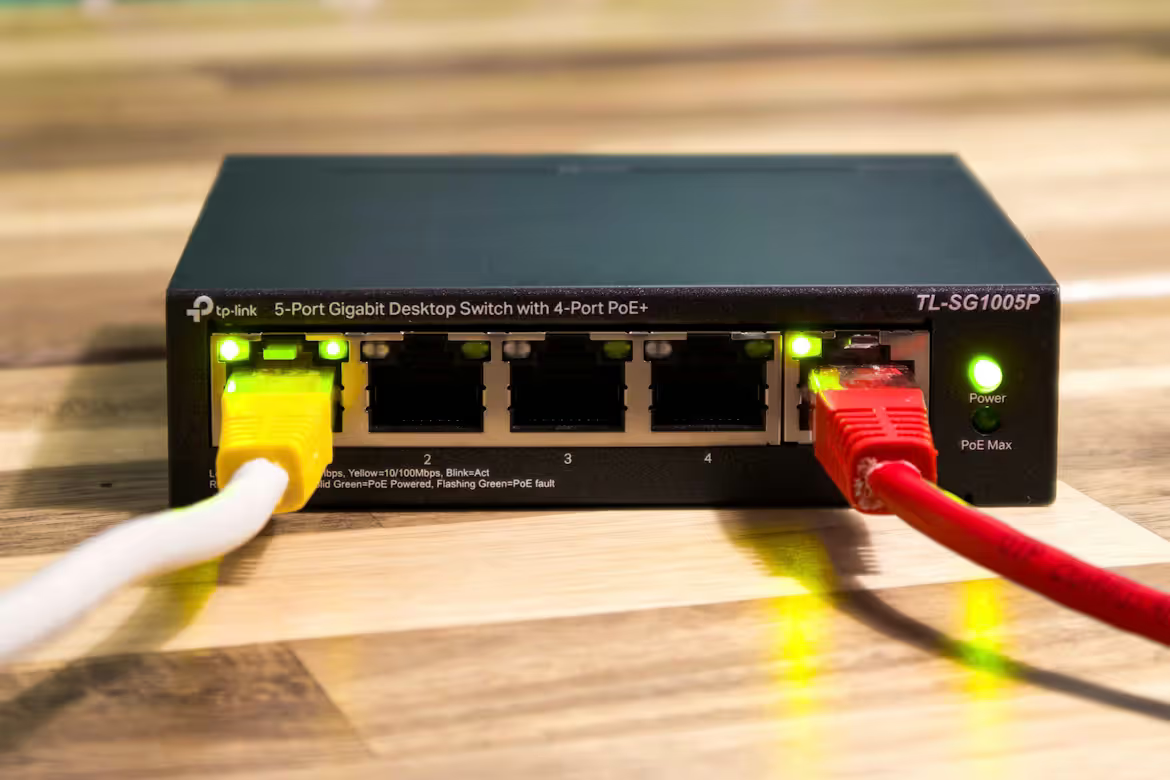
When building or upgrading a business network, the terms 'router' and 'ethernet switch' are often used. While they might seem similar, and are sometimes even used interchangeably, they perform very different jobs for your IT infrastructure.
In simple terms, a router connects different networks together—for example, linking your local office network to the internet. An ethernet switch, on the other hand, creates a network by connecting devices within a single location, such as computers, printers, and servers.
Understanding this distinction is fundamental for designing a network that is both efficient and secure. This guide will explain the key differences, their specific functions, and how to decide which you need for your business.
What is a Router?
A router is a networking device that forwards data packets between computer networks. Think of it as the traffic controller for your internet connection, ensuring data gets to the right place efficiently. Its primary role is to connect your internal business network to the outside world, but it also performs several other critical tasks:
- Traffic Routing: It analyzes data packets to determine the most efficient path for them to travel from their source to their destination across different networks.
- Network Connection: It connects your local area network (LAN) to other networks, most notably the internet (a wide area network or WAN).
- IP Address Assignment: Through DHCP (Dynamic Host Configuration Protocol), a router assigns unique IP addresses to each device on the network, enabling them to communicate.
- Security: Routers often serve as the first line of defense, featuring built-in firewalls to protect your internal network from unauthorized access and external threats.
What is an Ethernet Switch?
An ethernet switch operates at the local level, creating a network by connecting devices within a single physical location like an office. It acts as a central point for data sharing among your hardware. While a router manages traffic between networks, a switch manages traffic within one network. Its key functions include:
- Connecting Local Devices: It uses its physical ports to connect devices like computers, printers, and servers via Ethernet cables, forming a cohesive local area network (LAN).
- Intelligent Data Forwarding: It identifies the intended recipient of a data packet by its unique MAC address and sends it directly to that specific device. This targeted delivery makes communication within the network fast and efficient.
- Expanding Connectivity: Switches allow you to easily increase the number of available wired connections in your network, accommodating a growing number of devices beyond what a single router can support.
Router vs Ethernet Switch: Key Differences
While both devices manage data traffic, they do so in fundamentally different ways and at different scales. Here are the core distinctions an IT buyer should know.
1. OSI Model Layer
The most significant technical difference lies in where they operate within the OSI networking model. Routers function at Layer 3 (the Network Layer), making intelligent decisions based on IP addresses to direct traffic between different networks.
Switches primarily operate at Layer 2 (the Data Link Layer). They use physical MAC addresses to forward data frames to specific devices, but only within the confines of a single local network.
2. Scope of Operation
Think of a router as a bridge between networks. Its main purpose is to connect your internal LAN to an external network like the internet, or to connect different office subnets together.
A switch, on the other hand, works exclusively within one network. It creates the network by linking local devices—computers, servers, printers—allowing them to share information directly and efficiently.
3. How They Handle Data
A router inspects the IP address in a data packet to determine the best path to another network. In doing so, it creates and maintains a routing table and doesn't typically forward broadcast traffic by default, which helps contain network chatter.
A switch maintains a MAC address table to map which device is on which physical port. It forwards data frames only to the intended recipient, creating a more direct and less congested communication path within the LAN.
When to Use a Router
A router is required anytime your business needs to connect to an external network. Its most fundamental use case is providing internet access by linking your local area network (LAN) to your internet service provider (ISP).
You also need a router to connect multiple distinct networks. This is crucial for businesses with several office locations that need to communicate securely over a wide area network (WAN).
From a security and management standpoint, routers are used to create subnets. This allows you to segment your network, for instance, by separating a public guest Wi-Fi from your secure internal corporate network, controlling traffic flow between them.
When to Use an Ethernet Switch
An ethernet switch is the go-to device when you need to expand the number of wired connections within a single office or location. If your router's ports are full, a switch provides the additional ports necessary to connect more computers, printers, and servers.
Beyond simple expansion, switches are critical for performance. Because they intelligently direct traffic only to the intended device on the local network, they reduce unnecessary data chatter and prevent congestion.
This makes them essential in high-density environments or for connecting servers that handle heavy internal data loads. Using a switch ensures fast and reliable communication between all your local devices without slowing down the entire network.
Common Misconceptions About Routers and Switches
The confusion between these two devices is understandable, especially since many consumer-grade products combine their functions. Let's clear up a few common myths that often surface in business networking discussions.
- "A router is just a switch with Wi-Fi." This idea comes from all-in-one home devices that bundle a router, switch, and wireless access point. In an enterprise setting, these are separate, dedicated pieces of hardware. A router connects networks, while a switch connects local devices.
- "Switches are just simple port expanders." While basic unmanaged switches do this, managed switches are powerful. They offer features like VLANs for network segmentation and Quality of Service (QoS) for prioritizing traffic, giving IT teams fine-grained control over the LAN.
- "You have to choose one or the other." In nearly every business environment, you need both. A router provides the gateway to the internet, and a switch provides the connectivity for your local computers, servers, and printers to communicate with each other efficiently.
Making the Right Choice for Your Network
Choosing between a router and a switch isn't an either/or decision. In almost every business network, you need both working in tandem to create a functional and efficient infrastructure.
Your router acts as the gateway, connecting your office to the internet and serving as a primary security checkpoint. The switch then takes over internally, creating the local network that links your computers, servers, and printers for fast, direct communication.
The right choice comes down to selecting the appropriate models for your specific needs. Consider the number of devices you need to connect, your security policies, and your future growth plans. A small office might use a single router and switch, while a larger enterprise will require a more complex arrangement.
By understanding their distinct roles, you can build a reliable network foundation that supports your business operations without bottlenecks.
Need Help Managing Your Network? Lightyear Can Help

Once you've selected the right routers and switches, the next challenge is managing the network services that run on them. By automating network service procurement and inventory management, Lightyear takes the pain out of telecom infrastructure.
The hundreds of enterprises who trust Lightyear achieve 70%+ time savings and 20%+ cost savings on their network services. Schedule a demo or get started with our questionnaire today.
Frequently Asked Questions about Router vs Ethernet Switch
What is a Layer 3 switch?
A Layer 3 switch can perform some routing functions, typically for traffic between different subnets on a local network. However, it usually lacks the full WAN connectivity features, advanced security, and NAT capabilities of a dedicated router, making routers essential for internet access.
Can I use my router's ports instead of a switch?
For a small office with only a few devices, a router's built-in switch ports might be enough. A dedicated switch becomes necessary when you need more ports or want to ensure high-speed, efficient communication between many devices on your local network.
Do routers and switches impact network speed differently?
Yes. A router's performance can be a bottleneck for your internet connection speed. A switch, on the other hand, primarily impacts the speed of your internal network, ensuring that data transfers between local devices are fast and don't congest the network.
Let us show you the product and discuss specifics on how it might be helpful.
Schedule a Demo





Revolutionize Your Telecom Experience
Learn how you can get one step closer to optimal business efficiency for all your telecom services.
