Router vs Managed Switch: Enterprise Network Differences
Router vs. managed switch: what's the difference? Learn which device is right for your enterprise network and how they work together for optimal traffic.

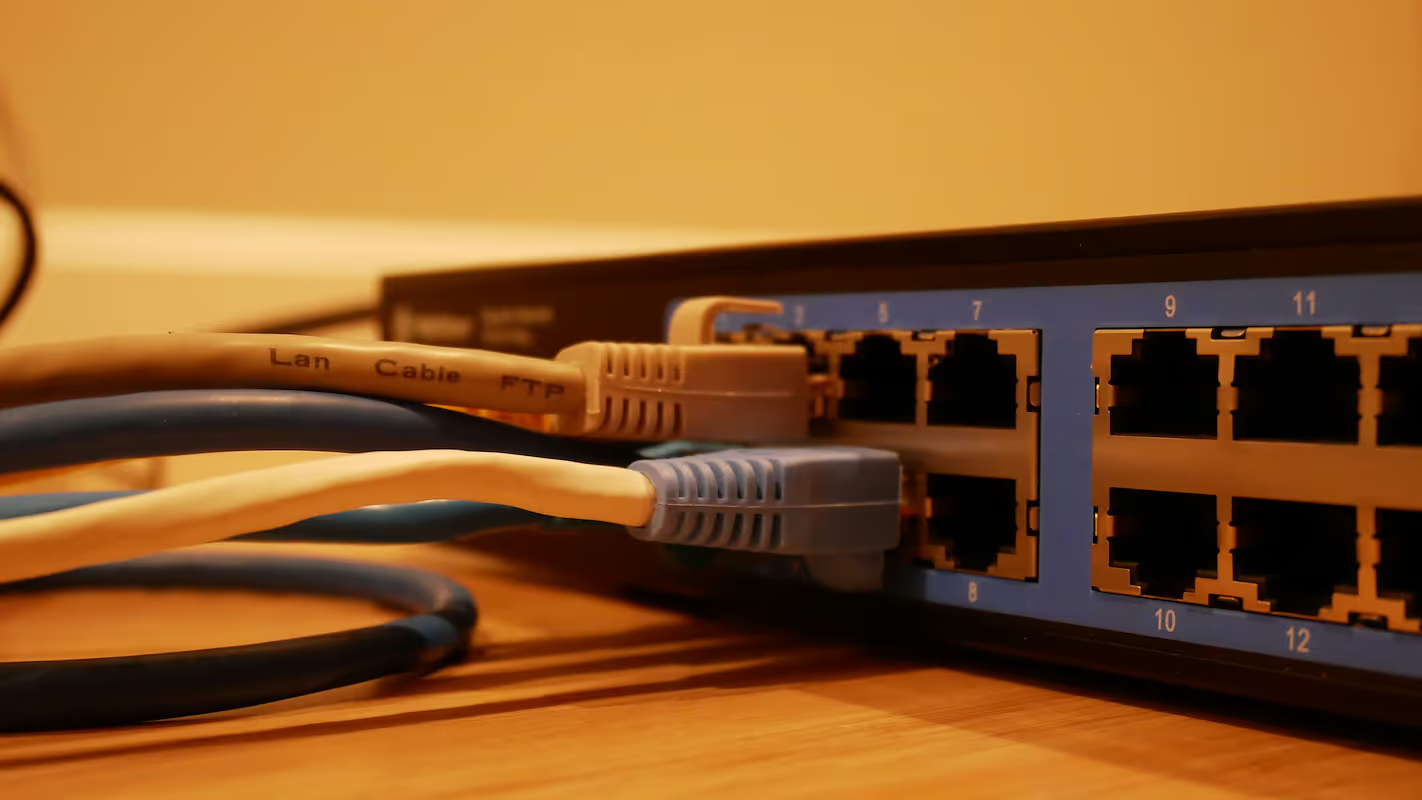
When building or upgrading an enterprise network, two critical pieces of hardware always come up: routers and managed switches. While they both play essential roles in directing network traffic, they operate differently and serve distinct purposes.
Understanding the specific functions of each is key to designing a network that is both cost-effective and high-performing. This article will break down the differences between them, helping you make informed decisions for your organization's infrastructure.
What is a Router?
A router is a networking device that connects two or more packet-switched networks or subnetworks. It serves as the primary gateway between your local area network (LAN) and the wider internet (WAN), directing traffic to ensure data gets to the correct destination.
Operating at Layer 3 (the Network Layer) of the OSI model, a router uses IP addresses to make its routing decisions. Its core functions include:
- Path Determination: It inspects the destination IP address of a data packet and uses its internal routing table to forward the packet along the most efficient path to its destination.
- Connecting Networks: Its fundamental job is to link distinct networks together, allowing devices on your office LAN to communicate with servers and devices on the internet.
- Security: Many routers include built-in firewalls and support for access control lists (ACLs), which help protect your internal network from unauthorized external traffic.
- DHCP Services: Routers often act as DHCP servers, automatically assigning IP addresses to devices on the local network.
What is a Managed Switch?
A managed switch is a device that connects multiple devices—like computers, printers, and servers—together on a single local area network (LAN). Think of it as the central hub that manages data flow within your office.
It operates at Layer 2 (the Data Link Layer) of the OSI model, using MAC addresses to forward data packets to the correct device on the network. The "managed" part is what sets it apart from simpler, unmanaged switches, giving IT teams granular control over the network. Key functions include:
- VLAN Creation: It can segment a physical LAN into multiple virtual LANs (VLANs) to isolate traffic for security and performance reasons.
- Quality of Service (QoS): Administrators can prioritize critical traffic, such as VoIP or video conferencing, over less sensitive data.
- Port Security: It allows you to restrict access to network ports, preventing unauthorized devices from connecting.
- Network Monitoring: It provides visibility into network traffic and performance, which is essential for troubleshooting.
Router vs Managed Switch: Key Differences
While both devices manage data traffic, they do so in fundamentally different ways. Here’s a breakdown of the main distinctions that set them apart.
OSI Layer and Address Handling
Routers operate at Layer 3 (the Network Layer), using IP addresses to send data packets between different networks.
In contrast, managed switches work at Layer 2 (the Data Link Layer). They use MAC addresses to forward data frames to specific devices within the same local network.
Primary Function and Scope
The primary job of a router is to connect separate networks. It acts as a dispatcher, directing traffic between your internal LAN and an external network like the internet.
A managed switch, on the other hand, is designed to create a network. Its purpose is to connect endpoints—like computers, printers, and servers—within a single LAN.
Data Processing
Routers perform a more complex function by inspecting data packets and using a routing table to determine the most efficient path across multiple networks.
A switch simply reads the MAC address of each frame and forwards it to the correct port on the local network. While managed switches have advanced features like VLANs, their core forwarding logic is confined to their local segment.
Use Cases for Routers
Given their role in connecting distinct networks, routers are deployed in several key scenarios within an enterprise. Their ability to route traffic based on IP addresses makes them indispensable for managing external and internal network connections.
- Internet Access: A router’s primary job is to provide shared internet access for all devices on a local network. It acts as the single point of entry and exit for all web traffic.
- Connecting Multiple Locations: For businesses with more than one office, routers link the separate LANs together over a WAN. This allows for secure data sharing and communication between different branches.
- Inter-VLAN Routing: While a managed switch creates separate VLANs, a router is needed to allow communication between them. This enables controlled traffic flow across different network segments.
- Network Security: Routers serve as the first line of defense. They use built-in firewalls and access control lists (ACLs) to filter traffic and protect the internal network from external threats.
Use Cases for Managed Switches
Managed switches are the workhorses of the local network, essential for scenarios where performance, security, and granular control within a single office or data center are top priorities. Their ability to intelligently manage traffic within a LAN makes them indispensable for building a robust internal infrastructure.
- High-Density Connectivity: Their primary role is to connect a large number of endpoint devices—computers, printers, servers, and access points—within a single physical location, forming the core of the LAN.
- Traffic Prioritization: Using Quality of Service (QoS), they ensure that critical, real-time applications like VoIP and video conferencing receive the bandwidth they need, preventing lag and jitter.
- Enhanced Security and Performance: They create Virtual LANs (VLANs) to segment network traffic. This is commonly used to isolate departments or to keep guest Wi-Fi traffic completely separate from the secure corporate network.
- Power over Ethernet (PoE): Many managed switches can power devices like IP phones, security cameras, and wireless access points through the Ethernet cable, simplifying installation and reducing cable clutter.
Choosing the Right Device for Your Network
Deciding between a router and a managed switch comes down to the specific job you need done. In most modern networks, the question isn't which one to choose, but how they work together.
When to Choose a Router
You need a router when your primary goal is to connect your entire local network to an external one, like the internet. It's also essential for linking separate office locations or enabling different VLANs to communicate with each other.
When to Choose a Managed Switch
A managed switch is the right choice for building out your internal network. Select one when you need to connect numerous devices within a single LAN and require control over traffic, security, and performance through features like QoS and VLANs.
The Reality: You Often Need Both
For nearly any business, the answer is to use both. A router serves as the gateway to the outside world, while one or more managed switches form the backbone of your internal network, connecting all your computers, servers, and other endpoints.
The router manages traffic entering and leaving your network, while the switches manage traffic moving within it. This combination provides both robust external connectivity and granular internal control.
Final Thoughts on Routers and Managed Switches
Ultimately, routers and managed switches are not competitors but partners in building a robust network. Each performs a distinct and critical function that the other cannot.
The router acts as the gateway, connecting your internal network to the wider internet. In contrast, the managed switch creates and organizes that internal network, linking all your local devices.
A successful network architecture uses both in their proper roles. This combination provides secure external access and efficient internal traffic management, forming a solid foundation for your business operations.
Need Help Managing Your Network? Lightyear Can Help

Choosing the right hardware is just the first step. By automating network service procurement, inventory management, and bill consolidation, Lightyear takes the pain out of managing the infrastructure that supports your routers and switches.
The hundreds of enterprises who trust Lightyear achieve 70%+ time savings and 20%+ cost savings on their network services.
Schedule a demo or get started with our questionare today.
Frequently Asked Questions about Router vs Managed Switch
Can a Layer 3 switch replace a router?
Sometimes, but not completely. A Layer 3 switch can handle inter-VLAN routing within a local network very efficiently. However, it usually lacks the advanced WAN features, robust firewall capabilities, and NAT functions of a dedicated router needed for secure internet connectivity.
Do I need a managed switch if my router has multiple LAN ports?
It depends on your scale. A router's built-in ports are fine for a handful of devices. A managed switch becomes necessary when you need more ports or advanced features like VLANs for security, QoS for traffic prioritization, and detailed network monitoring.
How do unmanaged switches fit into this picture?
An unmanaged switch is a simple, plug-and-play device that connects devices on a LAN but offers no configuration. It's a cost-effective choice for small, simple networks where features like traffic segmentation, prioritization, and security monitoring are not required.
Let us show you the product and discuss specifics on how it might be helpful.
Schedule a Demo





Revolutionize Your Telecom Experience
Learn how you can get one step closer to optimal business efficiency for all your telecom services.
