Router vs Modem: Differences for Enterprise Buyers
Router vs. modem: what's the difference for your business? Learn the distinct roles of each device for your enterprise network and make informed buys.

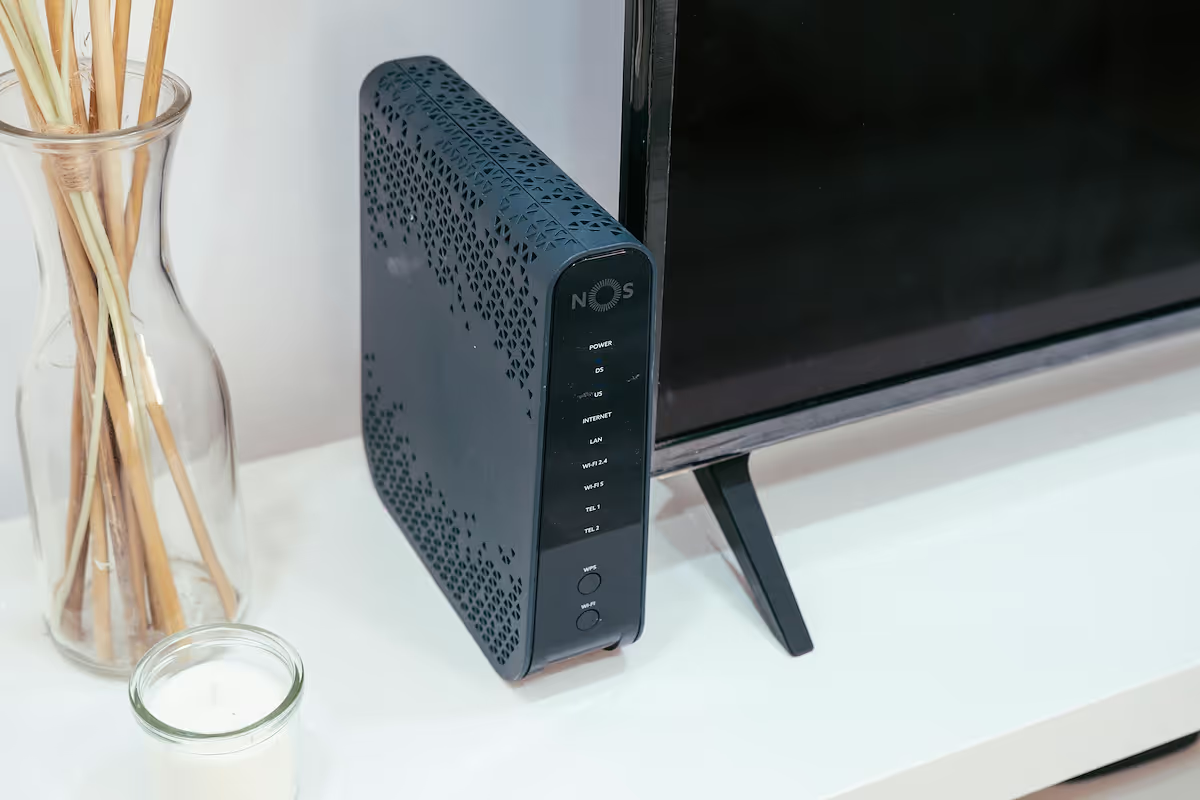
When discussing internet connectivity, the terms 'router' and 'modem' are frequently used as if they mean the same thing. In reality, they are two distinct pieces of hardware with very different jobs.
For any business, but especially for enterprises managing multiple locations, understanding this distinction is fundamental to building and maintaining a reliable network. This guide will clarify the specific roles of each device and what enterprise buyers should know.
What is a Modem?
A modem is the device that connects your office to your Internet Service Provider (ISP), acting as a translator between your network and the wider internet. Its name is a portmanteau of "modulator-demodulator," which describes its core function: converting digital signals from your computers into analog signals for the ISP's lines and vice versa.
- A modem establishes your internet connection and is assigned a single public IP address by your ISP, which acts as your unique address online.
- It typically has just one Ethernet port, designed to connect a single device—like a computer or, more commonly, a router—to the internet.
What is a Router?
While the modem brings the internet into your building, the router is what creates your internal network and shares that single connection among multiple devices. Think of it as the traffic director for your office's local area network (LAN). It takes the internet signal from the modem and distributes it, allowing all your devices to get online at the same time, either through wired Ethernet connections or wirelessly via Wi-Fi.
- A router creates and manages a private network, assigning a unique internal IP address to each connected device, such as computers, printers, and servers.
- It directs incoming and outgoing internet traffic, ensuring that data packets are sent to the correct device on your network.
- Many business-grade routers also include critical security features, like a built-in firewall to protect your network from unauthorized access.
Key Differences Between Modems and Routers
While they work together, their roles in your network are fundamentally different. Here’s a breakdown of the primary distinctions.
1. Core Function
A modem’s sole job is to bring an internet connection into your building from your ISP. A router’s job is to take that single connection and distribute it to create a local network for your devices.
2. IP Address Assignment
A modem is assigned one public IP address from the ISP, which serves as your network's public-facing address. In contrast, a router creates a private network and assigns unique private IP addresses to every device connected to it, managing internal traffic privately.
3. Physical Connections
A modem connects directly to your ISP's infrastructure and typically has only one Ethernet port. A router connects to the modem and provides multiple Ethernet ports and Wi-Fi, allowing many devices to connect to the network at once.
How Modems Work in a Network
A modem’s primary role is to act as a translator. It takes the analog signals transmitted over your Internet Service Provider’s infrastructure—whether cable, DSL, or fiber—and converts them into digital signals that your network hardware can understand. This process is called demodulation.
When you send data out, the modem performs the reverse action, modulating your network's digital data back into a format suitable for the ISP's lines. Essentially, the modem bridges the communication gap between your private network and the public internet.
It establishes and maintains the direct data link with your provider's system. Without this crucial translation step, your internal network devices would be unable to communicate with the wider internet, as they operate on fundamentally different signal types.
How Routers Enhance Network Connectivity
A router takes the single internet connection from the modem and builds a private, manageable network for your office. It acts as a central hub, directing traffic so that data gets to the right place efficiently.
Using a process called routing, the device maintains a map of all connected devices on your local network. When data arrives from the internet, the router inspects it and forwards it to the specific computer or server it was intended for. This prevents data bottlenecks and keeps communications orderly.
Crucially, routers provide a first line of defense for your network. Most contain a built-in firewall that monitors incoming data, blocking suspicious traffic and protecting your internal systems from unauthorized access.
Choosing the Right Device for Your Enterprise
For any business, the question isn't about choosing a modem or a router; you need both to build a functional network. The real decision lies in selecting the right type of equipment that aligns with your operational scale, security requirements, and performance needs.
- ISP-Provided vs. Third-Party Hardware: Your Internet Service Provider will often supply a modem or a combination modem/router unit. While convenient, these may lack the advanced features an enterprise requires. Using separate, third-party devices typically offers greater flexibility, better performance, and more robust security options.
- Router Scalability and Performance: An enterprise-grade router must support your current and future needs. Consider its maximum throughput, the number of concurrent connections it can handle, and whether it supports features like load balancing across multiple internet connections.
- Advanced Security and Control: Business routers offer security features far beyond consumer models. Look for capabilities like Virtual Private Network (VPN) support for secure remote access, advanced firewalls with intrusion prevention, and granular content filtering.
- Traffic Management (QoS): Quality of Service (QoS) is a critical feature for businesses. It allows you to prioritize network traffic for essential applications, such as VoIP calls or video conferences, ensuring they receive the necessary bandwidth for smooth performance.
Final Thoughts on Modems and Routers
Understanding the distinct roles of modems and routers is fundamental for any IT leader. While they are often packaged together, they perform separate, critical functions to connect and manage your business network.
The modem serves as your gateway to the internet, translating signals from your ISP. The router then takes that connection and builds your internal network, directing traffic and securing your devices.
For enterprises, selecting the right combination of these devices is not just a technical detail—it's a strategic decision. Your choice impacts network performance, security posture, and the ability to scale operations across multiple sites.
By treating them as distinct components in your telecom stack, you can make more informed procurement decisions and build an infrastructure that is both reliable and ready for growth.
Need Help Managing Your Network? Lightyear Can Help

Choosing the right hardware is just the first step; managing the network services that connect to your modems and routers is the bigger challenge. Lightyear automates service procurement and inventory, taking the complexity out of managing your telecom infrastructure.
Enterprises that use Lightyear report over 70% in time savings and 20% in cost savings on their network services.
Schedule a demo or get started with our questionnaire today.
Frequently Asked Questions about Router vs Modem
Can I use a modem/router combo for my business?
While convenient, combo units often lack the advanced security and traffic management features that businesses need. Using separate devices provides greater control and performance, allowing you to select the best hardware for each function and upgrade components independently as your needs change.
Do I need a modem for a fiber internet connection?
Yes, but it's a different kind of device. Fiber connections use an Optical Network Terminal (ONT) to convert light signals into an Ethernet signal. The ONT serves the same function as a modem, acting as the bridge between your ISP and your router.
Why would a business need more than one router?
For large offices, one router's Wi-Fi signal may not be enough. Businesses often use multiple wireless access points (APs) connected to a central router to ensure complete coverage. Multiple routers can also be used to create separate, secure networks for guests or different departments.
Let us show you the product and discuss specifics on how it might be helpful.
Schedule a Demo





Revolutionize Your Telecom Experience
Learn how you can get one step closer to optimal business efficiency for all your telecom services.
