Router vs Server: Differences for Enterprise Buyers
Confused about routers vs. servers? This guide clarifies their unique functions in an enterprise network to help you make the right IT purchase.

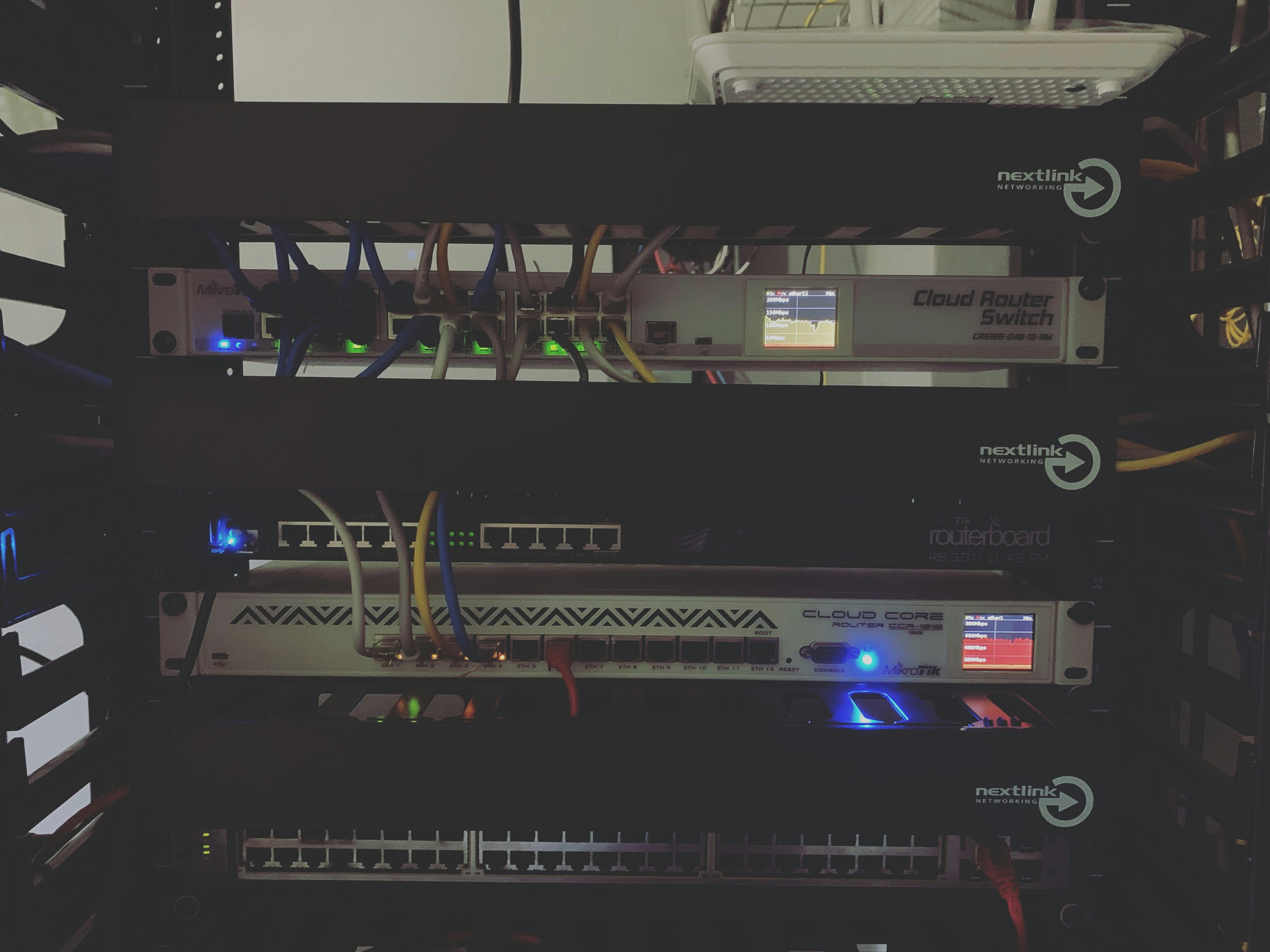
When building or scaling your company's IT infrastructure, you'll frequently encounter two fundamental pieces of hardware: routers and servers. While both are essential for daily operations, they perform distinct and separate functions.
A router directs traffic between computer networks, acting as a digital traffic controller for your data. In contrast, a server stores, processes, and delivers data, applications, and services to other computers on the network.
Understanding the specific roles of each is key to making informed procurement decisions for your enterprise. This article breaks down the core differences to help you invest in the right equipment for your needs.
What is a Router?
A router is a networking device that forwards data packets between computer networks. It connects your business to the internet and directs traffic between your internal devices. Its primary jobs include:
- Directing traffic: It analyzes the destination IP address of a data packet and sends it along the most efficient path to its destination.
- Creating a network: It establishes and manages a local area network (LAN), allowing multiple devices like computers and printers to communicate.
- Providing connectivity: It connects your local network to the internet, acting as the main gateway for all incoming and outgoing data.
- Offering security: Many routers include built-in firewalls to help protect the network from unauthorized access and external threats.
What is a Server?
A server is a high-performance computer that manages network resources and provides data or services to other computers, known as "clients." It acts as a central repository for your company's shared information and applications. Unlike a standard desktop, a server is built for reliability and continuous operation to support multiple users at once. Its core responsibilities typically include:
- Storing and sharing data: It provides a centralized location for files, databases, and other critical information, making it accessible to authorized users across the network.
- Hosting applications: Servers run essential business software, from email systems to enterprise resource planning (ERP) tools, that employees use daily.
- Delivering web content: A web server stores and serves website files to visitors' browsers.
- Managing network access: It can control user permissions, security protocols, and access to shared resources like printers.
Router vs Server: Key Differences
While both are critical network components, they differ fundamentally in their function, hardware, and how they handle data. Here’s a closer look at what sets them apart.
Core Function
A router’s role is highly specialized: it focuses exclusively on directing network traffic. Its main purpose is to connect different networks—like your internal office network and the broader internet—and ensure data packets find the most efficient route to their destination.
A server, on the other hand, has a much broader role. It is designed to provide services and manage resources for the computers within a network. It actively processes requests, runs applications, and stores the data your team relies on daily.
Hardware and Scale
Physically, routers are purpose-built devices with multiple network ports designed for connecting network segments. Their internal components are optimized for the single task of forwarding data packets at high speed.
Servers are essentially powerful computers with more robust hardware. They are equipped with high-capacity storage drives, extensive memory (RAM), and powerful processors to handle continuous requests from many users at once.
Data Handling
The way each device interacts with data is a key distinction. A router inspects the address header of a data packet just enough to determine where to send it next. It doesn’t look at the actual content of the packet.
In contrast, a server is all about the content. It receives a request, processes the information contained within the data packet, and then performs an action, such as retrieving a file, running a program, or loading a webpage.
Use Cases for Routers
In a business environment, routers are deployed to manage data flow and connectivity in several key scenarios. Their ability to segment networks and prioritize traffic makes them indispensable for maintaining an organized and efficient IT infrastructure.
Common enterprise applications include:
- Connecting multiple locations: Routers are used to build a Wide Area Network (WAN), linking the networks of different office branches so they can communicate securely.
- Managing network traffic: Businesses use routers to implement Quality of Service (QoS) policies, which prioritize bandwidth for critical applications like VoIP calls or video conferences over less urgent traffic.
- Providing secure guest access: Routers can create separate, isolated networks for visitors. This allows guests to access the internet without giving them access to sensitive internal company resources.
- Supporting remote work: Many business-grade routers have built-in Virtual Private Network (VPN) capabilities, allowing remote employees to establish a secure, encrypted connection to the office network.
Use Cases for Servers
Servers are the workhorses of a business network, handling a wide range of tasks that keep operations running smoothly. Depending on your company’s needs, you might deploy several types of servers, each dedicated to a specific function.
- File and Print Servers: These are some of the most common types, providing a central hub for storing shared documents and managing print jobs across the office.
- Web Servers: A web server hosts your company’s website, making it accessible to the public. It can also run internal web-based applications for employees.
- Email Servers: Instead of relying on a third-party service, some businesses run their own email servers to manage all corporate email accounts and communications.
- Application Servers: These servers run specialized business software, such as a customer relationship management (CRM) platform or an accounting system, that many users need to access simultaneously.
- Database Servers: A database server manages and protects your company's structured data, providing fast and secure access for other applications that rely on it.
Choosing the Right Device for Your Network
Deciding on the right equipment comes down to clearly defining your operational needs. The choice isn't about picking one over the other; it's about selecting the right specifications for each device's unique role in your infrastructure.
1. Assess Your Connectivity Needs
When selecting a router, your primary focus is on traffic management and connectivity.
Consider the number of users and devices that will be on the network. You also need to think about the scale of your operations—are you connecting a single office or multiple sites across a WAN?
Finally, evaluate if you require advanced features like Quality of Service (QoS) to prioritize critical traffic or VPN capabilities for secure remote access.
2. Evaluate Your Service and Data Requirements
Choosing a server depends entirely on the applications and data you need to manage.
Start by identifying the specific functions it will perform. Will it be a file server, host a company-wide CRM, or manage a large database?
Your answers will determine the necessary processing power, memory (RAM), and storage capacity. Also, consider how many employees will access it at once, as this directly impacts performance requirements.
3. It’s Not an “Either/Or” Decision
It is important to understand that routers and servers are not competing for the same job. They are two distinct components that work together to create a functional business network.
A router is a fundamental requirement for connecting your network to the internet. A server is a resource you add to the network to provide specific services.
Your business will always need a router for connectivity. Whether you need an on-premise server depends on your strategy for data storage, application hosting, and security.
Final Thoughts on Routers and Servers
In summary, routers and servers are both foundational to your company’s network, yet they perform distinct and complementary roles. The router acts as the gateway, managing traffic between your internal network and the internet.
A server, on the other hand, functions as a central resource hub, delivering applications, files, and other services to the computers within your network.
Your router provides the connection, while a server provides the content and services that run over that connection. Making the right investment in each requires a clear understanding of this relationship. By correctly identifying your needs for both connectivity and internal services, you can build a network that is both powerful and cost-effective.
Need Help Managing Your Network? Lightyear Can Help

Choosing the right routers and servers is just the first step; managing the network services that connect them is where the real complexity begins. By automating network service procurement, inventory management, and bill consolidation, Lightyear takes the pain out of telecom infrastructure management.
The hundreds of enterprises who trust Lightyear achieve 70%+ time savings and 20%+ cost savings on their network services. Schedule a demo or get started with our questionnaire today.
Frequently Asked Questions about Router vs Server
Can a server act as a router?
While a server can be configured to perform routing, a dedicated hardware router is almost always better. Routers are purpose-built for traffic management, offering superior performance, stability, and security features for that specific task.
Do I need an on-premise server if my business uses the cloud?
Not necessarily. If your applications, data storage, and services are all cloud-based, you may not need an on-premise server. Your primary need would be a robust router to ensure reliable, high-speed connectivity to your cloud providers.
Can a single device function as both a router and a server?
Some devices for small offices combine basic routing and file-sharing functions. For most businesses, however, separating these roles is critical for performance, security, and scalability. Dedicated hardware handles each specific task much more effectively.
How do firewalls fit in with routers and servers?
Many business routers have a built-in firewall for network-level protection. Additionally, a server will have its own software firewall to protect the applications and data it holds. Using both provides a layered security approach for your company.
Let us show you the product and discuss specifics on how it might be helpful.
Schedule a Demo





Revolutionize Your Telecom Experience
Learn how you can get one step closer to optimal business efficiency for all your telecom services.
