Router vs Wireless Access Point: Differences Explained
Confused about routers and wireless access points? This guide explains the core differences to help you make the right choice for your office network.

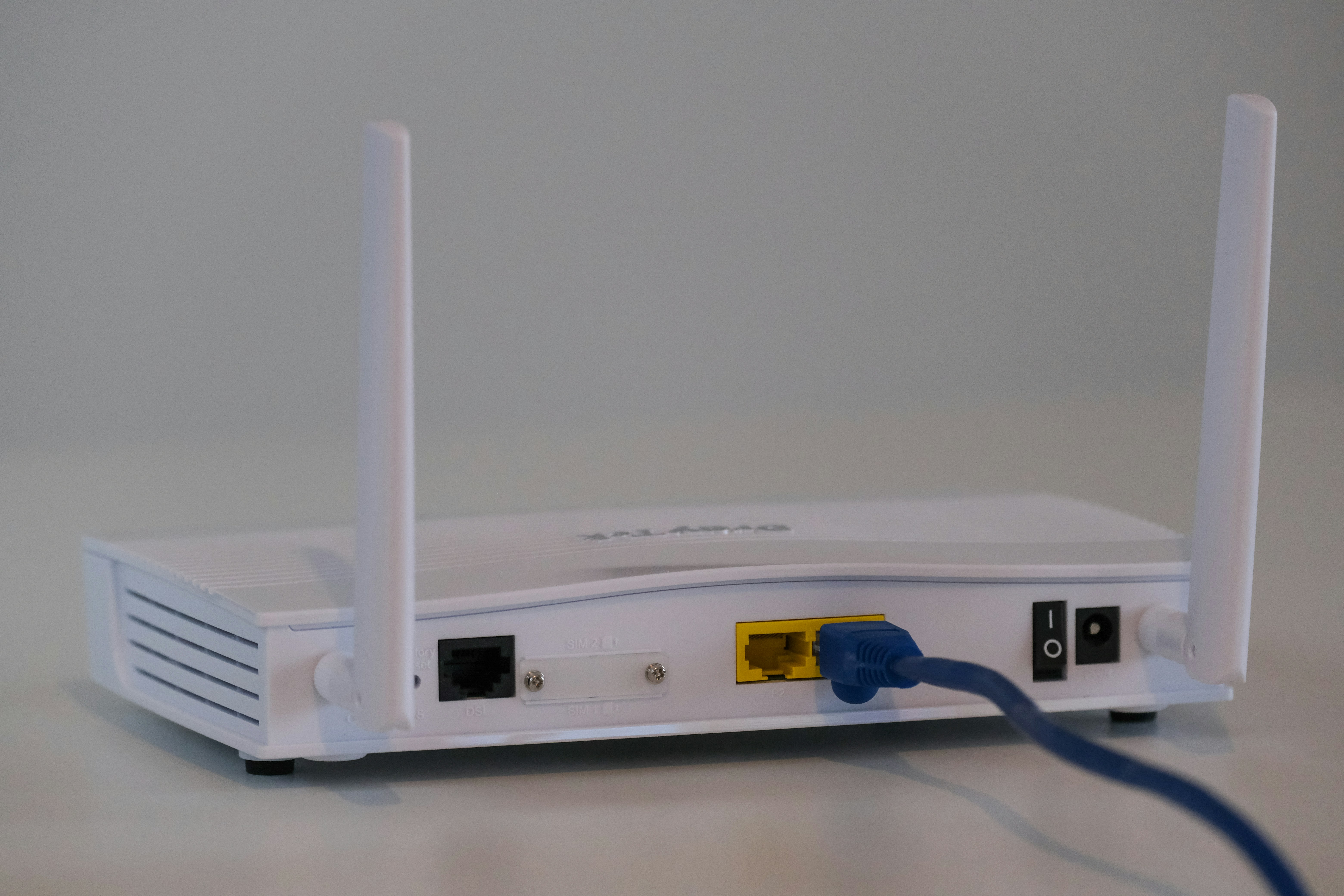
If you're building or upgrading your business's network, you've likely come across the terms 'router' and 'wireless access point'. They are often used interchangeably, but they play distinct roles in your network infrastructure.
Understanding the difference is key to designing a reliable and efficient network for your organization. This article breaks down what each device does, how they compare, and when to use one over the other.
What is a Router?
A router is a networking device that connects your local network to the wider internet. Think of it as the traffic controller for your company's data, ensuring that information gets to the right place efficiently and securely. It sits between your internal network (LAN) and the external network (WAN), managing all incoming and outgoing traffic.
At its core, a router's job is to forward data packets between computer networks. It does this by analyzing the destination IP address of a data packet and using a routing table to determine the best path for it to travel.
- Directing Traffic: It intelligently routes data between devices within your office and between your office and the internet.
- Assigning IP Addresses: Routers typically handle DHCP (Dynamic Host Configuration Protocol), assigning a unique IP address to each device that joins the network. This prevents conflicts and ensures proper communication.
- Providing Security: Most business-grade routers include a built-in firewall, which acts as a first line of defense against unauthorized access and cyber threats from the internet.
- Connecting Networks: Its primary function is to connect two or more distinct networks—most commonly your private local area network (LAN) with the public wide area network (WAN), or internet.
What is a Wireless Access Point?
A wireless access point (WAP) is a networking hardware device that allows Wi-Fi capable devices to connect to a wired network. Its primary function is to broadcast a Wi-Fi signal, creating a wireless local area network (WLAN) so that devices can connect without a physical cable.
It extends an existing network rather than creating a new one. A WAP must be connected to a router or switch to function, as it relies on the existing network infrastructure for core services.
- Extends Network Access: A WAP connects directly to a router or network switch via an Ethernet cable and then broadcasts a Wi-Fi signal, effectively converting the wired connection into a wireless one.
- Supports Wireless Devices: It acts as a central point for wireless devices like laptops and smartphones to join the local network.
- Relies on a Router: A WAP does not typically assign IP addresses (DHCP) or perform security functions like a firewall. These tasks are managed by the main network router.
- Improves Coverage: In larger spaces like an office, multiple WAPs can be installed to work together, providing consistent Wi-Fi coverage and eliminating areas with weak or no signal.
Router vs Wireless Access Point: Key Differences
While both devices are crucial for connectivity, they operate at different layers of your network. Here’s a direct comparison of their primary roles and features.
1. Core Functionality
The most significant difference lies in their primary job. A router is a network traffic director, creating and managing a network by routing data between your internal devices and the internet. In contrast, a wireless access point’s main purpose is to broadcast a Wi-Fi signal, extending an existing wired network into a wireless one.
2. Network Services
A router is the brain of the operation, handling critical network services. It runs DHCP to automatically assign IP addresses to every connected device and performs Network Address Translation (NAT) to manage how devices share a public IP. A WAP does not perform these functions; it is a simpler device that relies on the router for them.
3. Security
Business-grade routers serve as the first line of defense for your network. They contain built-in firewalls that inspect traffic, blocking malicious activity and unauthorized access. A WAP offers no such protection on its own. It passes all security responsibilities to the main network router, acting only as a portal to the network.
4. Device Dependency
A router can operate as a standalone device to create a wired network and manage traffic. You can connect computers directly to it via Ethernet cables without needing other hardware. A WAP, however, cannot function alone. It must be physically connected to a router or a network switch to gain network access and broadcast its signal.
When to Use a Router
A router is the foundational component for any business network requiring internet access. You must use a router whenever you need to create a new network or connect your local network to your internet service provider (ISP).
For any new office, a router is the first piece of equipment needed to take the connection from your ISP and establish your company's local area network (LAN). It acts as the central hub for all network traffic.
You also need a router for more advanced network management. This includes segmenting your network into secure subnets for different departments or creating a separate guest network.
Finally, routers are critical for connecting multiple business locations. Each site requires a router to manage traffic and maintain secure connections across your wide area network (WAN).
When to Use a Wireless Access Point
A wireless access point is the right choice when you already have a router but need to expand or improve your wireless coverage. They are not a replacement for a router but rather an extension of it.
The most common use case is in large office spaces where a single router’s Wi-Fi signal cannot reach every corner. By installing multiple WAPs connected to your core network, you can provide consistent connectivity across the entire floor or building.
WAPs are also essential for high-density areas like conference rooms or common areas. When many devices need to connect simultaneously, a dedicated WAP can manage the traffic load more effectively than an all-in-one router.
Finally, consider WAPs for areas with poor signal penetration, such as warehouses with metal racking or outdoor spaces. Strategically placed access points can overcome physical obstructions and extend your network where it's needed most.
Common Misconceptions About Routers and Wireless Access Points
The lines between these devices can get blurry, partly because many consumer-grade products are "all-in-one" boxes that combine routing, switching, and Wi-Fi. In a business environment, it's important to distinguish between their dedicated roles. Here are a few common points of confusion cleared up:
- "A WAP is just a Wi-Fi extender." This isn't quite right. A wireless access point connects directly to your network via an Ethernet cable, providing a strong, stable connection without sacrificing speed. A Wi-Fi extender, or repeater, simply re-broadcasts an existing wireless signal, which often cuts your available bandwidth in half and can introduce latency.
- "My home router has Wi-Fi, so all routers do." While most consumer routers have built-in wireless capabilities, this is not always the case in enterprise networking. Business-grade routers are often powerful, dedicated devices focused solely on traffic management and security. Wi-Fi is then handled separately by one or more WAPs for better performance and coverage.
- "Adding more WAPs will automatically fix bad Wi-Fi." While more WAPs can expand coverage, placement is critical. Adding too many in a small area without proper channel planning can cause signal interference, which actually degrades network performance. A strategic layout is essential for optimal results.
Making the Right Choice for Your Network Needs
Ultimately, the choice between a router and a wireless access point depends on your specific goal. The decision boils down to whether you are building a new network or expanding an existing one.
A router is the non-negotiable foundation. If you are setting up a new office or need to connect your local network to an internet service provider, a router is required. It handles essential tasks like assigning IP addresses and acting as a firewall.
A wireless access point is an addition, not a replacement. You should select a WAP when your existing router is in place, but your Wi-Fi signal is weak or doesn't reach certain areas. They are perfect for large spaces or high-density environments.
In a typical business setup, you don't choose one or the other; you use both. A dedicated router manages the network's security and traffic, while one or more WAPs are deployed to provide strong, consistent wireless access throughout the premises.
By correctly identifying the role of each device, you can build a stable and efficient network infrastructure that supports your organization's needs now and as it grows.
Need Help Managing Your Network? Lightyear Can Help

Choosing the right hardware is just the first step; managing the services, contracts, and inventory for your entire network is the real challenge.
Lightyear automates this entire process, helping enterprises achieve over 70% time savings and 20% cost savings on their network services.
Schedule a demo or get started with our questionnaire today.
Frequently Asked Questions about Router vs Wireless Access Point
Can I configure a router to act as a wireless access point?
Yes, many routers offer an "AP Mode" or "Bridge Mode." This setting disables routing functions like DHCP and NAT, allowing the device to extend your existing network's Wi-Fi signal without causing network conflicts.
Do I need a special router to manage multiple WAPs?
While any router can work, a system with multiple WAPs is best managed by a router or a dedicated controller. This allows for centralized configuration, monitoring, and seamless roaming for users moving between coverage areas.
How many devices can connect to a single wireless access point?
This varies by model, but enterprise-grade WAPs can typically support 50 to over 100 concurrent devices. Actual performance depends on the type of traffic and the physical environment, so always check device specifications.
Is a mesh network different from using multiple WAPs?
Yes. In a standard business setup, WAPs are wired back to the main network for maximum performance. In a mesh network, nodes communicate with each other wirelessly to extend coverage, which is simpler but may reduce speed.
Let us show you the product and discuss specifics on how it might be helpful.
Schedule a Demo





Revolutionize Your Telecom Experience
Learn how you can get one step closer to optimal business efficiency for all your telecom services.
