TP-Link vs Netgear: Enterprise Router Comparison
TP-Link vs. Netgear for your business? We compare enterprise router performance, security, and cost to help you choose the right one for your network.

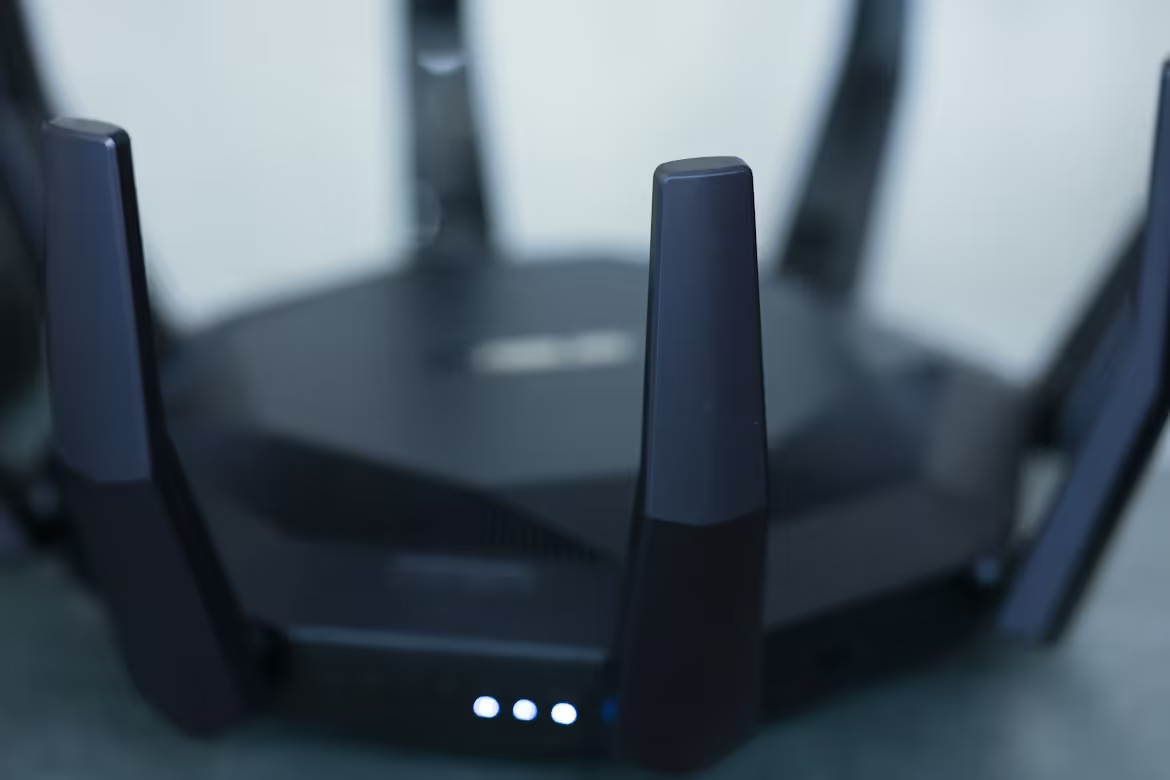
If you're an IT or network buyer, you've certainly come across TP-Link and Netgear. Both are major players in the networking hardware market, offering everything from simple home routers to complex enterprise solutions.
Choosing the right router for your business is a critical decision. This guide provides a direct comparison of TP-Link and Netgear's enterprise-grade routers to help you determine which brand better fits your organization's specific requirements.
Understanding TP-Link Routers
TP-Link has built a strong reputation for providing reliable networking hardware that often comes at a very competitive price point. While widely known in the consumer market, their business-focused offerings have gained significant traction, particularly for small to medium-sized enterprises.
For businesses, the key thing to know about TP-Link is their Omada series. This is their Software-Defined Networking (SDN) platform, which allows for centralized management of routers, switches, and wireless access points through a single controller. This is a major benefit for IT teams overseeing multiple locations.
- Broad Portfolio: They offer a vast selection of products, catering to needs from a small office setup to more complex multi-site business networks.
- Value-Oriented: TP-Link is frequently recognized for its cost-effectiveness, providing solid performance and features without the premium price tag of some competitors.
- Integrated Ecosystem: The Omada platform creates a cohesive network environment, simplifying deployment, management, and monitoring for IT administrators.
Understanding Netgear Routers
Netgear is another giant in the networking space, often recognized for its high-performance hardware aimed at both power users and businesses. While they have a massive presence in the consumer market, their business solutions are built for reliability and advanced control.
For businesses, Netgear's key offering is the Insight management platform. This system provides a way to manage your network devices—routers, switches, and access points—from a single cloud-based interface. This is particularly useful for organizations that need remote management capabilities without complex on-premise controllers.
- Performance-Oriented Hardware: Netgear often positions its products with a focus on high performance and advanced features, catering to demanding business environments.
- Business-Specific Lines: Their ProSAFE and Orbi Pro product families are specifically engineered for commercial use, offering robust security and reliability.
- Cloud-First Management: The Insight platform emphasizes cloud management, allowing IT teams to deploy, monitor, and manage their network from anywhere with an internet connection.
Comparing Performance and Speed
When it comes to raw speed and data handling, both brands offer capable hardware, but they cater to slightly different performance philosophies.
TP-Link: Consistent and Reliable Throughput
TP-Link routers deliver strong, consistent performance that is more than adequate for most daily business operations. Their hardware is engineered for stability under typical workloads, such as handling office-wide internet access, supporting clear VoIP calls, and managing routine data transfers.
While they may not always top the charts in benchmark tests for maximum theoretical speed, their real-world performance is highly dependable. This makes them a very practical choice for businesses that need a stable network without paying a premium for extreme speeds they may not fully use.
Netgear: Pushing for Peak Performance
Netgear often focuses on delivering higher throughput and lower latency, targeting more demanding network environments. Their business-grade routers are frequently built with more powerful processors and advanced Wi-Fi technologies designed to handle heavy, simultaneous traffic loads.
This focus on peak performance is ideal for organizations where network speed is a direct factor in productivity. This includes businesses that frequently transfer large media files, run data-intensive cloud applications, or have a high density of connected devices all competing for bandwidth.
The Bottom Line on Speed
Ultimately, your choice here depends on your operational intensity. TP-Link provides excellent, reliable performance that comfortably meets the demands of most small and medium-sized businesses.
Netgear, on the other hand, is often the go-to for businesses that require maximum network throughput to support intensive tasks. If your operations are frequently slowed by network speed, the performance edge from Netgear could be a worthwhile investment.
Security Features and Protocols
Network security is non-negotiable, and both TP-Link and Netgear equip their business routers with robust features to protect your infrastructure. Their approaches, however, reflect their overall brand philosophies.
TP-Link Security
TP-Link integrates a comprehensive set of security policies directly into its Omada SDN platform, allowing for centralized control. This is ideal for applying consistent rules across your entire network.
- Standard Protections: Their routers include essential features like SPI firewalls, DoS defense, and IP-MAC-Port binding to prevent common network attacks.
- Access Control: Administrators can create granular access control lists (ACLs) to restrict users and devices from accessing sensitive parts of the network.
Netgear Security
Netgear often emphasizes advanced security capabilities, particularly within its ProSAFE product line, catering to businesses with stringent security and data isolation needs.
- Advanced VPN Support: Netgear routers typically offer robust VPN functionality, supporting IPsec and SSL protocols to secure remote connections for employees.
- Network Segmentation: They provide strong VLAN (Virtual LAN) support, which allows IT teams to segment the network and isolate traffic, such as separating guest Wi-Fi from internal corporate data.
Ease of Setup and User Interface
Getting your network up and running quickly is crucial. Both TP-Link and Netgear have streamlined their setup processes, but their user interfaces are designed for different management preferences.
The initial configuration for both is generally straightforward, often guided by setup wizards. The main difference appears in how you manage the network day-to-day.
- TP-Link's Omada Interface: The user experience is centered on a powerful, web-based dashboard. It provides a comprehensive, top-down view of all connected Omada devices. This is ideal for IT administrators who prefer a single, detailed portal to manage network policies, view analytics, and troubleshoot issues from a desktop environment.
- Netgear's Insight Interface: Netgear leans heavily into a cloud-first, mobile-friendly approach. Setup and management can often be handled entirely through the Insight mobile app, which is convenient for deployments across multiple sites or for managers who need to make changes on the go. The interface is clean and designed for quick, remote administration.
Price and Value for Money
When it comes to budget, the two brands present a clear trade-off between upfront cost and performance investment.
TP-Link: Maximizing Your Budget
TP-Link routers are consistently positioned at a lower price point, making them an attractive option for businesses looking to maximize their hardware budget. For organizations deploying equipment across many sites or working with tight financial constraints, this cost-effectiveness provides significant value without a major compromise on core functionality.
Netgear: Investing in Performance
Netgear typically carries a higher price tag, which reflects its focus on premium components and higher performance ceilings. The value proposition here is for businesses where network speed and capacity are critical. The extra investment can translate directly into improved productivity in data-heavy environments.
Beyond the initial hardware purchase, it's important to consider the total cost of ownership. Both the Omada and Insight management platforms may have different subscription or licensing structures, so be sure to factor those ongoing costs into your final decision.
Making the Right Choice for Your Enterprise
Choosing between TP-Link and Netgear ultimately comes down to balancing your organization's budget against its performance demands. Both brands offer capable, business-grade solutions, but they cater to different priorities.
If your primary goal is a cost-effective and reliable network for standard office tasks, TP-Link is a strong contender. Its Omada platform offers deep, centralized control for IT teams who prefer a comprehensive management dashboard.
Conversely, if your operations involve heavy data transfers or high-density environments where speed is critical, Netgear's focus on peak performance is likely the better fit. Its cloud-first Insight platform also provides excellent flexibility for remote network administration.
Evaluate your daily operational needs and budget carefully. The right choice depends on whether you prioritize dependable, value-oriented hardware (TP-Link) or are willing to invest more for maximum throughput (Netgear).
Need Help Managing Your Network? Lightyear Can Help

Choosing the right router is just the first step. Whether you go with TP-Link or Netgear, Lightyear helps manage the entire lifecycle of your network services, from procuring the best internet circuits for your new hardware to handling inventory and consolidating bills. Companies using our platform save over 70% in time and 20% in costs on their telecom services.
Schedule a demo or get started with our questionnaire today.
Frequently Asked Questions about TP-Link Router vs Netgear
How do TP-Link and Netgear handle network scalability for a growing business?
Both platforms are built to scale. TP-Link's Omada offers deep control via a central controller, ideal for complex growth. Netgear's Insight platform uses a cloud-first model, which simplifies adding and managing new devices across multiple remote locations quickly.
What is the difference in business support and warranty between the two?
Netgear generally provides more extensive business support options, including their ProSUPPORT services and a lifetime warranty on many ProSAFE products. TP-Link offers solid support and standard warranties, which are reliable but may not be as comprehensive as Netgear's premium business tiers.
Which brand is better for guest Wi-Fi networks in a hospitality setting?
Both are capable, but TP-Link's Omada platform is often favored for this. It includes a built-in captive portal feature that simplifies creating customized guest login pages with vouchers and authentication, a common requirement for hotels or cafes.
Let us show you the product and discuss specifics on how it might be helpful.
Schedule a Demo





Revolutionize Your Telecom Experience
Learn how you can get one step closer to optimal business efficiency for all your telecom services.
