Travel Router vs Hotspot: Enterprise Network Solutions
Travel router or hotspot for your business? Learn the key differences in security, performance, and features to make the right choice for your team.

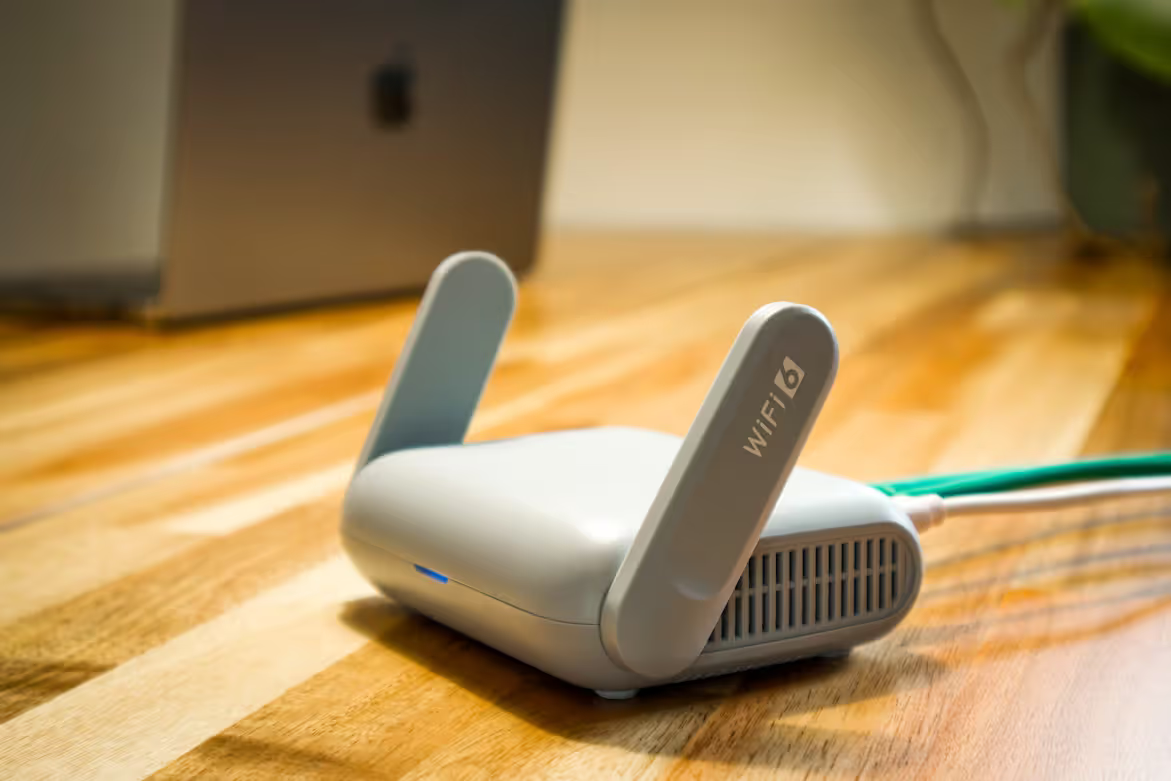
For business professionals working outside the main office, a stable internet connection is non-negotiable. Two common solutions for this are travel routers and mobile hotspots, but the terms are often used interchangeably, causing confusion.
While both can provide Wi-Fi on the go, they function differently and solve distinct problems. This guide compares them directly to help you decide which is the right fit for your enterprise's needs.
What is a Travel Router?
A travel router is essentially a compact, portable version of the router you use at home or in the office. Its primary function is to take an existing internet connection—such as a hotel's wired Ethernet or public Wi-Fi—and convert it into a private, secure wireless network for your devices.
- Connects to an existing source: It requires an internet source to function, either by plugging into a wired Ethernet port or by connecting wirelessly to an available Wi-Fi network (a feature known as WISP mode).
- Creates a private network: Once connected, it broadcasts its own Wi-Fi signal. This allows you to connect multiple devices like laptops and phones to your personal network instead of directly to the public one.
- Adds a layer of security: It acts as a firewall between your devices and the public internet. Many travel routers also support VPNs, which is crucial for protecting sensitive company data.
What is a Hotspot?
A mobile hotspot, in contrast, generates its own internet connection using a cellular network. It functions as a portable modem and router in one, creating a Wi-Fi signal from scratch wherever you have cell service—no existing internet source required.
- Creates a connection from cellular data: It contains a SIM card and uses a mobile data plan (like 4G LTE or 5G) to get online, broadcasting that connection as a Wi-Fi network.
- Acts as the internet source: A hotspot is the origin of the internet signal. It’s a self-contained device that provides access directly, rather than modifying an existing connection.
- Available in multiple forms: This functionality can come from a dedicated, standalone hotspot device or be enabled as a feature on most modern smartphones to share their data connection.
Travel Router vs Hotspot: Key Differences
The fundamental differences between these devices come down to how they connect to the internet and what they do with that connection. Here’s a direct comparison of their core distinctions.
1. Internet Source
A travel router requires an existing internet connection to work, whether it's a wired Ethernet cable or a public Wi-Fi signal. It cannot create a connection from scratch. A mobile hotspot, on the other hand, generates its own internet connection using a cellular data plan and a SIM card.
2. Primary Function
The main job of a travel router is to take one internet connection and share it securely among multiple devices, creating a private local network. In contrast, a hotspot’s primary function is to act as the internet source itself, converting a cellular signal into a Wi-Fi signal.
3. Security
A travel router adds a layer of security by acting as a firewall between your devices and a public network. Many also support VPNs for enhanced data protection. A hotspot offers standard Wi-Fi password protection but doesn't add extra security layers to an existing network because it is its own network.
4. Cost
A travel router is a one-time hardware purchase. A mobile hotspot involves both the initial cost of the device and a recurring monthly fee for a cellular data plan, which can become a significant operational expense.
Benefits of Using a Travel Router
Beyond its core functions, a travel router offers several practical advantages for business professionals on the move, especially when considering operational efficiency and cost management.
- Bypass Connection Limits: Many hotels or conference centers limit the number of devices that can connect to their Wi-Fi or charge per device. A travel router connects as a single device, allowing you to share that one connection across your entire team’s laptops, phones, and tablets without extra fees or restrictions.
- Simplified Connectivity: Instead of configuring Wi-Fi on every device at each new location, you only connect the travel router. Your devices remember the router's network and join automatically, saving significant setup time.
- Consistent Network Environment: It creates a predictable and private network that you control. This is crucial for business applications or devices that require stable network settings to function correctly, regardless of the public network’s configuration.
Advantages of Using a Hotspot
On the other hand, a mobile hotspot shines in situations where independence and reliability are paramount. Its main strengths lie in its ability to create a connection from virtually anywhere.
- Complete Independence: A hotspot works wherever there is a cellular signal, making it perfect for locations without Wi-Fi, such as in a vehicle, at a remote job site, or during transit between meetings. It doesn't rely on any existing infrastructure.
- Instant Setup: It provides immediate internet access without the hassle of finding network credentials or dealing with captive portals. Just turn it on, and your devices can connect, which is ideal for getting work started quickly.
- Dependable Backup: If a hotel or conference center’s Wi-Fi is slow, insecure, or goes down, a hotspot acts as a reliable backup. This ensures business operations can continue without interruption.
- Consistent Performance: Your connection isn't shared with other users on a public network, which can lead to more predictable speeds and performance for business-critical applications.
Choosing the Right Device for Your Business Needs
The right choice depends entirely on your team's specific work environment and priorities. Here’s how to decide.
When to Choose a Travel Router
A travel router is the most practical choice when your team primarily works from locations that already have internet access, such as hotels, client offices, or conference centers.
It is particularly useful for managing expenses by sharing a single paid connection across multiple devices and for adding a crucial security layer to public Wi-Fi.
When to Choose a Mobile Hotspot
Opt for a mobile hotspot when your employees need guaranteed internet access in places that lack reliable Wi-Fi. This is essential for productivity in vehicles, at remote job sites, or as a backup when a venue's connection fails.
Its main value is providing a dedicated, independent connection on demand.
A Hybrid Approach: Using Both
For maximum operational resilience, many businesses equip key personnel with both devices. This strategy offers complete flexibility.
An employee can use the travel router for secure, cost-effective access in their hotel room, while relying on the hotspot for connectivity during transit or as a failover if the local Wi-Fi is poor.
Final Thoughts on Travel Routers and Hotspots
Ultimately, the choice between a travel router and a mobile hotspot isn't about which is better, but which tool is right for the job. Each device addresses a distinct connectivity need for business travel.
A travel router secures and shares an existing internet connection, making it ideal for places like hotels. A hotspot creates its own connection from a cellular network, providing access anywhere you have service.
Understanding this fundamental difference is the key to equipping your team with the right technology for reliable and secure work on the road.
Need Help Managing Your Network? Lightyear Can Help

Whether your team needs travel routers, mobile hotspots, or a hybrid solution, managing the procurement and inventory for these network services can be a major challenge. Lightyear simplifies this entire process from end to end.
By automating network service procurement, inventory management, and bill consolidation, we help enterprises achieve 70%+ time savings and 20%+ cost savings on their network services.
Schedule a demo or get started with our questionnaire today.
Frequently Asked Questions about Travel Router vs Hotspot
Can a travel router make a slow Wi-Fi connection faster?
No, a travel router cannot improve the speed of the source connection. It simply takes an existing internet signal—whether fast or slow—and creates a private network from it. Your speed is still limited by the original source.
Do I need a separate data plan for a travel router?
No, a travel router does not require its own data plan. It works by connecting to an existing internet source, like a hotel's Wi-Fi or Ethernet. This is a key difference from a mobile hotspot, which needs a cellular data plan to function.
Which is better for international travel?
A travel router is often more cost-effective, as it uses local Wi-Fi and avoids roaming charges. A hotspot provides more flexibility but may require purchasing an international data plan or a local SIM card for service abroad.
Can my phone's hotspot replace a dedicated hotspot device?
For light, occasional use, yes. However, a dedicated hotspot device typically offers better performance, supports more connected devices, and won't drain your phone's battery, making it a more reliable choice for sustained business use.
Let us show you the product and discuss specifics on how it might be helpful.
Schedule a Demo





Revolutionize Your Telecom Experience
Learn how you can get one step closer to optimal business efficiency for all your telecom services.
