Comparing Ubiquiti Dream Router and UniFi UDM-US
Ubiquiti Dream Router vs. UDM-US: A clear spec comparison to help IT pros choose the right UniFi gateway for their network needs.

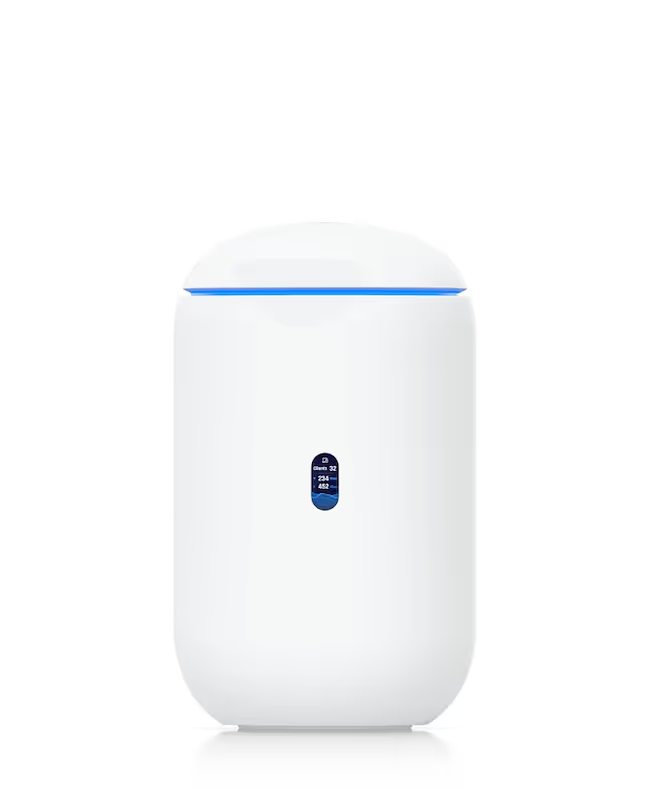
When building or upgrading a network, many IT and telecom buyers look to Ubiquiti’s UniFi line for reliable hardware. Two of its popular all-in-one devices are the UniFi Dream Router (UDR) and the original UniFi Dream Machine (UDM), which serve as a router, switch, and access point in a single unit.
While both can anchor a network, they are designed with different performance capabilities and use cases in mind. Choosing between them requires a clear understanding of their specifications and how they align with your organization's needs.
This comparison will break down the features of the Ubiquiti Dream Router and the UniFi Dream Machine to help you determine which is the better fit for your infrastructure.
H2: What is the Ubiquiti Dream Router?
The Ubiquiti Dream Router (UDR) is an all-in-one networking device designed to be the core of a small-scale UniFi deployment, such as a home office or a small business. It packs multiple functions into a single, compact form factor, making it an accessible entry point into the UniFi ecosystem. Its primary purpose is to provide a complete network foundation without requiring multiple pieces of hardware.
Key features of the Dream Router include:
- Integrated Components: It functions as a router, a 4-port Gigabit switch, and a Wi-Fi 6 access point.
- Power over Ethernet (PoE): Two of the four LAN ports provide PoE output, which can power other network devices like cameras or VoIP phones.
- UniFi Network Management: It runs the UniFi Network application natively, acting as a console for managing your entire network infrastructure.
- Storage Options: The device comes with 128 GB of internal storage and an SD card slot for storing UniFi Protect recordings.
H2: Understanding the Ubiquiti UniFi Dream Machine UDM-US
The Ubiquiti UniFi Dream Machine (UDM) is a powerful all-in-one networking solution geared toward prosumers and small-to-medium businesses that require higher performance than entry-level devices. It integrates several key networking components into a sleek, cylindrical device, simplifying network deployment and management. While it shares the all-in-one concept with the Dream Router, its internal hardware is built for more demanding network traffic and a larger number of connected clients.
Key features of the UniFi Dream Machine include:
- High-Performance Core: It combines a router, a 4-port Gigabit switch, and a high-performance 802.11ac Wave 2 Wi-Fi access point.
- Powerful Processor: Equipped with a faster processor than the UDR, it can handle higher internet speeds and more complex network tasks like threat management without a performance hit.
- Integrated Security Gateway: It includes advanced security features, such as deep packet inspection (DPI) and intrusion detection and prevention systems (IDS/IPS).
- UniFi Network Controller: Like the UDR, it hosts the UniFi Network application, allowing for centralized management of your UniFi devices.
H2: Key Differences Between Ubiquiti Dream Router and UniFi Dream Machine
While both devices consolidate your network hardware, they differ significantly in their core specifications and capabilities, which influences their ideal use case.
Wi-Fi Technology
A primary distinction lies in their Wi-Fi standards. The Dream Router is equipped with modern Wi-Fi 6 (802.11ax), which is more efficient in dense environments and better suited for the latest client devices.
In contrast, the UniFi Dream Machine uses the older, yet still capable, Wi-Fi 5 (802.11ac Wave 2) standard.
Power over Ethernet (PoE)
The Dream Router offers greater hardware flexibility by including two PoE-out ports on its switch. This allows you to directly power other network devices, such as a security camera or a VoIP phone, without extra adapters.
The UniFi Dream Machine does not have any PoE output ports, meaning you would need a separate PoE switch or injector.
UniFi Application Support
Perhaps the most significant difference is in software capability. The UDR is a multi-application device that can run UniFi Network, Protect (for cameras), Talk (for phones), and Access.
The UDM, however, is a single-purpose device that can only run the UniFi Network application, limiting its role as an all-in-one hub.
Internal Storage
To support its ability to run UniFi Protect, the Dream Router includes 128 GB of internal storage and an SD card slot for video recordings. The UniFi Dream Machine lacks these storage options as it does not support the Protect application.
H2: Performance and Speed Comparison
When it comes to raw processing power and internet speed, the differences between the two devices become very clear. The UniFi Dream Machine is built for more demanding environments, which is reflected in its core performance specifications.
- Internet Throughput: The UDM is the clear winner here, comfortably handling gigabit internet speeds (1 Gbps) even with security features like threat management turned on. The UDR, in contrast, typically maxes out at around 700 Mbps, which could be a bottleneck on a full gigabit connection.
- Processor and Memory: Under the hood, the UDM packs a more powerful 1.7 GHz quad-core processor and more RAM. This allows it to manage traffic for a larger number of users and devices without performance degradation. The UDR’s 1.35 GHz dual-core processor is capable but designed for smaller-scale deployments.
- Client Load: Because of its stronger processor, the UDM provides a more stable experience when dozens of devices are active simultaneously, which is common in a business setting. The UDR is better suited for environments with fewer concurrent users.
H2: Security Features and Capabilities
When it comes to protecting your network, both the UDR and UDM come equipped with UniFi’s suite of security tools. However, their ability to use these features without impacting network speed varies greatly. Here’s how they stack up:
- Threat Management: Both devices offer UniFi’s threat management system, which includes an Intrusion Detection System (IDS) and Intrusion Prevention System (IPS). This allows them to identify and block potential security threats in real-time.
- Performance Impact: The key difference is performance. The UDM’s more powerful processor allows it to run IDS/IPS while maintaining high throughput (around 850 Mbps). The UDR, with its less powerful CPU, experiences a significant speed reduction when these features are enabled, making it less suitable for connections faster than a few hundred Mbps.
- Network Segmentation: Both support VLANs, allowing you to create separate, isolated networks for different types of traffic—such as guest, corporate, or IoT devices—to enhance security.
H2: Ease of Use and Setup
Both the UDR and UDM are designed for straightforward installation, especially for those already familiar with the UniFi ecosystem. The setup process is guided and user-friendly for both devices.
Initial Setup
Getting either device online follows a nearly identical, simplified process. Both the Dream Router and Dream Machine are configured using the UniFi Network mobile application, which guides you through the initial steps of connecting to the internet and establishing your Wi-Fi network. This app-based approach removes much of the complexity found in traditional network hardware configuration.
Ongoing Management
Once installed, both devices are managed through the same UniFi Network controller interface. This provides a consistent experience whether you are using a web browser or the mobile app. All network settings, client monitoring, and firmware updates are handled in the same dashboard, regardless of which device you choose. This unified management is a core benefit of the UniFi platform.
H2: Making the Right Choice for Your Enterprise
Making the Right Choice for Your Enterprise
Deciding between the Dream Router and the Dream Machine comes down to your specific network requirements, particularly internet speed and the need for integrated applications.
- Choose the Dream Router (UDR) if: You are outfitting a small office or branch location with internet speeds under 700 Mbps. It’s the practical option when you want to run multiple UniFi applications like Protect and need the convenience of built-in PoE ports to power devices like cameras or phones.
- Choose the UniFi Dream Machine (UDM) if: Your site has a gigabit internet connection and supports a higher number of users. The UDM is built for performance, handling heavy traffic and advanced security features without slowing down, but it only runs the UniFi Network application and requires a separate PoE source.
Need Help Managing Your Network? Lightyear Can Help

Once you've chosen your hardware, the next step is managing the services that run on it. Lightyear automates network service procurement, inventory management, and bill consolidation, taking the complexity out of your telecom infrastructure.
Enterprises using our platform see over 70% in time savings and 20% in cost savings on average. Schedule a demo or get started with our questionnaire today.
Frequently Asked Questions about Ubiquiti Dream Router vs Ubiquiti UniFi Dream Machine UDM-US Specs
Can I expand my network if I start with a UDR or UDM?
Yes, both devices are designed for scalability. You can easily add more UniFi switches and access points to your network as your needs grow. The UDR or UDM will continue to act as the central management console for all connected UniFi hardware.
Do I still need a UniFi Cloud Key with these devices?
No, you do not. Both the Dream Router and Dream Machine have the UniFi Network application built-in, serving the function of a Cloud Key. This integration simplifies your hardware setup by removing the need for a separate controller device.
Can the UDM be upgraded to support Wi-Fi 6?
The UDM's integrated access point cannot be upgraded to Wi-Fi 6. To add Wi-Fi 6 capabilities to a UDM-based network, you would need to disable its internal Wi-Fi and adopt a separate UniFi 6 access point.
Which device is better for running UniFi Protect for security cameras?
The Dream Router is the only one of the two that can run UniFi Protect. It includes internal storage and an SD card slot specifically for camera recordings. The UDM does not support the Protect application at all.
Let us show you the product and discuss specifics on how it might be helpful.
Schedule a Demo





Revolutionize Your Telecom Experience
Learn how you can get one step closer to optimal business efficiency for all your telecom services.
