VPN Router vs VPN Service: Enterprise Buyer Guide
VPN Router vs. VPN Service: Which is right for your business? Learn the key differences in security, scalability, and cost for your enterprise network.

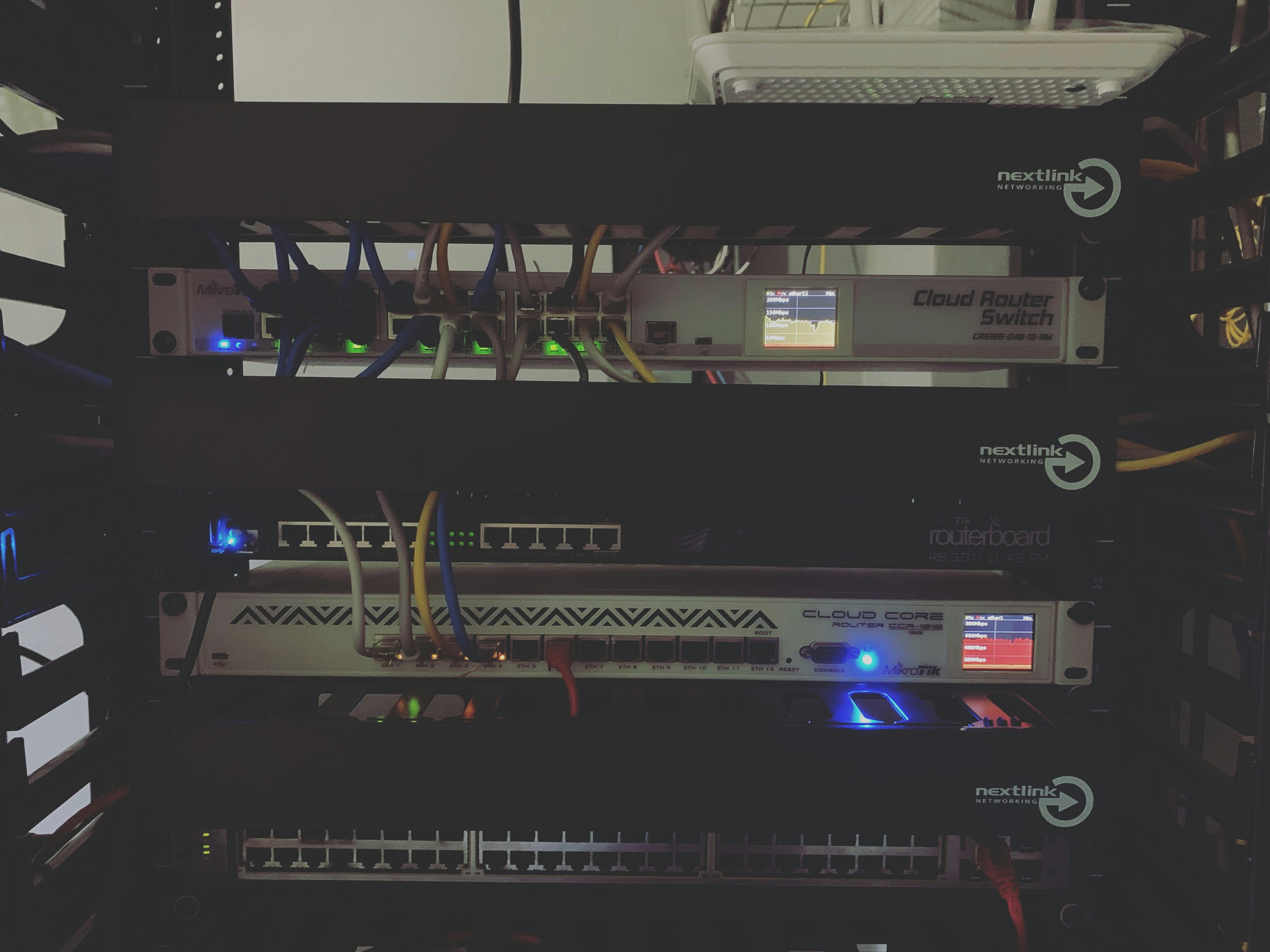
When setting up secure network access for your business, you'll often encounter two key terms: VPN routers and VPN services.
While they both aim to protect your company's data, they operate in fundamentally different ways.
This guide will explain the distinction between them, helping you understand which solution—or combination of both—is the right fit for your enterprise's security and connectivity needs.
What is a VPN Router?
A VPN router is a physical router that comes with VPN client software already installed on it. Think of it as a standard office router, but with the built-in capability to connect directly to a VPN server.
This setup automatically extends VPN protection to every device that connects to its network. Instead of installing a separate VPN application on each computer or phone, the router manages the secure connection for the entire office.
Here are its key characteristics:
- Centralized Security: It encrypts the internet traffic for any device on its network, from desktops to printers, without needing individual software installations.
- Always-On Protection: Once configured, the VPN connection is constantly active. Any device that joins the network is immediately protected.
- Hardware-Based Solution: It is a physical piece of equipment that replaces or works alongside your existing network router.
- Requires a VPN Service: The router itself is just the hardware. You still need an active subscription to a third-party VPN service to create the encrypted tunnel.
What is a VPN Service?
A VPN service, often called a VPN provider, is a software-based solution that secures your internet connection through an application. Instead of being managed at the network level, protection is handled on a device-by-device basis.
This means that each computer, tablet, or smartphone requiring secure access must have the VPN client software installed and running. It gives individual users direct control over their connection, allowing them to turn it on or off as needed.
Key characteristics include:
- Software-Based Application: It is a program installed directly on endpoint devices, such as laptops and phones, rather than a piece of central network hardware.
- Per-Device Encryption: Security is applied individually to each device running the application, protecting its traffic without affecting other devices on the same local network.
- User-Controlled Connection: Employees typically must launch the application and manually connect to a server to establish an encrypted tunnel for their internet activity.
- Global Server Access: A subscription provides access to the provider's large network of servers, which are often distributed globally to optimize speed and offer different connection locations.
VPN Router vs VPN Service: Key Differences
While both solutions encrypt your traffic, their approach to deployment, management, and coverage differs significantly. Let's break down the main distinctions.
1. Scope of Protection
A VPN router provides blanket protection, automatically encrypting traffic for every device connected to its network. This is especially useful for securing devices that can't run VPN software on their own, like printers or IoT sensors.
In contrast, a VPN service operates on a per-device basis. Protection is limited only to the specific computer or phone where its application is installed and active, leaving other devices on the same network unprotected.
2. Management and Administration
With a VPN router, security is managed centrally from a single point. An IT administrator configures the VPN connection once on the router, and the policy applies to all connected users without any individual action required.
A VPN service requires decentralized management, placing responsibility on the end-user. Each employee must install the software and remember to activate the connection on their device to be protected.
3. Flexibility for Users
A VPN router is built for securing a fixed physical location, like a main office or a branch site. Its protection is tied directly to that specific network hardware.
A VPN service offers much greater flexibility for individuals, particularly remote workers or employees who travel. They can secure their connection from any location—a hotel, coffee shop, or home office—on any network.
4. Initial Setup
Setting up a VPN router involves configuring the physical hardware and linking it to your chosen VPN provider's server. This is typically a one-time technical task for the entire network.
Deploying a VPN service means installing the client software on every single company device that needs protection. This can require more ongoing administrative effort, especially when onboarding new employees.
Benefits of Using a VPN Router
A VPN router offers several distinct advantages for securing a physical office location. Its primary benefit is providing comprehensive security for every device on the network, including those that can't run VPN software, like printers and IoT sensors. This closes common security gaps.
Management is also greatly simplified. Since the VPN is configured once at the router level, IT teams don't need to manage individual software installations or worry about whether employees have activated their connection. This 'always-on' approach ensures a consistent security policy is enforced across the entire site with minimal ongoing effort.
Finally, it creates a frictionless experience for employees. They can connect their devices to the network and receive protection automatically, without needing any special software or training.
Advantages of a VPN Service
A VPN service provides unmatched flexibility, making it the ideal solution for businesses with a distributed or traveling workforce. Because it's a software application, employees can secure their connection on demand from any location, whether it's a home office, hotel, or client site.
This approach also grants access to the provider's large, professionally managed network of global servers. This not only gives users more connection options but also removes the burden of server maintenance from your internal IT team.
The user experience is often straightforward, allowing employees to connect with a single click. This makes it a highly mobile and scalable solution for protecting individual team members wherever they are working.
Choosing the Right Solution for Your Enterprise
Deciding between a VPN router and a VPN service comes down to your company's operational structure and specific security needs. The right choice depends on where your employees work and what devices you need to protect.
Consider these common business scenarios to determine the best fit:
- For securing a central office: A VPN router is the most practical choice if your primary goal is to protect a single physical location. It provides automatic, always-on security for every device on the network, including printers and IoT hardware, without requiring any action from employees.
- For supporting a remote or traveling workforce: A VPN service is essential when your team works from various locations. It gives individual employees the flexibility to secure their connection on any network, ensuring company data is protected no matter where they are.
- For a hybrid work model: Many companies find the most effective strategy is to use both. A VPN router can secure the main office network, while a VPN service subscription is provided to remote and traveling employees for comprehensive protection across the entire organization.
Final Thoughts on VPN Solutions
Ultimately, the choice between a VPN router and a VPN service isn't about which technology is superior. It comes down to which solution best aligns with your company's operational needs.
A VPN router is fundamentally about securing a place—your office. It provides a single, managed security layer for all devices on-site.
In contrast, a VPN service is about securing a person. It offers flexible protection for individual employees, no matter their location.
As we've seen, these solutions are not mutually exclusive. Combining a VPN router for the office with a VPN service for remote staff often creates the most complete security posture for a modern business.
Need Help Managing Your Network? Lightyear Can Help

Whether you choose a VPN router, a VPN service, or a hybrid approach, the next step is managing procurement and billing. By automating network service procurement, inventory management, and bill consolidation, Lightyear helps enterprises achieve 70%+ time savings and 20%+ cost savings on their network services.
Schedule a demo or get started with our questionnaire today.
Frequently Asked Questions about VPN Router vs VPN Service
Does a VPN router slow down the entire network?
Encryption adds some overhead, which can slightly reduce internet speeds for the entire network. The extent depends on the router's processing power and your VPN provider. High-performance routers are built to handle this load, minimizing the impact on daily business operations.
Can I use any VPN service with any VPN router?
Not necessarily. The router must support the same VPN protocol (like OpenVPN) as your VPN service. Always check the router’s specifications and the VPN provider’s compatibility list to ensure they can work together before making a purchase.
Can an employee use their VPN app while connected to an office VPN router?
Yes, this creates a "double VPN" by routing traffic through two encrypted tunnels. While it adds another layer of security, it can significantly slow down the connection and is typically unnecessary for most business security requirements. It can also complicate network troubleshooting.
Let us show you the product and discuss specifics on how it might be helpful.
Schedule a Demo





Revolutionize Your Telecom Experience
Learn how you can get one step closer to optimal business efficiency for all your telecom services.
