Wireless Router vs Access Point Mode Explained
Router vs. access point mode: What's the difference? Learn the core functions of each and how to choose the right setup for your business network.

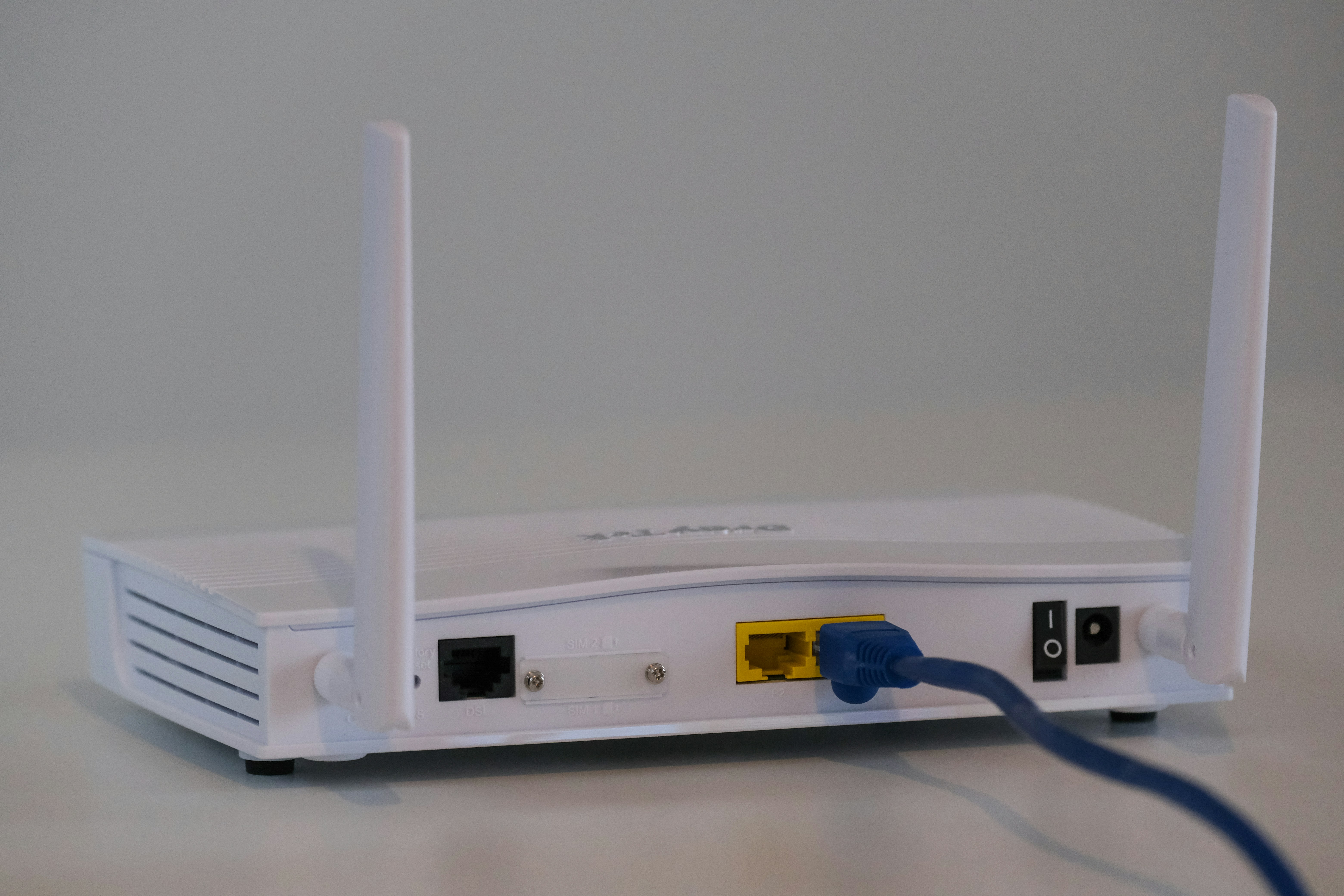
When setting up a business's wireless network, you'll often encounter two key terms: wireless router and access point. Though they both help get your devices online, they play very different roles in your network's architecture.
Knowing when to use a standard router versus when to switch it to access point mode is key to building an efficient and cost-effective network.
This guide will break down the specific functions of each and explain their core differences to help you decide which setup is right for your business.
What is a Wireless Router?
A wireless router is the central hub of most small business or home networks. Think of it as the traffic controller for your internet connection, managing data flow between your local devices and the wider internet. It's an all-in-one device that combines several key networking functions into a single box.
- Creates and Manages the Network: It establishes your local area network (LAN) and acts as a DHCP server, automatically assigning a private IP address to every device that connects.
- Routes Traffic: Using Network Address Translation (NAT), it allows multiple devices on your LAN to share a single public IP address to access the internet, directing traffic where it needs to go.
- Provides Wireless Connectivity: It broadcasts a Wi-Fi signal, creating a wireless local area network (WLAN) so that devices can connect without needing an ethernet cable.
- Acts as a Security Gateway: Most routers include a built-in firewall, which serves as a primary line of defense by monitoring incoming and outgoing traffic to block potential threats.
What is an Access Point?
An access point (AP) is a device that adds wireless capability to an existing wired network. Think of it as a wireless bridge. It connects to your main router or network switch via an Ethernet cable and then broadcasts a Wi-Fi signal, allowing wireless devices to join the network. Its job is not to create a network, but to extend one.
Many modern routers can be configured to work in what’s called Access Point Mode, which turns off their routing features to let them function solely as an AP.
- Extends Network Reach: An AP’s primary function is to provide a Wi-Fi signal in a specific area, expanding wireless coverage across a larger space like an office floor.
- Requires a Wired Connection: It must be physically connected to the main network's router or switch to get an internet connection and communicate with other devices.
- Passes on Network Management: It does not assign IP addresses or manage traffic. Those tasks are still handled by the main router on the network.
Wireless Router vs Access Point: Key Differences
While both devices provide Wi-Fi, their core functions and place within a network architecture are fundamentally different. Here’s a direct comparison of what sets them apart.
1. Network Functionality
A router is the director of your local network. It creates the network, manages it by assigning IP addresses to devices, and routes traffic between them and the internet.
An access point, in contrast, does not create a network. It simply extends the Wi-Fi signal of an existing network that is managed by a router.
2. Traffic Management and Security
Routers come equipped with a firewall and use Network Address Translation (NAT) to protect your network and direct traffic. They are the gatekeepers for your internet connection.
An access point lacks these security and routing capabilities. It passes all traffic through to the main router, which is responsible for all security and data management.
3. Standalone Capability
A router is a standalone device that can create and manage a network from a single internet connection. An access point cannot function on its own; it must be connected to a router via an Ethernet cable to work.
When to Use a Wireless Router
A wireless router is the go-to solution for small offices or standalone networks where simplicity and an all-in-one device are priorities. It's the right choice when you are starting a network from scratch with a single internet connection from a modem.
If your physical space is compact enough to be covered by one Wi-Fi signal, a router provides everything you need. It establishes the local network, manages device connections through DHCP, and offers essential security with its built-in firewall.
Essentially, use a router when you need a single piece of hardware to act as the brain of your entire network, handling both wired and wireless connections for a limited area.
When to Use an Access Point
Access points are the right choice when you need to add or expand Wi-Fi coverage to an existing wired network. They are designed to work in environments where a single router’s signal can’t reach everywhere.
Consider deploying access points in large office spaces, across multiple floors, or in outdoor campus areas to eliminate wireless dead zones. They are also perfect for high-density environments like conference rooms where many devices need to connect simultaneously.
Using multiple APs allows you to create a single, unified wireless network. This lets users move around the building without their devices disconnecting and reconnecting, ensuring a stable connection for tasks like video calls or file transfers.
Common Misconceptions
Let's clear up a few common points of confusion when it comes to routers and access points.
- More routers don't equal better Wi-Fi. Adding multiple routers to a single network can cause issues like IP address conflicts and double NAT, which complicates traffic flow. Each router will try to manage its own separate network, leading to performance problems rather than improving coverage.
- Access points are not the same as Wi-Fi extenders. While both expand coverage, an extender or repeater wirelessly rebroadcasts an existing signal, which often cuts bandwidth in half. An access point connects directly to the network via an Ethernet cable, providing a much more stable and high-performance connection.
Making the Right Choice for Your Network
Choosing between a router and an access point comes down to a simple question: are you creating a new network or expanding an existing one?
For a small office or a new network built from a single internet connection, a wireless router is the correct all-in-one solution. It establishes the network, manages traffic, and provides Wi-Fi from a single device.
If you already have a router but need to improve Wi-Fi coverage across a larger area, access points are the proper tool. By connecting multiple APs to your core network, you can build a robust, unified wireless system that eliminates dead zones without creating conflicting networks or performance issues.
Understanding this core functional difference is key to investing in the right hardware for a stable and efficient business network.
Need Help Managing Your Network? Lightyear Can Help

Choosing the right hardware is just the first step. By automating network service procurement, inventory management, and bill consolidation, Lightyear takes the pain out of managing your telecom infrastructure.
The hundreds of enterprises who trust Lightyear achieve 70%+ time savings and 20%+ cost savings on their network services. Schedule a demo or get started with our questionnaire today.
Frequently Asked Questions about Wireless Router vs Access Point Mode
Can I use an old router as an access point?
Yes, many routers feature an "Access Point Mode." Enabling this setting turns off routing functions like DHCP and NAT, letting the device simply extend your Wi-Fi coverage without creating a conflicting second network.
Do access points have their own IP addresses?
Yes, an access point has its own IP address for management access. However, it does not assign IP addresses to other devices; that task remains with your primary network router, which acts as the DHCP server.
How do I manage multiple access points?
For several APs, a wireless LAN controller (WLC) or a cloud management platform is recommended. These systems centralize configuration, firmware updates, and monitoring, simplifying the administration of your entire wireless network.
Will my devices automatically switch between access points?
Yes, this is called roaming. When all access points share the same network name (SSID) and password, your devices will automatically connect to the AP with the strongest signal as you move around your office.
Let us show you the product and discuss specifics on how it might be helpful.
Schedule a Demo





Revolutionize Your Telecom Experience
Learn how you can get one step closer to optimal business efficiency for all your telecom services.
