Wireless Router vs Modem: Enterprise Differences Explained
Router vs. modem: what's the difference? Learn the distinct roles of each device in your enterprise network to make smarter IT purchasing decisions.

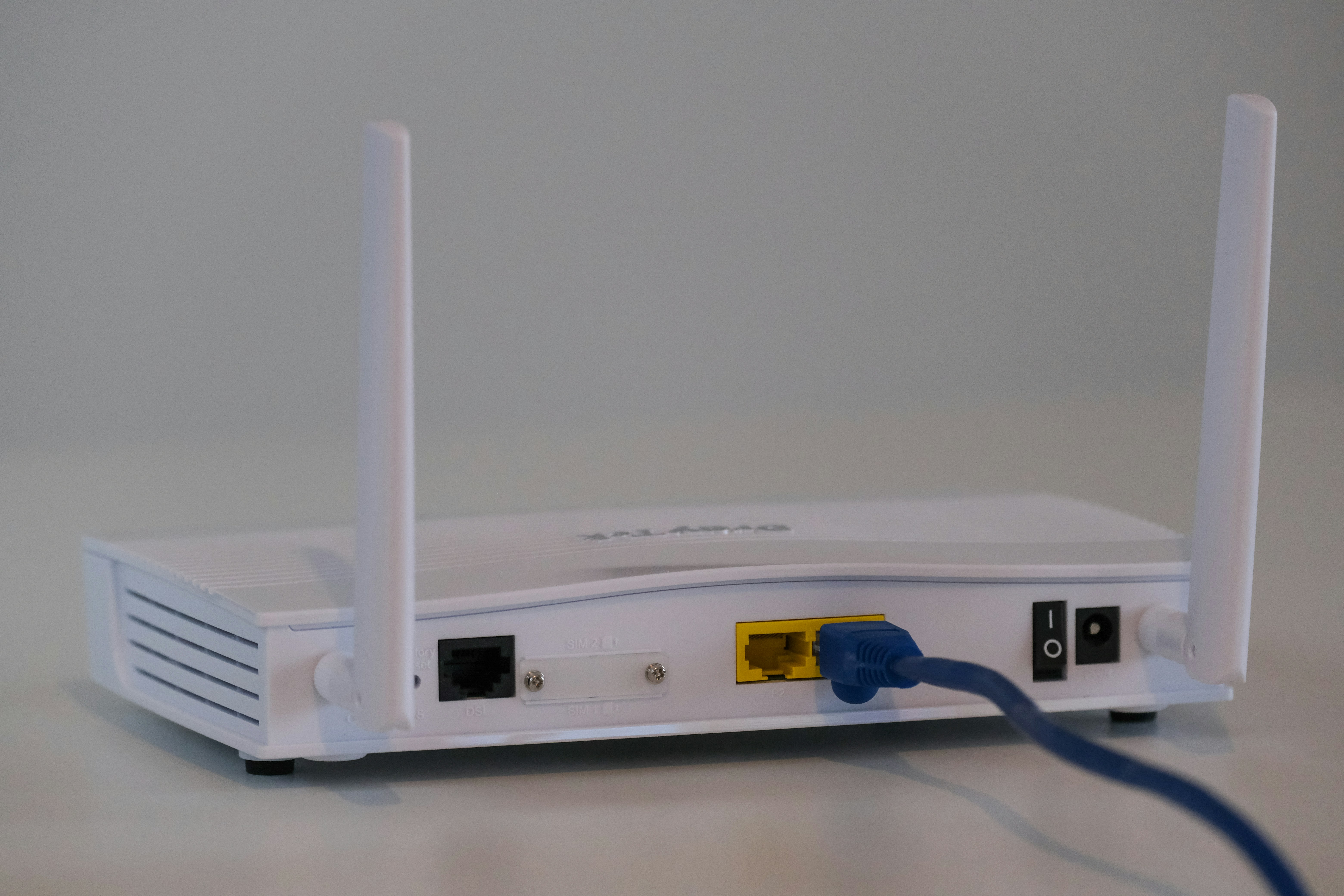
When it comes to business connectivity, the terms 'modem' and 'wireless router' are often used interchangeably. While they both play a critical part in getting your sites online, they are fundamentally different pieces of hardware with distinct functions.
For any IT or operations leader, understanding these differences is essential for making informed procurement decisions. This guide breaks down exactly what each device does, how they work together, and what to consider for your enterprise network.
What is a Wireless Router?
A wireless router creates your local Wi-Fi network, allowing multiple devices to connect to the internet without physical cables.
It takes the single internet connection provided by your modem and broadcasts it as a Wi-Fi signal, letting devices like computers, phones, and tablets get online simultaneously.
Its primary responsibilities include:
- Creating a Local Area Network (LAN): It establishes a private network for all your connected devices, allowing them to communicate with each other.
- Assigning IP Addresses: It gives each device on the network a unique local IP address to manage data flow correctly.
- Routing Traffic: It directs internet traffic between the modem and the various devices on your network.
- Providing Security: Most routers include a built-in firewall to protect your network from unauthorized access and potential threats.
What is a Modem?
A modem (short for modulator-demodulator) is the gateway that connects your local network to the internet. It acts as a translator, converting digital signals from your network into analog signals that can travel over your Internet Service Provider's (ISP) lines, and vice versa. Essentially, it’s the device that brings the internet into your building.
Its core functions are:
- Signal Conversion: It modulates digital data into analog signals for outgoing traffic and demodulates incoming analog signals back into digital data your devices can understand.
- Connecting to the ISP: It establishes a direct line of communication with your internet provider to create and maintain a stable connection.
- Receiving a Public IP Address: Your ISP assigns a single, public IP address to your modem, which identifies your network on the global internet.
Wireless Router vs Modem: Key Differences
While both devices are necessary for a complete internet setup, their roles are fundamentally separate. Here’s a breakdown of the main distinctions.
1. Core Function
A modem serves a single purpose: it connects your physical location to your Internet Service Provider (ISP), acting as the bridge to the wider internet. It translates signals for one connection.
In contrast, a wireless router’s job is to take that single internet connection from the modem and distribute it to multiple devices, creating a local network.
2. Network Scope
A modem operates on a Wide Area Network (WAN), connecting your site to the global internet. It doesn't create a local network on its own.
A router creates and manages a Local Area Network (LAN). This allows devices within your office to communicate with each other and share the internet connection.
3. IP Address Assignment
Your ISP assigns one public IP address to your modem, which identifies your entire network to the outside world.
The router then assigns unique, private IP addresses to every device connected to its LAN, ensuring data is sent to the correct computer or phone.
4. Security
A standard modem offers very little in terms of network security. Its main job is signal conversion.
A wireless router, however, typically includes a built-in firewall. This provides a critical layer of security by monitoring incoming and outgoing traffic to protect all devices on your local network.
How to Choose Between a Wireless Router and a Modem
Thinking about how to choose between a modem and a router is a common starting point, but the reality is you almost always need both for a complete internet setup. The real decision comes down to whether you should get them as separate devices or as a single, combined unit known as a gateway.
Here’s what to consider for your business sites:
- Separate Modem and Router: This setup offers the most flexibility. You can mix and match brands and upgrade one component without replacing the other—for instance, getting a new router with updated Wi-Fi technology while keeping your modem. This approach gives IT teams greater control over network configuration and performance tuning.
- Modem/Router Combo (Gateway): A combination unit is simpler to install and manage, consolidating two functions into one box. This can be a practical choice for smaller offices with basic connectivity needs. However, it offers less control. If the router technology becomes outdated or the modem fails, the entire device must be replaced, limiting your upgrade paths.
Common Use Cases for Wireless Routers and Modems
In a business environment, each device addresses distinct connectivity requirements that are critical for daily operations.
Modem Use Cases
A modem is used to connect your office to a specific type of internet service. Your choice of modem is dictated by your ISP—you'll need a cable modem for a coaxial connection, a DSL modem for phone lines, or an Optical Network Terminal (ONT) for fiber optic service. Its sole purpose is to establish that foundational link to the internet.
Wireless Router Use Cases
A wireless router is used to manage your internal network. This includes creating separate, secure Wi-Fi networks for employees and guests, prioritizing network traffic to ensure critical applications run smoothly, and implementing security policies. It gives you control over who can access your network and how they use it.
Troubleshooting Tips for Wireless Routers and Modems
When connectivity issues arise, knowing where to start can save valuable time. Here are a few common troubleshooting steps for both devices.
- Power Cycle Correctly: The first step is often to restart your equipment. Power down both the modem and the router. Wait 30 seconds, then power on the modem first. Wait until its status lights are stable before turning the router back on. This sequence re-establishes the connection from the ISP inward.
- Check Modem Lights: If the internet is down entirely, look at the modem. A blinking or unlit "Online," "Internet," or globe symbol light often indicates an issue with your ISP's service, not your internal network.
- Isolate the Problem: If Wi-Fi isn't working but a device connected directly to the router with an Ethernet cable gets online, the problem is with the router's wireless signal. If the wired connection also fails, the issue likely lies with the modem or the ISP.
- Update Router Firmware: For slow or unreliable Wi-Fi, check for router firmware updates. Manufacturers release updates to fix bugs, patch security holes, and improve performance.
Final Thoughts on Wireless Routers and Modems
While the terms are often used interchangeably, understanding the difference between a modem and a router is fundamental for any IT leader. A modem connects your site to the internet, acting as the essential gateway to your ISP. A router then takes that connection and creates your internal network, managing traffic and security for all your devices.
Ultimately, you need both for a complete and reliable setup. Making the right choice—whether separate devices or a combo unit—depends on your specific operational needs for control, scalability, and performance.
Need Help Managing Your Network? Lightyear Can Help

Choosing the right modem and router is just one piece of the puzzle. Lightyear helps you manage the entire telecom lifecycle, from procuring the right services and hardware to tracking your network inventory in one place.
By automating network service procurement, inventory management, and bill consolidation, Lightyear takes the pain out of infrastructure management. Enterprises who trust Lightyear achieve 70%+ time savings and 20%+ cost savings on their network services.
Schedule a demo or get started with our questionare today.
Frequently Asked Questions about Wireless Router vs Modem
Can I use a router without a modem?
No, a router cannot connect to the internet on its own. It needs a modem to translate the signal from your ISP. The modem provides the internet connection, and the router creates the local network for your devices.
Does my ISP-provided device work as both a modem and a router?
Frequently, yes. ISPs often supply a gateway, which is a combo unit. For business use, separate devices are often better as they allow for more control over network settings, security, and make it easier to upgrade individual components.
Is a gateway less secure than separate devices?
Not always, but a dedicated business-grade router typically offers more advanced security. This includes more granular firewall controls, traffic management, and security protocols than what is usually found in a standard ISP-provided gateway.
Let us show you the product and discuss specifics on how it might be helpful.
Schedule a Demo





Revolutionize Your Telecom Experience
Learn how you can get one step closer to optimal business efficiency for all your telecom services.
